Custom youtuber npc by SMC
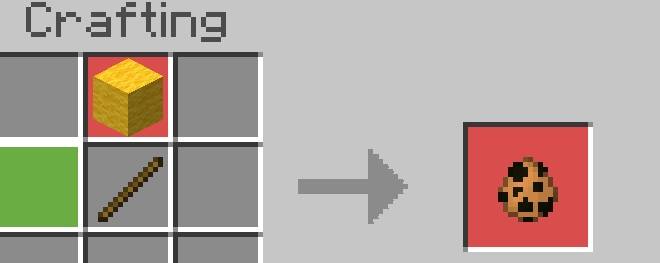
You can craft custom youtuber npcs and make them as npcs that means you can add commands like npc these has there spawn eggs
⬇ Download on CurseForgeThe author built this one for Minecraft 26.40. On other versions it may install and then do nothing.
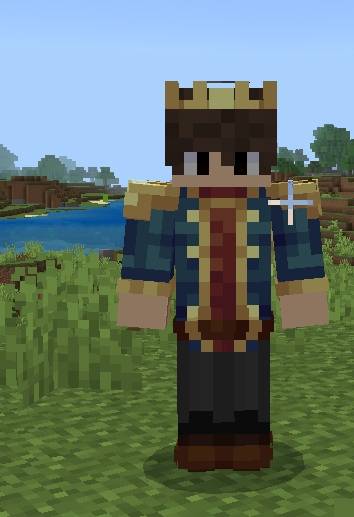
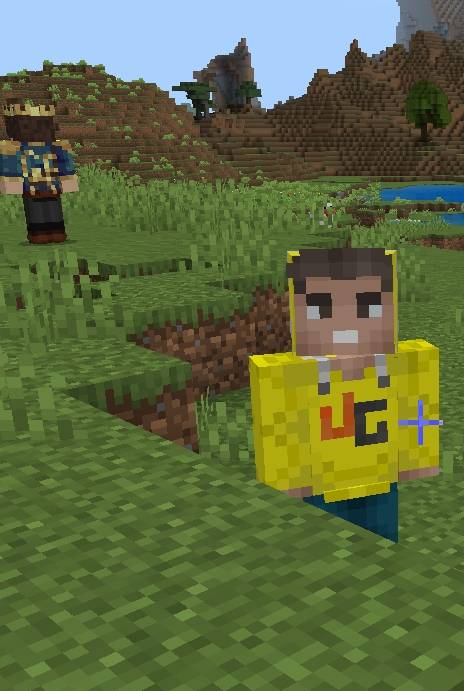
SMC Custom YouTuber NPCs
Bring your favorite content creators into your Minecraft world! SMC Custom YouTuber NPCs is a feature-rich Minecraft Bedrock/MCPE Add-On that introduces custom, villager-style YouTuber NPCs complete with custom skins, unique mechanics, and full NPC functionality.
Key Features
Custom YouTuber Skins: Spawns villager-type NPCs with accurate custom skins and health mechanics.
Fully Functional NPCs: Edit their display names and program them with custom commands, making them perfect for custom maps, roleplay, or SMP servers.
Multiple Ways to Obtain:
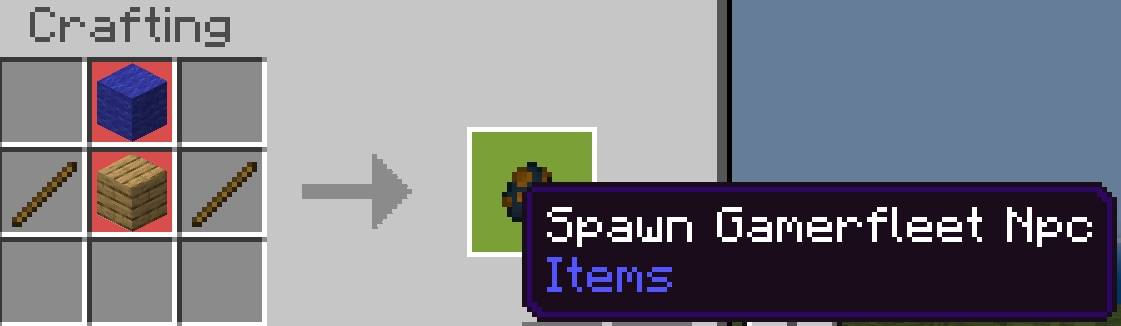
Crafting Recipes: Easily craft YouTuber spawn eggs in Survival mode.
Commands: Summon them directly using standard in-game commands.
Creative Mode: Grab spawn eggs directly from the Creative inventory.
Available Characters (v1.0):
Techno Gamerz (More YouTubers coming in future updates!)
Crafting & Usage
All crafting recipes can be viewed directly in-game via the crafting guide or the media provided on this page. Simply craft the spawn egg, place it down, interact with the NPC to set custom names or commands, and build your ultimate YouTuber world!
Required Experimental Settings
To ensure the add-on runs smoothly without any issues, make sure to enable the following toggles in your World Settings under the Experiments tab:
Experimental Features (On)
Beta APIs (On)
Note: Future updates will continually expand the roster with more popular YouTubers and additional features. Stay tuned!
- Edition: Minecraft Bedrock
- File type: .mcpack or .mcaddon
- Minecraft version listed: 26.40
- How to install: Download the .mcpack or .mcaddon file. → Open it — Minecraft imports it. → In your world: Behavior Packs → Available → Activate, then the same under Resource Packs.
- Where to get it: Opens on CurseForge — not every file is mirrored on our own servers.
Install steps are the general flow for this file type — How to install Minecraft Bedrock addons & mods walks through it step by step.
- Pack type: .mcaddon — behaviour and resource pack in one file
- Manifest requires Minecraft 1.17.0 or newer
- Complete pack — everything it depends on is inside the file
- Download size: 128 KB
- Download link checked 13 Sept 2026 — working
These come from our own check of the pack file, not from the source page.