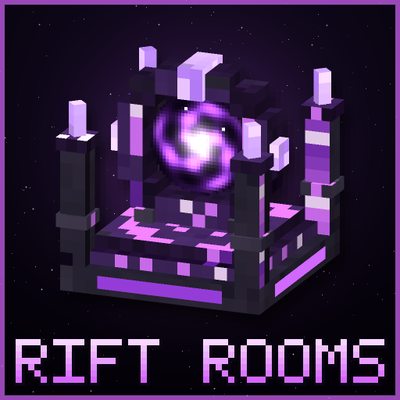
Rift Rooms
Place a rift block to step into your own private, unbreakable 16x16x16 pocket dimension room. Break the block and the room goes with you.
⬇ Download on CurseForgeRift Rooms
Your own private pocket dimension, one block away.
Rift Rooms adds a rift block that tears open a doorway into a private, unbreakable room in its own custom dimension. Place it in your base, right-click it, and you're pulled through the void into a 16x16x16 space that belongs to you. Use it for storage, a safe room, a hidden stash, or a pocket base you can take anywhere.
How It Works
- Craft a rift block. Surround an Eye of Ender with 8 Crying Obsidian on a crafting table.
- Place it. Put the rift block anywhere, like your base, a hidden bunker, or out in the wild.
- Right-click to enter. You're teleported into your own 16x16x16 room.
- Right-click the exit to leave. The exit block in the corner of the room sends you back to where you came in.
Features
- A room for every block: each rift block is linked to its own room. Build as many as you want.
- Portable rooms: break a rift block and it drops as an item still linked to its room. Place it somewhere else and everything inside is right where you left it.
- Unbreakable walls: the room's shell can't be broken, so your stuff stays safe.
- 16x16x16 interior: plenty of space for chests, farms, or a full build.
- Void rift theme: custom rift block models and effects.
- Right-click only: you won't get pulled in by walking into it by accident.
Requirements
- Minecraft Bedrock Edition 26.x or newer
- Beta APIs must be enabled in your world's Experiments settings. If it's off, the addon will tell you in-game.
Installation
- Download the .mcaddon file and open it to import it into Minecraft.
- Create or edit a world and activate both the behavior pack and the resource pack.
- Under Experiments, turn on Beta APIs.
- Craft a rift block and step inside.
Found a bug or have a suggestion? Leave a comment below.
- Edition: Minecraft Bedrock
- File type: .mcpack or .mcaddon
- Minecraft versions listed: 26.20, 26.30, 26.40
- How to install: Download the .mcpack or .mcaddon file. → Open it — Minecraft imports it. → In your world: Behavior Packs → Available → Activate, then the same under Resource Packs.
- Where to get it: Opens on CurseForge — not every file is mirrored on our own servers.
Install steps are the general flow for this file type — How to install Minecraft Bedrock addons & mods walks through it step by step.
Rift Rooms is a free Minecraft Bedrock addon. Compatible with Minecraft 26.20, 26.30, 26.40. Downloaded 188 times (via CurseForge). Download it and open it directly in the game.