CollisionFix
Java mod listed for Minecraft 26.x. Downloads from the MC Java Mods app on Android.
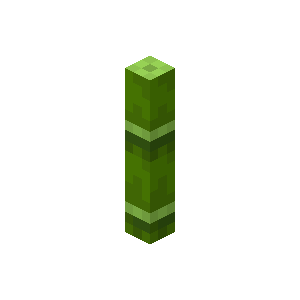
Fixes Geyser/Floodgate players getting stuck on bamboo and dripstone, without breaking mob collision like other fixes
⬇ Download on ModrinthCollisionFix
Fixes Bedrock players getting stuck ("lagback") on bamboo and pointed dripstone when connecting through Geyser/Floodgate, by removing collision from those blocks — but only for the players who actually need it.
What It Does
Bedrock Edition uses a different collision model than Java Edition. On cross-play servers, this causes Bedrock players to rubber-band near certain blocks, most notably bamboo and pointed dripstone. CollisionFix strips the collision box from these blocks, but only for players detected as connecting through Floodgate. Java players and other clients are unaffected.
How It Works
- FloodgateTracker — listens for joins/quits and tags which online players are Bedrock via the Floodgate API
- CollisionGate — a thread-safe registry of currently-online Floodgate player UUIDs
- CollisionAgent — self-attaches a ByteBuddy Java agent at runtime and patches the server's collision-shape method so tracked players get an empty shape
- PlacementGuard — re-validates block placement (bamboo stacking, dripstone thickness/orientation) so builds stay correct once collision is removed
- NMSReflection / ReflectionAPI — version-agnostic, Mojang-mapped reflection helpers for compatibility across Minecraft/Paper versions
Features
- Fixes bamboo collision lag for Bedrock players
- Fixes pointed dripstone collision lag (requires 1.17+)
- Each fix can be toggled independently via
collisionfix.conf - Folia supported
- No effect on Java Edition players
- Soft-depends on Geyser-Spigot / floodgate — safe to install without them, it just won't do anything until Floodgate is present
Caveats
"Fixes" Bedrock players running into lagback issues on certain blocks by removing any collision detection from the given block. Caveats: a custom client — Java or Bedrock — could take advantage of no collision and walk right through. Additionally, placement of these blocks on both platforms may be buggier than usual.
Plugin Info
| Version | 2.1-SNAPSHOT |
| API Version | 1.13 |
| Author | warrior_404_error |
| Soft Dependencies | Geyser-Spigot, floodgate |
| Folia Support | Yes |
- Edition: Minecraft Java
- File type: .jar
- Minecraft versions listed: 26.1, 26.1.1, 26.1.2
- How to install: Install the matching mod loader (Forge, Fabric or NeoForge) for your Minecraft version. → Download the .jar. → Put it in the .minecraft/mods folder and launch that loader profile.
- Where to get it: Opens on Modrinth — not every file is mirrored on our own servers.
Install steps are the general flow for this file type — How to install Minecraft Java mods & modpacks walks through it step by step.
- Ships as collisionfix-spigot-shaded.jar — drop this file into the mods folder
- Download size: 10.6 MB
- Download link checked 24 Oct 2026 — working
These come from our own check of the pack file, not from the source page.