DreadFrame
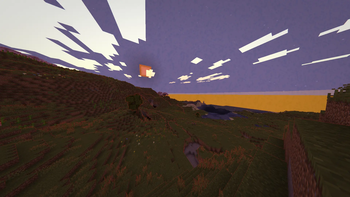
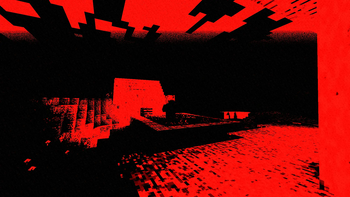
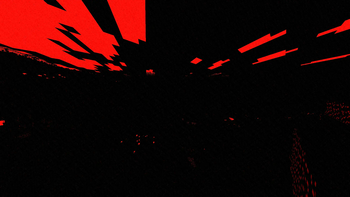
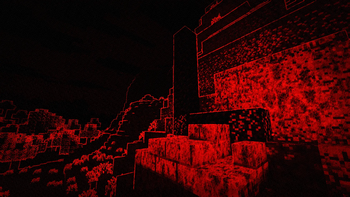
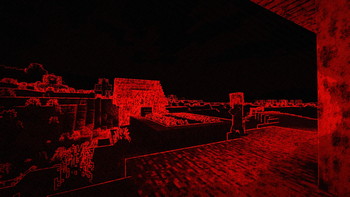
DreadFrame transforms Minecraft into stark red and black with harsh outlines, dry-brush ink, grain, scanlines, and a pulsing vignette. Built for horror…
⬇ Download on Modrinth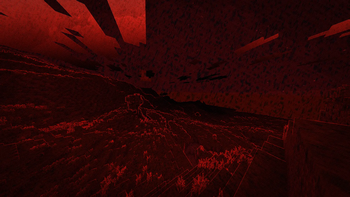
DreadFrame
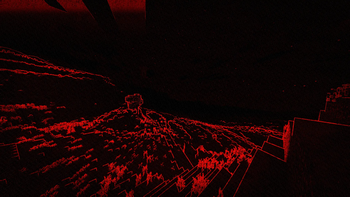
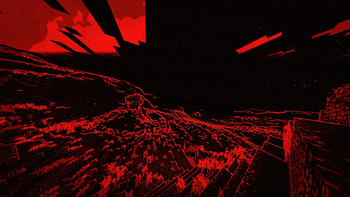
DreadFrame is a horror-focused Minecraft shader pack that transforms the game world into a harsh red-and-black nightmare. It was originally created for a horror mod project and is intended to make exploration feel oppressive, hostile, and difficult to read at a glance.
The shader changes only in-world rendering. Menus, HUD elements, and other interface changes shown in related horror-mod footage are not part of this shader pack.
Visual effects
- Stark red-and-black color grading
- Strong depth and texture outlines
- Dry-brush and screen-print ink erosion
- Torn vignette with a heartbeat pulse
- Chromatic aberration, grain, pinholes, and scanlines
- Optional world-locked ink texture
- No shadow map or normal buffer
Requirements
- Iris
- Sodium is recommended
- Designed for Minecraft 1.21.x and newer
- Tested with Iris 1.11.1 and Sodium 0.9.0
Other versions may work, but have not been tested.
Installation
- Download
DreadFrame_v2.zip. - Place the ZIP file in the
.minecraft/shaderpacksfolder without extracting it. - Open Minecraft and select DreadFrame from Options → Video Settings → Shader Packs.
Profiles and settings
Use the in-game shader settings to switch profiles and adjust visibility, darkness, outlines, pulse, grain, dry-brush strength, and other effects. The PLAYABLE profile is intended for normal gameplay, while SCREENSHOT and WOODCUT push the presentation further.
Made by Mazekest.
- Edition: Minecraft Java
- File type: .zip (resource pack)
- Minecraft versions listed: 1.21, 1.21.1, 1.21.2
- How to install: Download the .zip resource pack — do not unzip it. → Put it in .minecraft/resourcepacks. → Enable it in Options → Resource Packs.
- Where to get it: Opens on Modrinth — not every file is mirrored on our own servers.
Install steps are the general flow for this file type — see the MC Java Mods guides for the full walkthrough.
- Downloads as DreadFrame_v2.zip
- Download size: 20 KB
- Download link checked 14 Sept 2026 — working
These come from our own check of the pack file, not from the source page.