LagMap
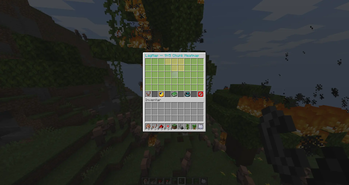
LagMap is a lightweight Paper server plugin that turns chunk performance data into an interactive in-game heatmap.
Instead of digging through long profiler outputs or console logs, server administrators can open /lagmap and immediately see which nearby chunks are likely contributing the most load.
Features
Interactive 9×5 chunk heatmap
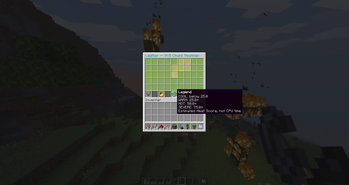
Chunk Heat Score from 0–100
Color-coded load levels:
- Green – Cool
- Yellow – Warm
- Orange – Hot
- Red – Severe
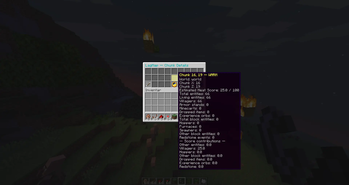
Detailed chunk inspection
Tracks:
- Entities
- Villagers
- Hoppers
- Block Entities
- Dropped Items
- Redstone Activity
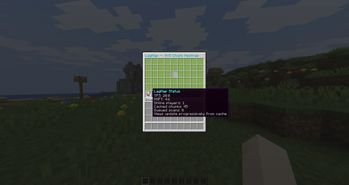
Server status with:
- TPS
- MSPT
- Online Players
Refresh and recenter controls
Safe teleportation to selected chunks
Configurable scoring weights and thresholds
Lightweight caching and request deduplication
Progressive chunk scanning to avoid performance spikes
Performance First
LagMap is designed to avoid becoming part of the problem it is trying to diagnose.
It:
- NEVER loads or generates chunks just to analyze them!!!
- Does not scan entire chunks block-by-block!
- Uses a configurable per-tick scan budget
- Deduplicates repeated scan requests
- Uses bounded caches and cleanup
- Uses only public Paper APIs
Heat Score
LagMap 0.1.0 uses a heuristic Heat Score based on measurable chunk characteristics and activity.
The score helps identify suspicious or unusually busy chunks quickly.
It is NOT an exact measurement of per-chunk CPU usage!!!
Commands
/lagmap Opens the interactive chunk heatmap.
/lagmap reload Reloads the LagMap configuration.
Permissions
lagmap.use
Allows access to the LagMap interface.
lagmap.reload
Allows configuration reloads.
lagmap.teleport
Allows teleportation to selected chunks.
Requirements
- Paper 26.2+
- Java 25
Roadmap
Future versions are planned to expand LagMap!
AI Disclosure
Generative AI tools were used as part of the development workflow.
- Edition: Minecraft Java
- File type: .jar
- Minecraft version listed: 26.2
- How to install: Install the matching mod loader (Forge, Fabric or NeoForge) for your Minecraft version. → Download the .jar. → Put it in the .minecraft/mods folder and launch that loader profile.
- Where to get it: Opens on Modrinth — not every file is mirrored on our own servers.
Install steps are the general flow for this file type — How to install Minecraft Java mods & modpacks walks through it step by step.
- Ships as LagMap-0.1.0.jar — drop this file into the mods folder
- Download size: 94 KB
- Download link checked 14 Sept 2026 — working
These come from our own check of the pack file, not from the source page.