
EnchantCap
Keep enchantments in check — on their own, no lifesteal plugin required.
EnchantCap caps enchantment levels at the enchanting table and the anvil, per enchantment, so a server can keep PvP or survival balance without ripping out vanilla enchanting entirely. It's the enchant-limiting half of Ceezun's LifeSteal plugin, pulled out and published as its own standalone download for owners who want just this feature without the full Lifesteal SMP system attached.
Features
⚔️ Per-Enchantment Level Caps
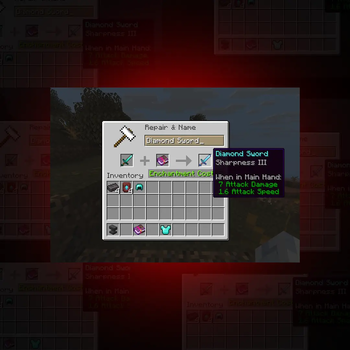
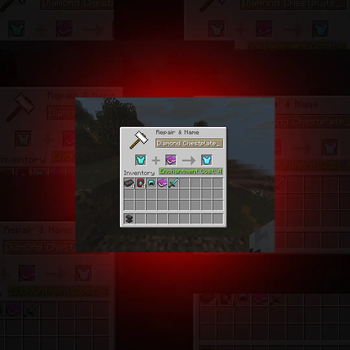
Set a maximum level for any enchantment — Sharpness capped at III, Protection at II, and so on — enforced both at the enchanting table and the anvil, so players can't sidestep the cap by combining books.
🛠️ Fully Configurable
Every enchantment's cap lives in the config file — set only the ones you care about, leave the rest at vanilla levels.
🔓 Op Bypass
An op-only bypass permission lets staff enchant past the caps for builds, testing, or admin gear.
Part of the Ceezun's LifeSteal family
EnchantCap's enchant-cap system also ships built into Ceezun's LifeSteal, Ceezun's full Lifesteal SMP core plugin — where it works alongside heart-based lives, the Heart item, Netherite Beacon revivals, gear restriction, and a bundled SimpleMace module, all in one jar. If you're running (or considering) a Lifesteal server, Ceezun's LifeSteal gives you this feature already switched on as part of the complete package.
Only need the gear-restriction side too? Check out NoNetherite, also on our Modrinth page.
- Edition: Minecraft Java
- File type: .jar
- Minecraft versions listed: 1.21, 1.21.1, 1.21.2
- How to install: Install the matching mod loader (Forge, Fabric or NeoForge) for your Minecraft version. → Download the .jar. → Put it in the .minecraft/mods folder and launch that loader profile.
- Where to get it: Opens on Modrinth — not every file is mirrored on our own servers.
Install steps are the general flow for this file type — How to install Minecraft Java mods & modpacks walks through it step by step.
- Ships as enchantcap-1.0.0.jar — drop this file into the mods folder
- Download size: 8 KB
- Download link checked 3 Oct 2026 — working
These come from our own check of the pack file, not from the source page.