
BanSystemBR
Java mod listed for Minecraft 1.20–26.x. Downloads from the MC Java Mods app on Android.
A bulletproof item-banning system for OPs. Easily find item IDs using "/banitem hand", restrict crafting, interactions, and automatically wipe banned…
⬇ Download on Modrinth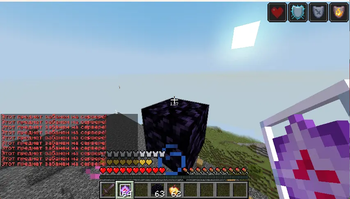
BanSystem
A lightweight, bulletproof item restriction and banning system for Minecraft servers. Perfect for keeping your economy balanced and removing overpowered items.
🇺🇸 English Description
BanSystem is an essential utility tool for server owners, survival, anarchy, and event servers. It allows you to completely ban any item in Minecraft. Unlike other simple plugins, BanSystem blocks the item from every possible angle, ensuring players cannot bypass the restriction.
✨ Features
- Hand ID Checker: No need to look up item names online! Just hold an item and type a command to get its exact ID.
- Total Interaction Block: Prevents players from using, placing, or interacting with banned items.
- Crafting Protection: Automatically cancels vanilla and custom recipes if the result is a banned item.
- Smart Pickup Control: Cancels item pickup and safely deletes banned item entities from the world to prevent spam.
- Inventory Wiper on Join: Automatically scans player inventories and armor slots upon joining and deletes any restricted items.
- Persistent Storage: All banned items are stored in
config.ymland instantly load on server startup.
🛠️ Commands & Permissions
⚠️ All commands require the
bansystem.banitempermission node (Available to Server Operators / OP by default).
/banitem <Material_ID>— Bans a specific item from the server (e.g.,/banitem TNT)./banitem hand— Shows the exact ID of the item currently in your main hand. (👤 Player Only)/banitem list— Displays a formatted list of all currently restricted items./unbanitem <Material_ID>— Unbans the item and restores its usage server-wide.
🇷🇺 Описание на Русском
BanSystem — это легкий и надежный плагин для ограничения и полной блокировки предметов на сервере. Отличное решение для анархий, гриферских серверов или КБ-ивентов, помогающее убрать дисбалансные вещи или временно отключить предметы. Плагин полностью перекрывает все лазейки использования.
✨ Особенности
- Проверка ID из руки: Больше не нужно искать английские названия предметов в интернете! Просто возьмите предмет в руку и пропишите команду, чтобы узнать его точный ID.
- Полная блокировка взаимодействия: Игроки не смогут использовать, ставить или кликать запрещенными предметами.
- Защита крафтов: Плагин автоматически отменяет крафт предмета, если он находится в черном списке.
- Контроль подбора: Блокирует подбор предметов с земли и сразу удаляет их сущность из мира, чтобы избежать лагов.
- Очистка инвентаря при входе: Сканирует инвентарь и слоты брони заходящих игроков, мгновенно извлекая и удаляя весь запрещенный контент.
- Автосохранение: Весь список заблокированных предметов сохраняется в
config.ymlи не сбрасывается после рестарта.
🛠️ Команды и Права
⚠️ Все команды требуют право
bansystem.banitem(По умолчанию доступны только администраторам / OP).
/banitem <ID_Предмета>— Запретить предмет на всем сервере (Пример:/banitem TNT)./banitem hand— Показывает точный ID предмета, который вы держите в главной руке. (👤 Только для игроков)/banitem list— Показать пронумерованный список всех забаненных предметов./unbanitem <ID_Предмета>— Разбанить предмет и вернуть его в игру.
🚀 Installation / Установка
- Download the
BanSystem.jarfile. - Drop it into your server's
plugins/folder. - Restart or reload your server.
📞 Contacts & Support / Контакты
Developed with ❤️ by egorkawww.
- Discord: egorkawww
- Telegram: [@egorkawww]
Copyright (c) 2026 egorkawww
- Edition: Minecraft Java
- File type: .jar
- Minecraft versions listed: 1.20, 1.20.1, 1.20.2
- How to install: Install the matching mod loader (Forge, Fabric or NeoForge) for your Minecraft version. → Download the .jar. → Put it in the .minecraft/mods folder and launch that loader profile.
- Where to get it: Opens on Modrinth — not every file is mirrored on our own servers.
Install steps are the general flow for this file type — How to install Minecraft Java mods & modpacks walks through it step by step.
- Ships as BanSystem-1.0.0.jar — drop this file into the mods folder
- Download size: 8 KB
- Download link checked 24 Oct 2026 — working
These come from our own check of the pack file, not from the source page.