
FFA Kits
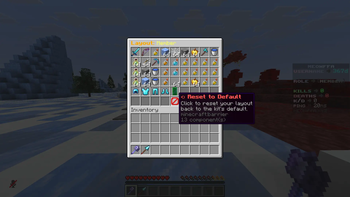
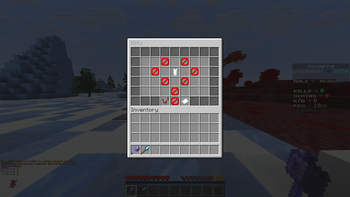
FFA Kits is a lightweight Spigot/Paper plugin that adds a fully configurable kit system for FFA (Free-For-All) PvP servers. It gives server owners a GUI-based kit selector where players can pick from custom kits, each with their own armor, weapons, consumables, and potion effects.
Features
- Custom layout — configure the kit menu's rows, columns, and item slot positions to match your server's style
- Per-kit permissions and cooldowns
- Editable item sets, display names, lore, and icons per kit — no coding required
- Optional glow/enchant-hide toggles for kit items
- Config reload command, no server restart needed
How it works
Kits are defined in a simple kits.yml file. Each kit entry controls its own items, layout position, and permission node, so you can add, remove, or rebalance kits without touching the plugin's code. The kit GUI is generated automatically based on your layout config.
Requirements
- Spigot or Paper 1.20+
- Java 17+
This is intended for FFA and PvP-focused servers looking for an easy way to manage and distribute kits to players.
- Edition: Minecraft Java
- File type: .jar
- Minecraft versions listed: 1.21, 1.21.1, 1.21.2
- How to install: Install the matching mod loader (Forge, Fabric or NeoForge) for your Minecraft version. → Download the .jar. → Put it in the .minecraft/mods folder and launch that loader profile.
- Where to get it: Opens on Modrinth — not every file is mirrored on our own servers.
Install steps are the general flow for this file type — How to install Minecraft Java mods & modpacks walks through it step by step.
- Ships as Kits-1.0.0.jar — drop this file into the mods folder
- Download size: 81 KB
- Download link checked 14 Sept 2026 — working
These come from our own check of the pack file, not from the source page.