

Set Home for NeoForge
Set Home for NeoForge is a server-side homes mod for Minecraft 1.21.1. It lets players save personal teleport locations and return to them later, while giving server admins control over how many homes each player can create.
Tested and validated on 1.21.1 NeoForge Cobblemon Modpack & compatible.
The mod generates a config file at config/sethome.toml, where admins can set the maximum number of homes allowed per player. It also creates a readable tracking file at config/sethome-homes.txt, which stores each saved home so admins can inspect or manage them outside the game if needed.
Player Commands
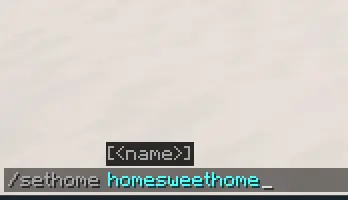
/sethome
Sets your default home named home at your current location.
/sethome <name>
Sets a named home at your current location.
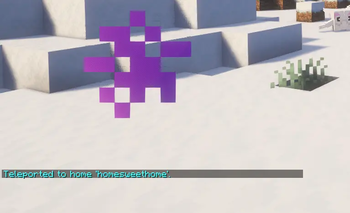
/home
Teleports you to your default home. If you only have one home, it will use that home.
/home <name>
Teleports you to a named home.
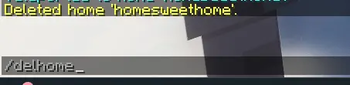
/delhome
Deletes your default home named home.
/delhome <name>
Deletes one of your named homes.
/homes
Lists all homes you have set.
OP/Admin Commands
/homeadmin config
Shows the configured maximum homes per player.
/homeadmin list
Shows how many homes are stored in total and how many players have homes.
/homeadmin list <player>
Lists all homes saved by a specific player.
/homeadmin info <player>
Shows the saved homes for a specific player.
/homeadmin remove <player> <home>
Removes one specific home from a player.
/homeadmin clear <player>
Removes all homes from a player.
/homeadmin reload
Reloads the Set Home config and homes tracking file from disk.
/homeadmin save
Saves the current Set Home config and homes tracking file to disk.
- Edition: Minecraft Java
- File type: .jar
- Minecraft version listed: 1.21.1
- How to install: Install the matching mod loader (Forge, Fabric or NeoForge) for your Minecraft version. → Download the .jar. → Put it in the .minecraft/mods folder and launch that loader profile.
- Where to get it: Opens on Modrinth — not every file is mirrored on our own servers.
Install steps are the general flow for this file type — How to install Minecraft Java mods & modpacks walks through it step by step.
- Ships as sethome-1.0.2-neoforge-1.21.1.jar — drop this file into the mods folder
- Download size: 18 KB
- Download link checked 14 Sept 2026 — working
These come from our own check of the pack file, not from the source page.