
The Sequel Parrot
Java mod listed for Minecraft 1.21. Downloads from the MC Java Mods app on Android.
⬇ Download on Modrinth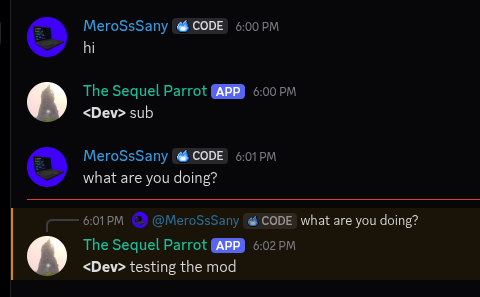
The Sequel Parrot
A sophisticated Minecraft server-side mod that bridges Minecraft chat and a Discord channel.
This was built for our SMP, but we decided to release it to the public.
Features
- Seamless Minecraft <-> Discord: Relays all messages smoothly between both platforms.
- Relay Deaths and Advancements: Broadcasts player deaths and earned achievements directly to Discord.
- Reply to Discord Messages: Clicking a Discord message in Minecraft chat autofills the
/replycommand. - Mention Discord Users: Use the
/mentioncommand or@discord_namedirectly in chat to ping users. - Custom Mention Messages: Trigger custom, role-specific notification templates when using
/mentionwithout a message payload. - Quark Compatibility: Seamlessly forwards shared items from Quark's Share Item feature to Discord.
- Reply Context: Hover over mirrored Discord messages in Minecraft to see what message is being replied to.
- Anti-Mass Mention: Prevents spam by timing out and auto-kicking players who exceed configurable mention thresholds per minute.
- Anti-Clutter: Strips newlines from chat messages into single lines and prevents executed commands from leaking into the relay channel.
- Easy Mention: Click any Discord username in Minecraft chat to automatically prepare a
/mentioncommand.
Commands
Minecraft Commands
/reply <message_id> <message>- Replies to a specific Discord message by ID./mention <user_name> [message]- Pings a Discord user directly or sends a preset custom mention message.
Discord Commands
/ping- Checks bot responsiveness and latency./players- Displays a list of currently online Minecraft players./mention <role> <message>- Sets a custom mention template string for a specified role.
Custom Mention System
The default mention format is: (Minecraft) has mentioned you, (Discord).
Server admins or role holders can configure dynamic notification formats via Discord using /mention.
Placeholder Syntax
<@>- Replaced by the sender's Minecraft Username.(@)- Replaced by the recipient's Discord Display Name.
Examples
<@> has mentioned you, (@).Attention needed! <@> requests (@) for help!
Note: Custom mention templates are triggered when a player runs
/mention <user_name>without providing an extra message argument.
Setup Guide
1. Creating the Discord Bot
- Navigate to the Discord Developer Portal and create a new application.
- Customize your bot's name and avatar.
- Go to the Bot tab in the sidebar.
- Click Reset Token and copy your new bot token (keep this private).
- Scroll down to Privileged Gateway Intents and enable:
- Server Members Intent
- Message Content Intent
- Under Bot Permissions (or via the OAuth2 -> URL Generator with the
botscope), grant the following permissions:- Send Messages
- Manage Messages
- Embed Links
- Invite the bot to your Discord server.
2. Configuring the Mod
- Boot your Minecraft server once with the mod installed to generate configuration files.
- Open your server's
configfolder and locatemessager_bot-server.toml. - Open the file and paste your Bot Token into the designated field.
3. Binding the Discord Channel
- In Discord, open User Settings -> Developer.
- Enable Developer Mode.
- Right-click your desired chat relay channel in Discord and select Copy Channel ID.
- Paste the Channel ID into
messager_bot-server.toml. - Restart or reload your server.
Credits (The Sequel Team)
- MeroSsSany - Lead Developer
- Guardian - Security Tester
- Cattopy - Tester
- Sanys - Logo Design
- Edition: Minecraft Java
- File type: .jar
- Minecraft versions listed: 1.21.1, 1.21.2, 1.21.3
- How to install: Install the matching mod loader (Forge, Fabric or NeoForge) for your Minecraft version. → Download the .jar. → Put it in the .minecraft/mods folder and launch that loader profile.
- Where to get it: Opens on Modrinth — not every file is mirrored on our own servers.
Install steps are the general flow for this file type — How to install Minecraft Java mods & modpacks walks through it step by step.
- Ships as sequel_parrot-1.21.1-1.0.0.jar — drop this file into the mods folder
- Download size: 8.9 MB
- Download link checked 4 Oct 2026 — working
These come from our own check of the pack file, not from the source page.