Functionality
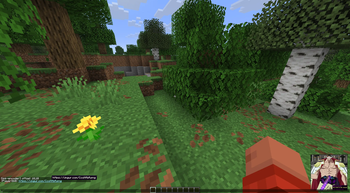
Adds a message intercept that takes sent links and encodes them with Base64, alongside taking recieved B64 encoded text, checking if they are encoded links and then decoding them before handing the plaintext back to the user. The links that are handed to the user are highlighted and underlined to identify them, as well as being clickable. Additionally, when a url belongs to an image, the user can hover their cursor over it to preview the linked image.
Note: Links can only be shared with other mod users, someone without the mod cannot see your links and without it, you cannot see the links of someone who uses it.
How to Use?
In it's most basic form, you just send a url and the mod will do everything for you! Any link the mod recognises as
an image, you can hover your cursor over it to view the image in the selected location.
The mod is configured using commands:
/linkencoder toggle encode|decode|preview        # toggling of each feature, all enabled by default
/linkencoder colour <rgb>                        # link colour, default is 4f89d9
/linkencoder position [top|bottom]_[left|right]  # image preview position, default is bottom_right
/linkencoder offset <x> <y>                      # offset from selected corner
- Edition: Minecraft Java
- File type: .jar
- Minecraft version listed: 26.1.2
- How to install: Install the matching mod loader (Forge, Fabric or NeoForge) for your Minecraft version. → Download the .jar. → Put it in the .minecraft/mods folder and launch that loader profile.
- Where to get it: Opens on Modrinth — not every file is mirrored on our own servers.
Install steps are the general flow for this file type — How to install Minecraft Java mods & modpacks walks through it step by step.
- Ships as link-encoder-0.0.3-alpha.jar — drop this file into the mods folder
- Download size: 40 KB
- Download link checked 14 Sept 2026 — working
These come from our own check of the pack file, not from the source page.