Ctrl+Z Mod
Demo
Features
In-Game Undo/Redo History Undo and redo block placements, changes, and world edits directly
Configurable History Limit Choose how much history is kept, either by number of actions (e.g. last 5 actions) or by time (e.g. last few minutes/seconds)
Creative-Only Mode Optionally restrict undo/redo to Creative mode only, so it never interferes with Survival gameplay
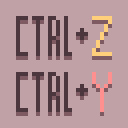
Note: The default keybinds are Ctrl+Z to undo and Ctrl+Y to redo. The default keybind to open the history menu is Z. Menu keybind can be changed in the vanilla keybind menu.
How to Report Issues
If you encounter bugs, crashes, or have suggestions for improvements:
- Open an issue on the GitHub Issue Tracker
- Or join the Discord Server to chat directly with me and the community
When reporting issues, please include:
- Your Minecraft version
- Fabric version
- Vanilib version
- List of installed mods
- Any relevant crash logs or game logs
- Edition: Minecraft Java
- File type: .jar
- Minecraft version listed: 1.21.11
- How to install: Install the matching mod loader (Forge, Fabric or NeoForge) for your Minecraft version. → Download the .jar. → Put it in the .minecraft/mods folder and launch that loader profile.
- Where to get it: Opens on Modrinth — not every file is mirrored on our own servers.
Install steps are the general flow for this file type — How to install Minecraft Java mods & modpacks walks through it step by step.
- Ships as ctrl-z-1.0.3.jar — drop this file into the mods folder
- Download size: 206 KB
- Download link checked 15 Sept 2026 — working
These come from our own check of the pack file, not from the source page.