
NarrativeCraft - CO OP
Create interactive narrative stories with your friends and then play them, all in co op. A fusion of the original NarrativeCraft mod and the BBS mod.
⬇ Download on Modrinth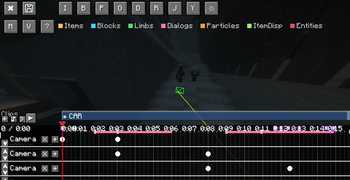
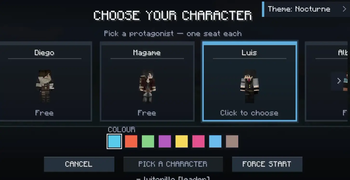
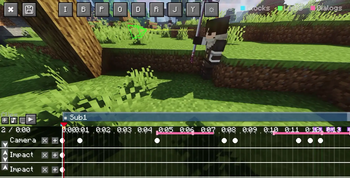
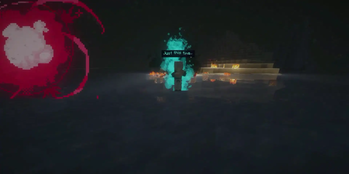
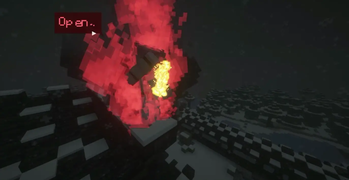
NarrativeCraft CO-OP
ORIGINAL MOD'S DISCORD This is the original Narrative Craft Discord server! If you have any questions, bugs, or problems, contact me privately as: luitopillo (i'm in the server
NarrativeCraft is a Minecraft mod to create your own narrative games in Minecraft and this is a FORK of the original mod: Narrativecraft created by LOUDO
ORIGINAL MOD: NARRATIVECRAFT
VIDEO EXAMPLES AND SHOWCASE
Warning!!
The fork is still in Alpha, probably with many serious bugs, crashes, or compatibility issues.
Anything or suggestions, please send them to me privately on Discord.
If you encounter any errors or bugs, please send me the log and crash report; otherwise, I won't be able to help you.
I'll then work to fix your bug in a future update (I don't work as fast as LOUDO! Sorry).
WHAT'S NEW?
- This extension currently allows you to create and play co-op stories.
- Move parts of mobs
- Move, scale, and rotate parts of custom mobs or mobs from mods.
- Easily add and animate blocks, particles, and NPCs.
- Easily create stories without needing Ink.
- If you're looking for something more advanced, you'll need the documentation for the original Narrativecraft.
- Add dialogue directly from cutscenes outside of camera angles.
- Compatibility with mods such as: Cursed Fate, Epic Fight, various animation resource packs, and soon with immersive mods.
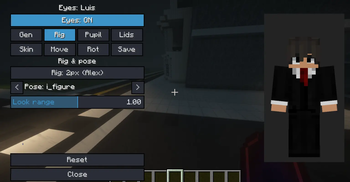
- 100% customizable and animatable eyes
- New commands to facilitate optimization and story creation
- No-pass zones to prevent your friends from entering or leaving certain areas
- A multiplayer lobby.
- Assign different cutscenes or interactions to different players.
- Execute commands directly from the cutscene editor.
- Upload sounds, different types of fades, and camera effects.
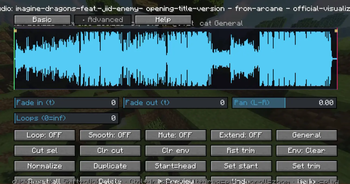
- Modify uploaded sounds directly in the game.
- Upload skins directly via Link.
- Add multiple main characters.
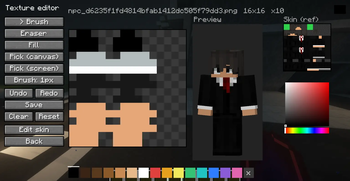
- Modify or upload textures directly from the game.
- Combine multiple subscenes or animations into a single cutscene, even with the same character, and edit (trim) them directly in the cutscene editor.
- And more!
FOR THE FUTURE
- I will create a complete documentation of this extension.
- I'm working on compatibility with more mods like Create and its add-ons, Immersive Vehicles, TACZ, and other immersive mods.
- I'm working on making it possible to add a camera angle after a cutscene without needing ink code.
- AND ESPECIALLY BUG FIXES
Getting started
If you want to start learning the original mod NarrativeCraft and have advanced experience for this extension, take a look at the documentation; made by LOUDO you'll be guided there to start your first story and learn the fundamentals of the mod.
Credits
The original mod was made by LOUDO
ALL the documentation was made by LOUDO
The discord was made by LOUDO AND IT'S ONLY FOR THE ORIGINAL MOD
- Edition: Minecraft Java
- File type: .jar
- Minecraft version listed: 1.20.1
- How to install: Install the matching mod loader (Forge, Fabric or NeoForge) for your Minecraft version. → Download the .jar. → Put it in the .minecraft/mods folder and launch that loader profile.
- Where to get it: Opens on Modrinth — not every file is mirrored on our own servers.
Install steps are the general flow for this file type — How to install Minecraft Java mods & modpacks walks through it step by step.
- Ships as narrativecraft-co-op-forge-1.20.1-3.0.0.jar — drop this file into the mods folder
- Download size: 3.0 MB
- Download link checked 15 Sept 2026 — working
These come from our own check of the pack file, not from the source page.