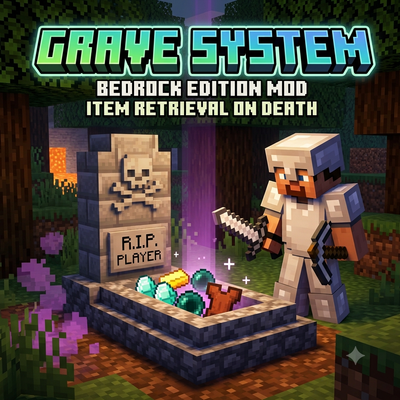
Grave System
Bedrock add-on listed for Minecraft 26.x (behavior + resource pack). File opened and checked on 15 Sep 2026; installs from the MC Bedrock Mods app on Android.
⬇ Download on CurseForgeThe author built this one for Minecraft 26.40. On other versions it may install and then do nothing.
Grave Mod – Keep Your Items Safe!
Tired of losing all your hard-earned items when you die in Minecraft? The Grave Mod is here to save your precious loot! Whenever you perish in the world, a grave will automatically spawn at the exact location of your death, safely storing all the items in your inventory.
Key Features:
Instant Death Graves: Never worry about your items despawning or burning in lava again.
Easy Retrieval: Simply right-click on your grave to instantly recover all of your lost equipment and blocks.
Multiplayer Friendly: Keep your inventory secure from accidental despawns while exploring with friends.
Note: If you are not sure how to install Bedrock add-ons, please watch the video below for a step-by-step installation guide.
- Edition: Minecraft Bedrock
- File type: .mcpack or .mcaddon
- Minecraft version listed: 26.40
- How to install: Download the .mcpack or .mcaddon file. → Open it — Minecraft imports it. → In your world: Behavior Packs → Available → Activate, then the same under Resource Packs.
- Where to get it: Opens on CurseForge — not every file is mirrored on our own servers.
Install steps are the general flow for this file type — How to install Minecraft Bedrock addons & mods walks through it step by step.
- Pack type: .mcaddon — behaviour and resource pack in one file
- Manifest requires Minecraft 1.26.0 or newer
- Complete pack — everything it depends on is inside the file
- Download size: 5 KB
- Download link checked 5 Oct 2026 — working
These come from our own check of the pack file, not from the source page.