
Spatial GUI
Spatial GUI A client-side mod that renders inventory & container screens as a 3D plane, making the GUI more immersive. Features First-person and…
⬇ Download on ModrinthSpatial GUI
A client-side mod that renders inventory & container screens as a 3D plane, making the GUI more immersive.
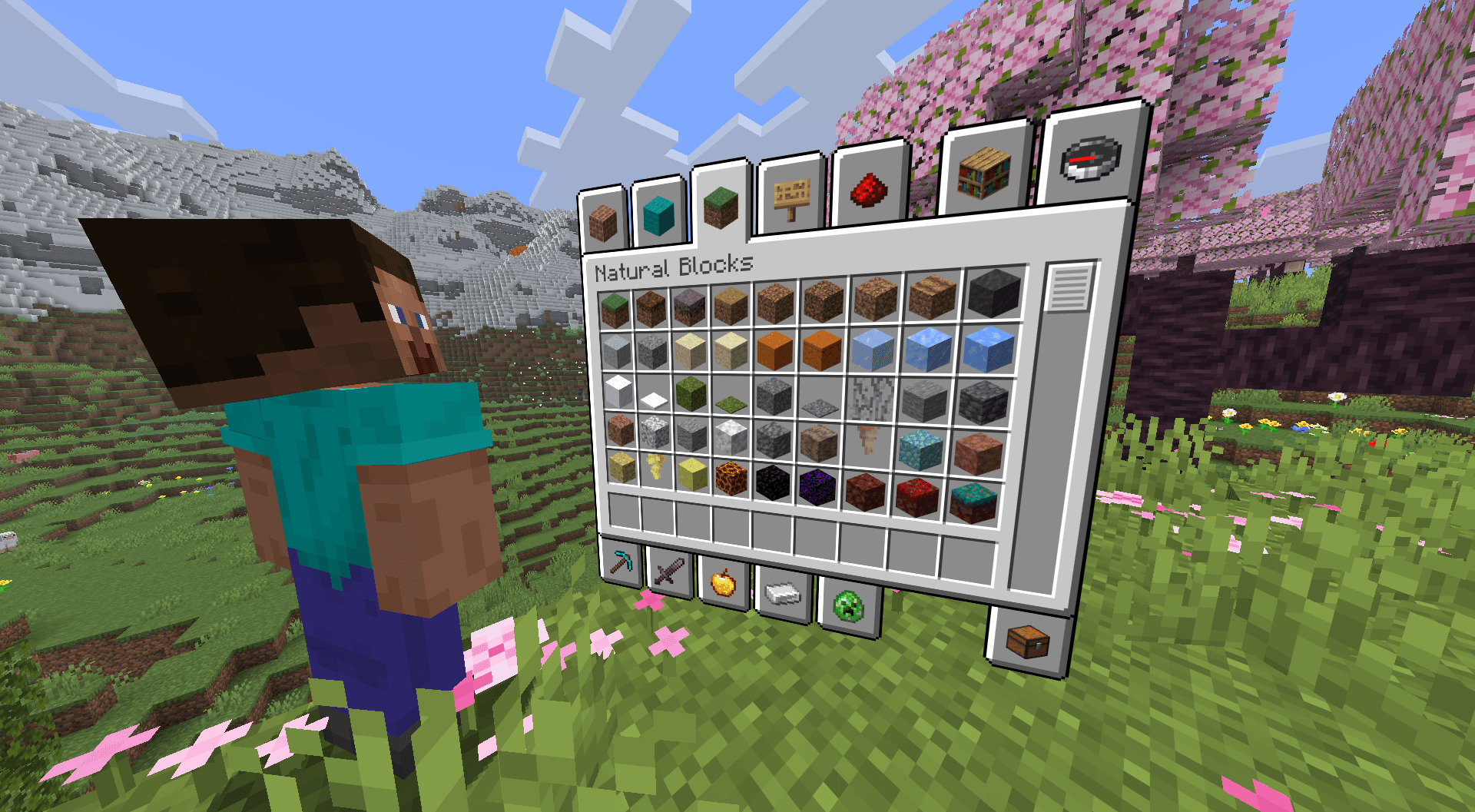
Features
- First-person and third-person camera modes for inventory viewing
- Automatically switches to first-person when the camera would clip through blocks
- Fully configurable screen position, distance, scale, and rotation
- Smooth camera transitions with tons of settings
- Fade in and scale animations
- Configurable screen transparency
- Parallax effects (can be disabled)
- Completely client-sided
- And more
Dependencies
Fabric API, Cloth Config, Mod Menu
Configuration
Access config via Mod Menu or edit the config file.
Fairness
This mod is purely visual and tries not provide any gameplay advantages. It only changes how inventory screens are rendered and does not modify game mechanics, however it can modify your cameras position within reasonable limits.
Server Disclaimer: While this mod is client-side only and tries to be fair to use, please check with your server administrators before using it on multiplayer servers, as some servers may have specific rules about client-side mods, especially ones that can modify your camera.
Other Notes
- This was inspired by the Dead Space inventory GUI.
- This mod may not have great compatibility with other mods that mess with the player GUI/HUD, be warned.
- Edition: Minecraft Java
- File type: .jar
- Minecraft version listed: 26.3
- How to install: Install the matching mod loader (Forge, Fabric or NeoForge) for your Minecraft version. → Download the .jar. → Put it in the .minecraft/mods folder and launch that loader profile.
- Where to get it: Opens on Modrinth — not every file is mirrored on our own servers.
Install steps are the general flow for this file type — How to install Minecraft Java mods & modpacks walks through it step by step.
- Ships as spatial-gui-1.1.jar — drop this file into the mods folder
- Download size: 178 KB
- Download link checked 16 Sept 2026 — working
These come from our own check of the pack file, not from the source page.