AddonsBedrock
Bedrock F3+ (Achivement Friendly)
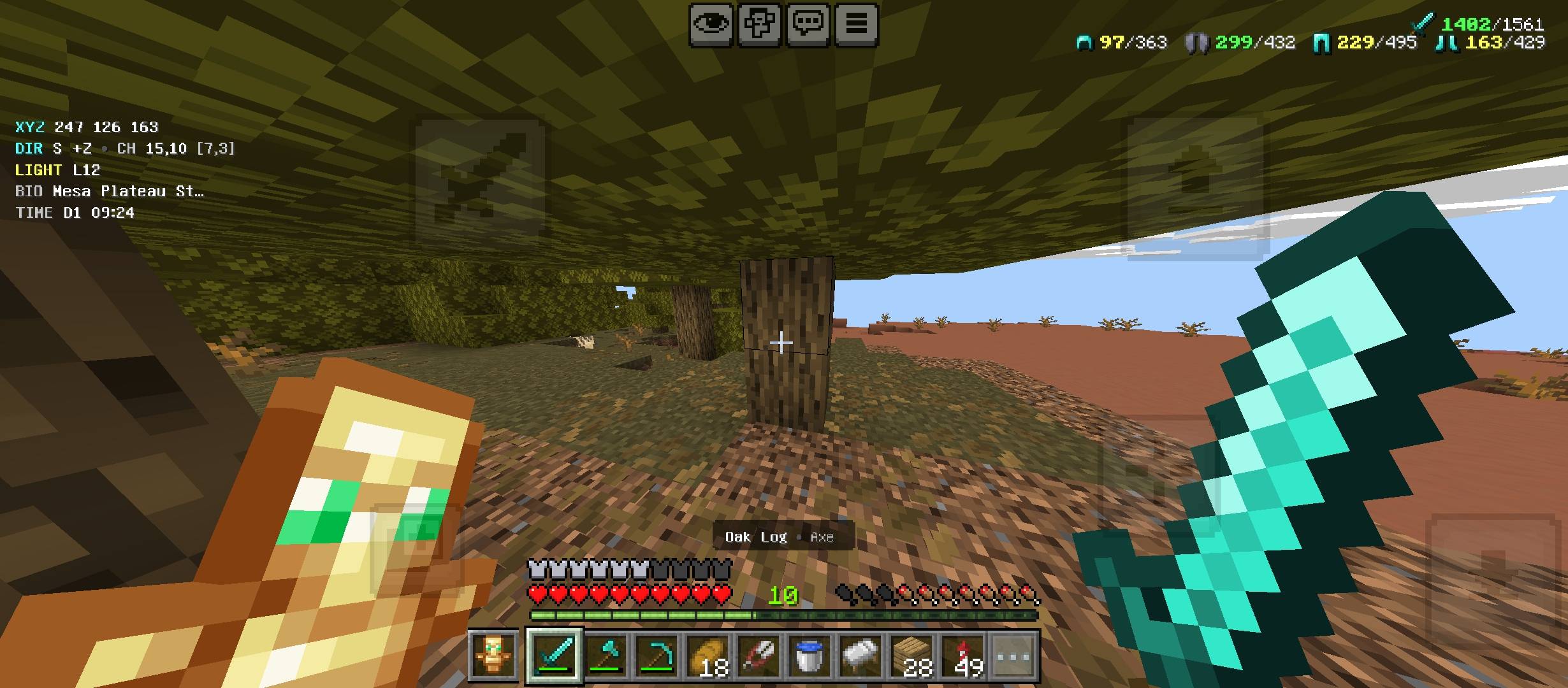
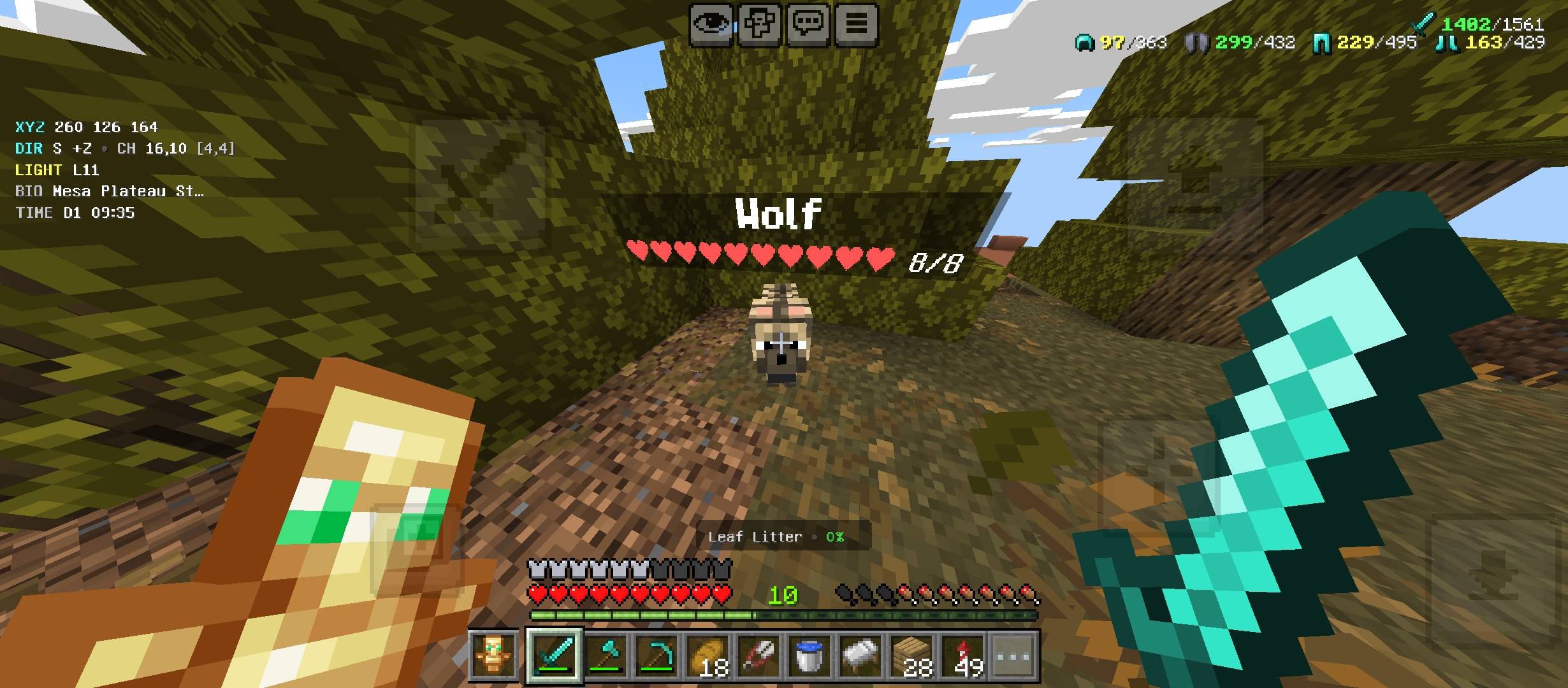
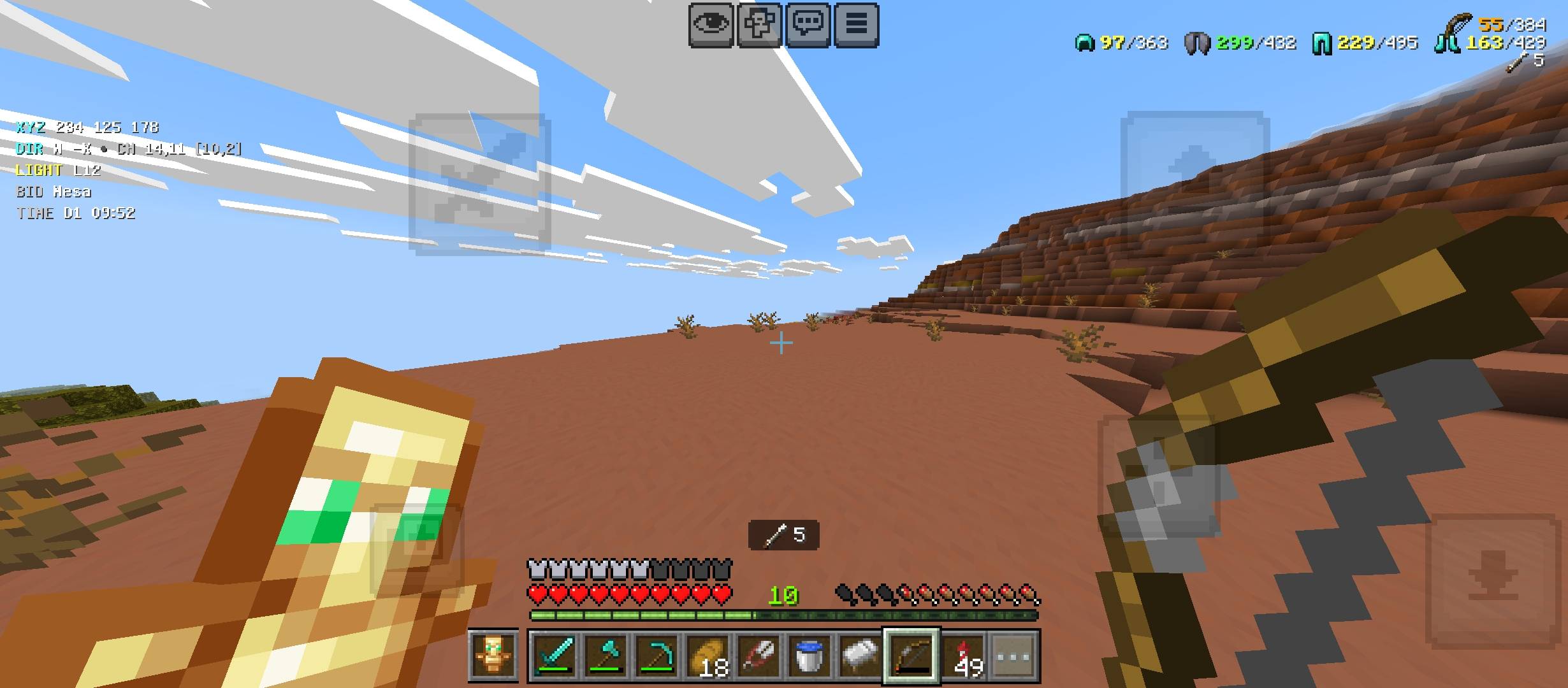
Bedrock F3+ is an achievement-friendly HUD utility pack showing coordinates, biome, time, light level, durability, mob HP, target info, offhand display…
⬇ Download on CurseForge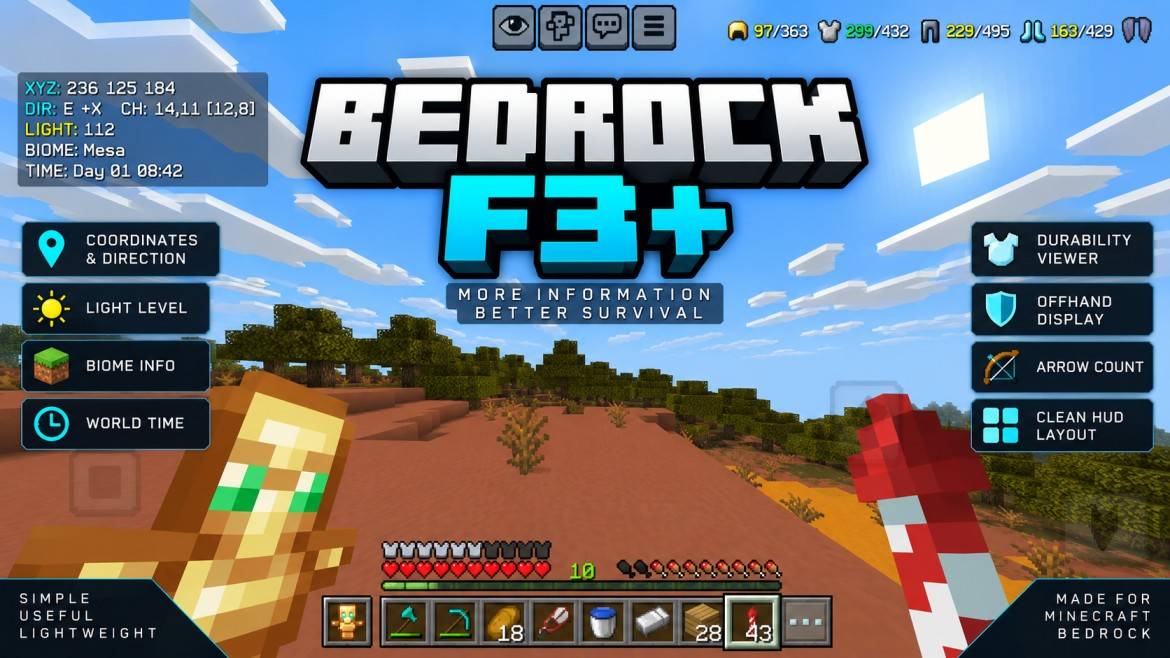
BEDROCK F3+
MORE INFORMATION • BETTER SURVIVAL
A clean and lightweight Minecraft Bedrock HUD that displays useful survival information without filling the screen with unnecessary elements.
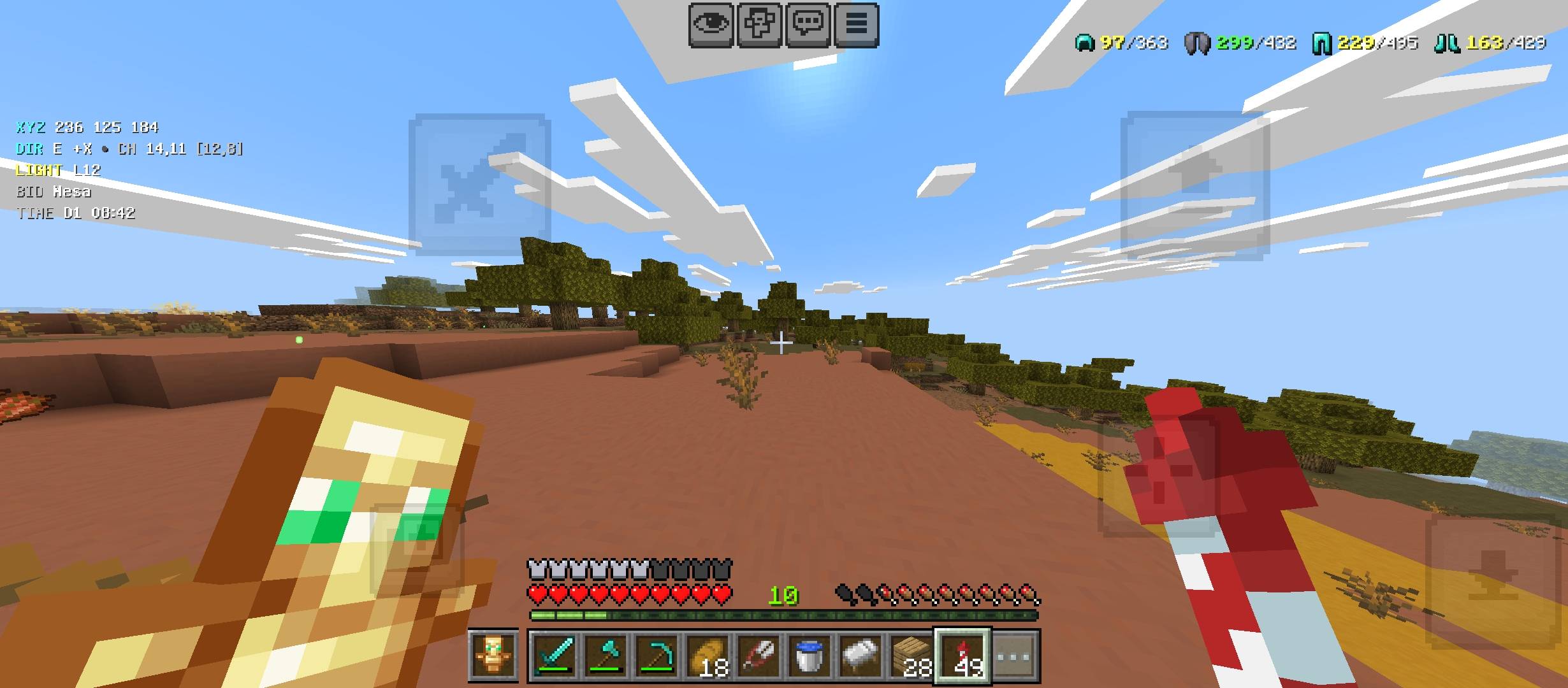
🏆 ACHIEVEMENT FRIENDLY
<small>Tested with achievements remaining enabled while using Bedrock F3+.</small>
<small>Tested with achievements remaining enabled while using Bedrock F3+.</small>
| 📍 WORLD INFO XYZ • Direction • Chunk |
☀ ENVIRONMENT Light • Biome • Time |
🛡 DURABILITY Tools • Armor • Offhand |
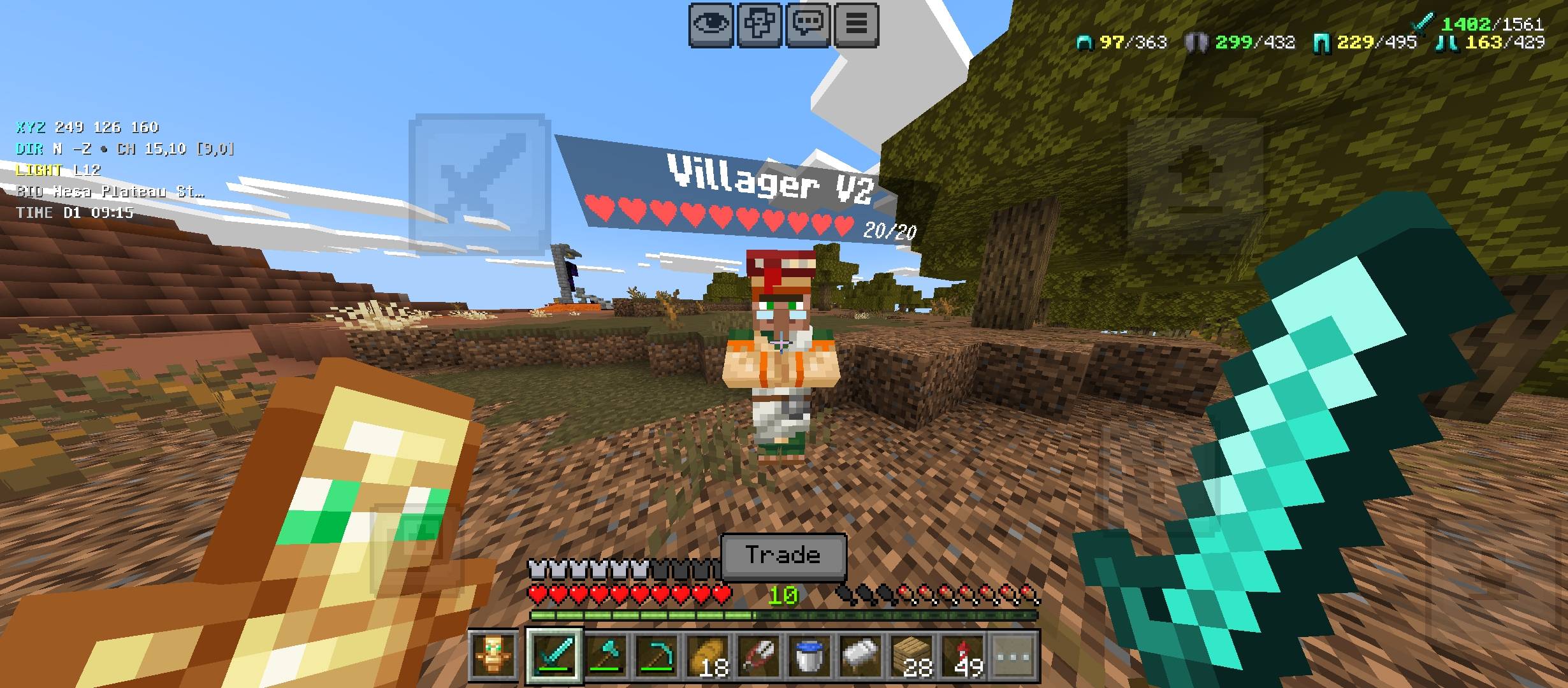
| 🎯 TARGET INFO Blocks • Tools • Crops |
❤ MOB INFO Name • Hearts • HP |
✋ OFFHAND HUD Extra Slot • Item Display |
HUD LAYOUT
TOP LEFT → World Information • TOP RIGHT → Durability Viewer • BOTTOM → Target Information
TOP LEFT → World Information • TOP RIGHT → Durability Viewer • BOTTOM → Target Information
⚙ MAIN FEATURES
| ✔ XYZ Coordinates | ✔ Facing Direction | ✔ Chunk Details |
| ✔ Light Level | ✔ Biome Information | ✔ Day & Time |
| ✔ Held Item Durability | ✔ Armor Durability | ✔ Offhand Durability |
| ✔ Block Scanner | ✔ Recommended Tool | ✔ Crop Growth Info |
| ✔ Mob Health | ✔ Arrow Count | ✔ Extra Offhand Slot |
🛠 DURABILITY VIEWER
Bedrock F3+ keeps your important equipment durability visible at the top-right without covering the center of your screen.
Held Tool ➜ Offhand ➜ Helmet ➜ Chestplate ➜ Leggings ➜ Boots
✋ OFFHAND DISPLAY
| EXTRA SLOT Displayed beside the hotbar |
ITEM VIEW Quick offhand identification |
DURABILITY Shown for damageable items |
🎯 TARGET SCANNER
LOOK AT A BLOCK
↓
BEDROCK F3+ READS THE TARGET
↓
BLOCK • TOOL • CROP INFO
❤ MOB HEALTH
| MOB NAME | HEART DISPLAY | CURRENT / MAX HP |
⭐ WHY USE BEDROCK F3+?
| ✓ ACHIEVEMENT FRIENDLY Achievements remain available |
✓ COMPACT Minimal screen clutter |
✓ SURVIVAL FOCUSED Useful information only |
| ✓ LIGHTWEIGHT Clean HUD design |
✓ CUSTOMIZABLE Control HUD features |
✓ MOBILE FRIENDLY Designed for Bedrock HUD |
⚙ SETTINGS
Open the Bedrock F3+ settings menu using:
/scriptevent craftsense:menu
BEDROCK F3+
<small>Simple • Useful • Lightweight</small>
<small> Created by Gavti
All Rights Reserved </small>
<small>Simple • Useful • Lightweight</small>
<small> Created by Gavti
All Rights Reserved </small>
Quick facts
- Edition: Minecraft Bedrock
- File type: .mcpack or .mcaddon
- Minecraft versions listed: 26.20, 26.30, 26.40
- How to install: Download the .mcpack or .mcaddon file. → Open it — Minecraft imports it. → In your world: Behavior Packs → Available → Activate, then the same under Resource Packs.
- Where to get it: Opens on CurseForge — not every file is mirrored on our own servers.
Install steps are the general flow for this file type — How to install Minecraft Bedrock addons & mods walks through it step by step.
Verified by MCModsHub
- Pack type: .mcaddon — behaviour and resource pack in one file
- Download size: 190 KB
- Download link checked 16 Sept 2026 — working
These come from our own check of the pack file, not from the source page.