
Spotify Hud
Java mod listed for Minecraft 26.x. Downloads from the MC Java Mods app on Android.
A lightweight Minecraft mod that displays your currently playing Spotify track in-game with a clean and customizable HUD.
⬇ Download on Modrinth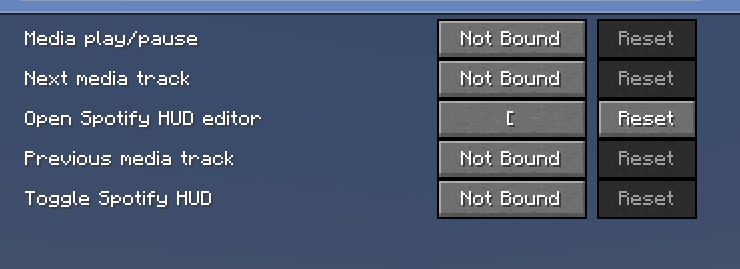
Spotify HUD
A lightweight Minecraft mod that brings your currently playing Spotify track into Minecraft with a clean, customizable HUD.
Features
- Displays the currently playing song and artist in-game
- Clean Spotify-inspired HUD
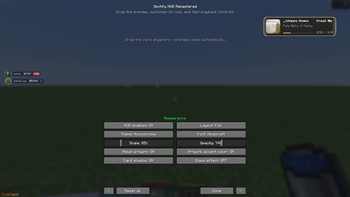
- Customizable HUD position and appearance
- Designed to stay lightweight and unobtrusive
- Works while playing on singleplayer worlds and multiplayer servers
Requirements
- Minecraft
- Fabric Loader
- Any dependencies listed on the version download page
- Spotify
Installation
- Install Fabric Loader for the supported Minecraft version.
- Install any required dependencies listed on the download page.
- Download Spotify HUD.
- Place the
.jarfile inside your Minecraftmodsfolder. - Launch Minecraft using your Fabric profile.
Configuration
Open the mod's settings in-game to configure the available HUD options.
Privacy
Spotify HUD only uses the information required for its Spotify integration. Check the project documentation and source code for details about authentication and data handling.
Compatibility
Check each release on Modrinth for its supported Minecraft versions and required dependencies.
Issues & Suggestions
If you find a bug or have a feature suggestion, report it through the project's issue tracker.
Spotify HUD is an independent Minecraft mod and is not affiliated with or endorsed by Spotify or Mojang Studios.
- Edition: Minecraft Java
- File type: .jar
- Minecraft version listed: 26.2
- How to install: Install the matching mod loader (Forge, Fabric or NeoForge) for your Minecraft version. → Download the .jar. → Put it in the .minecraft/mods folder and launch that loader profile.
- Where to get it: Opens on Modrinth — not every file is mirrored on our own servers.
Install steps are the general flow for this file type — How to install Minecraft Java mods & modpacks walks through it step by step.
- Ships as spotify-hud-26.2.jar — drop this file into the mods folder
- Download size: 494 KB
- Download link checked 27 Oct 2026 — working
These come from our own check of the pack file, not from the source page.