
filterlab
Apply real-time post-processing filters to your game: color grading, bloom, vignette, film looks, video overlays, presets and event triggers. Client-side…
⬇ Download on Modrinth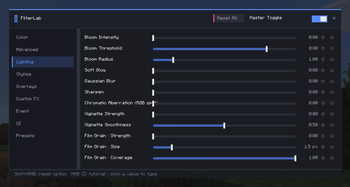
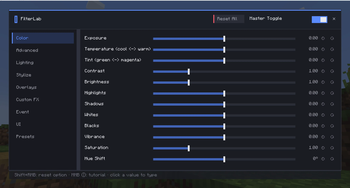
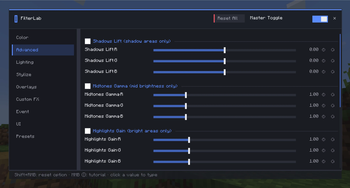
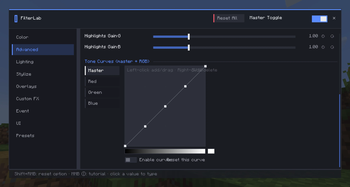
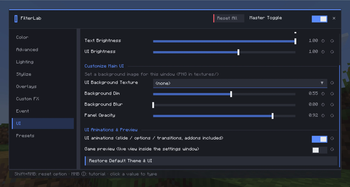
FilterLab is a client-side mod that applies real-time post-processing filters to your game — no resource packs or shader packs needed. ## Features - Live filter stack — color grading (lift–gamma–gain), multi-pass bloom, vignette, one-click looks like Dreamcore, all adjustable in real time from a modern GUI - Image & video overlays — play PNG textures or imported videos as animated overlays - Presets — save and share your looks; files are portable between players - Hotkeys & commands — K toggles all filters, /filterlab on|off|preset|trigger ( - Optional addons — Studio: build custom effects in a visual node editor; Triggers: fire filters on game events (low health, biomes, jumping, custom conditions). Creations run with only the main mod installed ## Compatibility Client-side only (servers don't need it) and fully compatible with Iris shader packs. Available for 1.21.1 (Fabric / NeoForge) and 1.20.1 (Fabric / Forge)
- Edition: Minecraft Java
- File type: .jar
- Minecraft version listed: 1.20.1
- How to install: Install the matching mod loader (Forge, Fabric or NeoForge) for your Minecraft version. → Download the .jar. → Put it in the .minecraft/mods folder and launch that loader profile.
- Where to get it: Opens on Modrinth — not every file is mirrored on our own servers.
Install steps are the general flow for this file type — How to install Minecraft Java mods & modpacks walks through it step by step.
- Ships as filterlab-forge-1.8.8.jar — drop this file into the mods folder
- Download size: 340 KB
- Download link checked 17 Sept 2026 — working
These come from our own check of the pack file, not from the source page.