
ModsJava
f2-screenshot-clipboard
Java mod listed for Minecraft 1.21. Downloads from the MC Java Mods app on Android.
⬇ Download on Modrinth
按 F2 截图后,自动把截图图片复制到系统剪贴板,可直接粘贴到微信、QQ 等软件。
功能
- F2 截图完成后自动复制到剪贴板
- 复制成功播放轻快 UI 点击音效,并在聊天栏显示绿色“已复制”提示与文件名
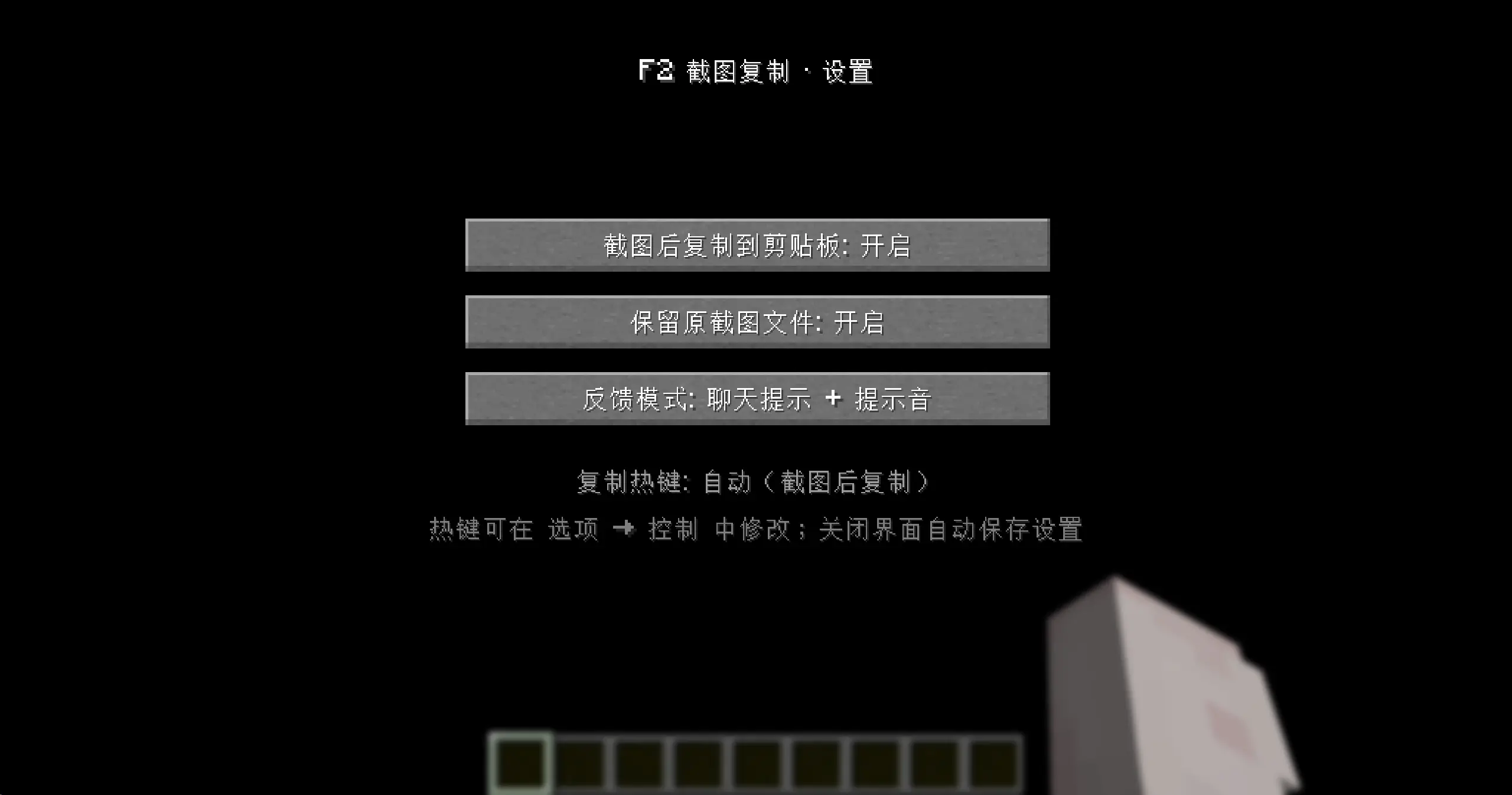
- 设置界面:复制开关 / 保留原文件 / 反馈模式(按 K 打开,关闭时自动保存)
- 复制热键默认 F2,可在 选项 → 控制 中修改;截图复制器物品右键可快速复制最近截图
- 配置文件
config/f2.json
使用
- 直接按 F2 截图即可,截图完成后图片已在剪贴板
- 按 K 打开设置界面,可切换“复制到剪贴板”“保留原文件”“反馈模式”
语言
目前仅支持中文与英文,未来将支持更多语言
Pressing F2 to take a screenshot automatically copies the image to the system clipboard, allowing you to paste it directly into applications like WeChat or Discord.
Features
- Automatically copies the screenshot to the clipboard upon completion (executed in a background thread to avoid impacting frame rate).
- Plays a crisp UI click sound upon successful copying and displays a green "Copied" notification along with the filename in the chat area.
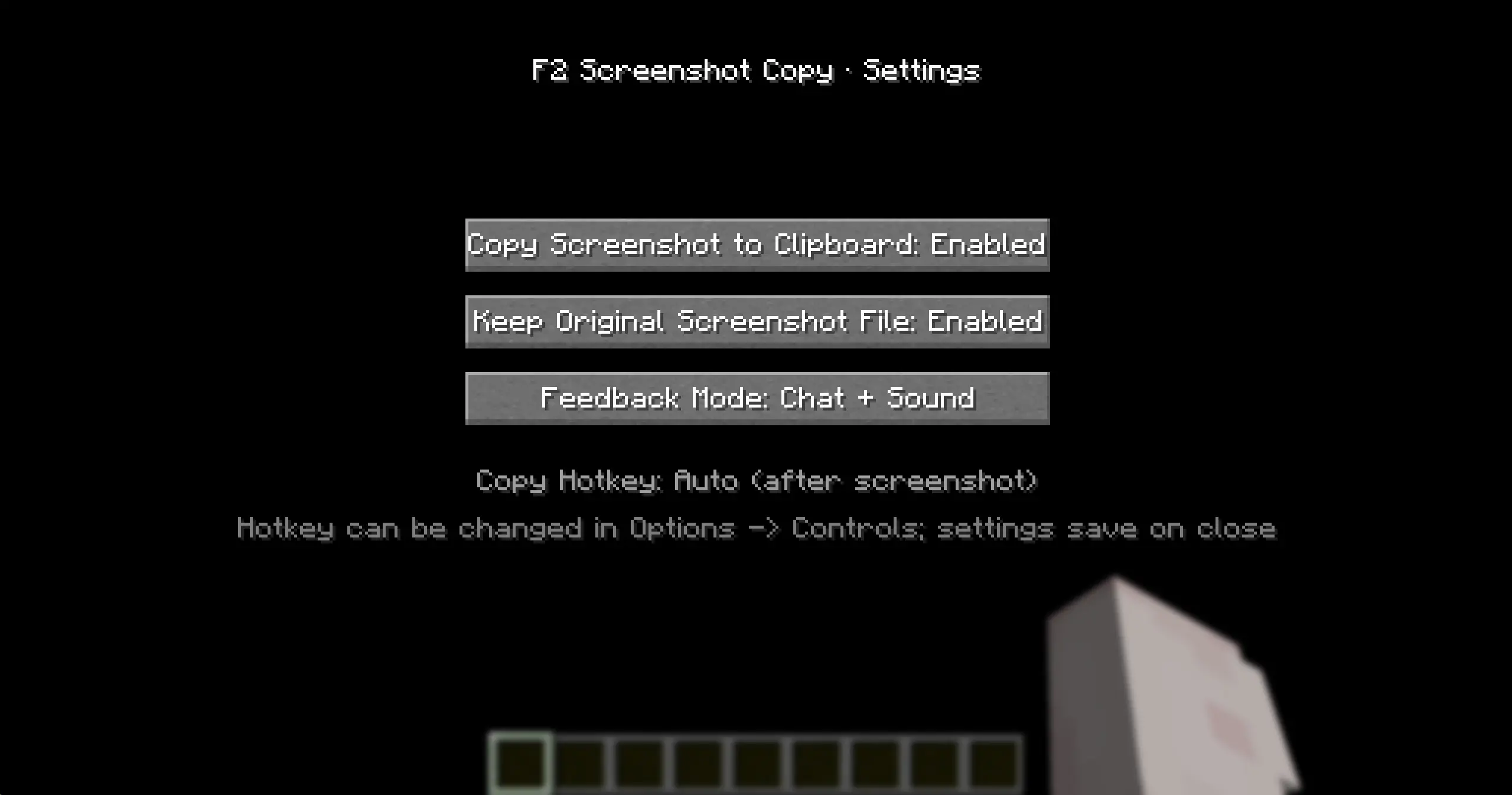
- Settings menu: Toggle copy function / Keep original file / Feedback mode (Press K to open; settings save automatically upon closing).
- Default copy hotkey is F2 (customizable under Options → Controls); right-clicking the "Screenshot Copier" item allows for quick copying of the most recent screenshot.
- Configuration is persisted to
config/f2.json.
Usage
- Simply press F2 to take a screenshot
- Press K to open the settings menu to toggle "Copy to clipboard," "Keep original file," and "Feedback mode."
Language
Currently, only Chinese and English are supported; support for more languages will be added in the future.
Quick facts
- Edition: Minecraft Java
- File type: .jar
- Minecraft version listed: 1.21.3
- How to install: Install the matching mod loader (Forge, Fabric or NeoForge) for your Minecraft version. → Download the .jar. → Put it in the .minecraft/mods folder and launch that loader profile.
- Where to get it: Opens on Modrinth — not every file is mirrored on our own servers.
Install steps are the general flow for this file type — How to install Minecraft Java mods & modpacks walks through it step by step.
File checked by MCModsHub
- Ships as f2-screenshot-clipboard-1.3-1.21.3.jar — drop this file into the mods folder
- Download size: 25 KB
- Download link checked 7 Oct 2026 — working
These come from our own check of the pack file, not from the source page.