
Simple Tickets
Java mod listed for Minecraft 1.20–26.x. Downloads from the MC Java Mods app on Android.
A support ticket system with a built in Discord bot. Players can open, reply, and track tickets both in game and on Discord, fully synced between both…
⬇ Download on Modrinth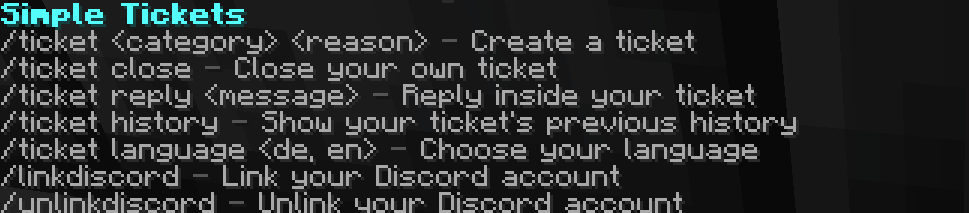
Simple Tickets
Plugin
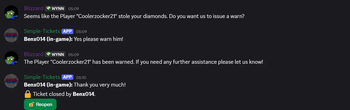
A support ticket system with a built-in Discord bot. Players can create tickets both in-game and directly on Discord, both sides are fully connected.
Please message me if you encounter any Bugs! Discord: Muhammed.n.14 (for Bug-Reports, other Issues and Feedback) Available for Paper 1.20+
Features:
- Create tickets in-game (/ticket ) or on Discord (button + category select + form)
- Fully customizable categories (Bug, Report Player, Other, freely extendable), identical on both sides
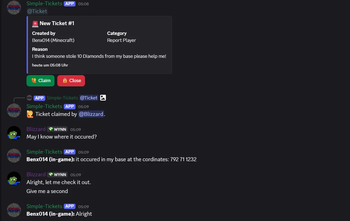
- Automatically creates a private Discord channel per ticket, only visible to the creator, support roles and the bot
- Claim & Close via button on Discord
- Per-player ticket numbering (e.g. ticket-name-3), resettable
- Closed tickets get moved into an archive category and locked for everyone except the bot, instead of being deleted (optional, otherwise automatic deletion after a configurable time)
- Reopen via button, automatically moves the ticket back into the active category
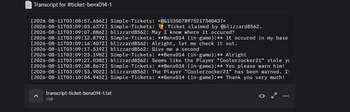
- Optional transcript posted to a log channel when a ticket is closed
- Multiple support roles supported at once
- In-game notification for missed replies, plus /ticket history to read the full conversation
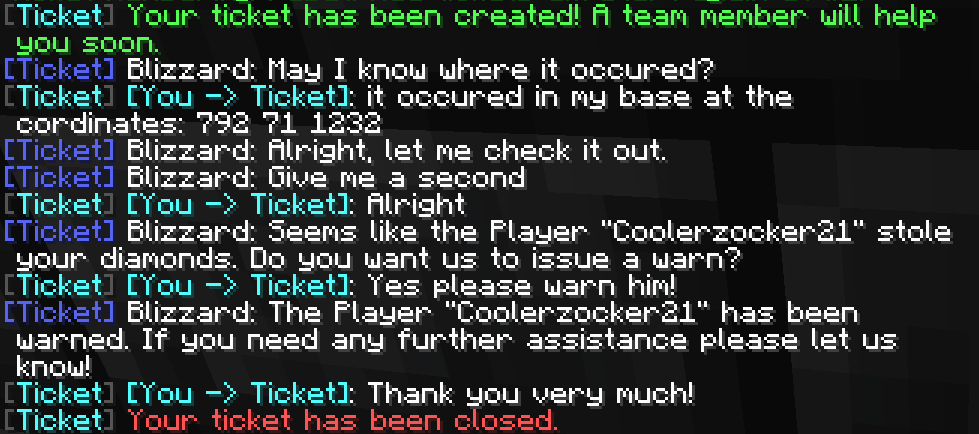
- Reply directly from in-game (/ticket reply)
- Multi-language (German/English), each player can choose their own
- Discord account linking (/linkdiscord): linked players are automatically added to their ticket's Discord channel, even while banned from Minecraft or not currently playing
- Linking sends an in-game chat confirmation showing the linked Discord account's name; one Discord account can be linked to multiple Minecraft accounts, but each Minecraft account can only be linked to one Discord account at a time (use /unlinkdiscord to switch)
How to use (in-game):
- /ticket Creates a new ticket
- /ticket close Closes your currently open ticket
- /ticket reply Replies directly in-game inside your open ticket
- /ticket history Shows the previous message history of your ticket
- /ticket language <de, en> Chooses your preferred language
- /linkdiscord Generates a code to link your Discord account
- /unlinkdiscord Removes the link between your Minecraft and Discord account
Admin Commands (Permission: ticket.admin):
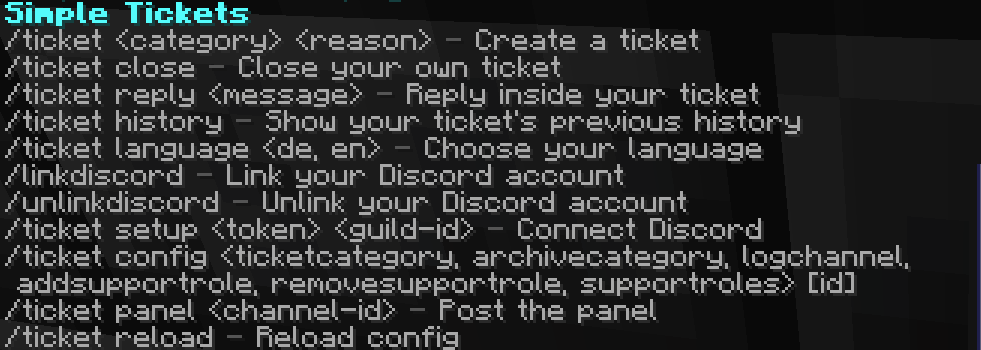
- /ticket setup Connects the built-in Discord bot
- /ticket config ticketcategory Category for new tickets
- /ticket config archivecategory Category for closed tickets (optional)
- /ticket config logchannel Channel for transcripts (optional)
- /ticket config addsupportrole / removesupportrole Manage support roles
- /ticket config supportroles Shows configured support roles
- /ticket config resetnumbering Resets ticket numbering to #1
- /ticket panel Posts the "Create Ticket" panel
- /ticket reload Reloads config.yml
Discord Commands:
- /ticketpanel Posts the "Create Ticket" panel (requires "Manage Server")
- /link [code] Links your Discord account with your Minecraft account
- /reopen Reopens the current closed ticket (also available as a button) Permissions:
- ticket.use You need this Permission to create and reply to your own tickets. (Default: true)
- ticket.admin You need this Permission to manage the ticket system, Discord setup and configuration. (Default: op)

default config.yml:
discord:
  enabled: false
  token: ""
  guild-id: ""
  ticket-category-id: ""
  archive-category-id: ""
  support-role-ids: []
  log-channel-id: ""

categories:
  bug:
    label: "Report Bug"
    emoji: "🐛"
  report:
    label: "Report Player"
    emoji: "🚨"
  other:
    label: "Other"
    emoji: "❓"

settings:
  delete-channel-after-close-seconds: 15
  transcript-enabled: true
  default-language: "en"
  numbering-since: 0
- Edition: Minecraft Java
- File type: .jar
- Minecraft versions listed: 1.20, 1.20.1, 1.20.2
- How to install: Install the matching mod loader (Forge, Fabric or NeoForge) for your Minecraft version. → Download the .jar. → Put it in the .minecraft/mods folder and launch that loader profile.
- Where to get it: Opens on Modrinth — not every file is mirrored on our own servers.
Install steps are the general flow for this file type — How to install Minecraft Java mods & modpacks walks through it step by step.
- Ships as simple-tickets-1.0.0.jar — drop this file into the mods folder
- Download size: 28.1 MB
- Download link checked 7 Oct 2026 — working
These come from our own check of the pack file, not from the source page.