
Yeow
Java mod listed for Minecraft 1.18–26.x. Downloads from the MC Java Mods app on Android.
Write Minecraft Paper plugins in TypeScript / JavaScript. Each plugin runs in its own isolated QuickJS thread — no main-thread blocking, hot reload in…
⬇ Download on Modrinth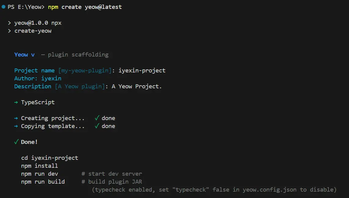
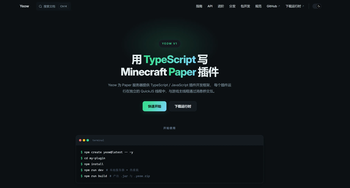
Write Minecraft Paper plugins in TypeScript / JavaScript.
Yeow is a plugin runtime for Paper servers that lets you build plugins with modern frontend tooling (TypeScript, npm, esbuild) instead of Java. Each plugin runs in its own isolated QuickJS thread — it never blocks the server main thread, and a crashing plugin doesn't affect other plugins.
Features
- TypeScript-first — full type inference for command args, event payloads and API results
- Isolated threads — one QuickJS context per plugin; plugin code never blocks the game thread
- Three-level priority scheduler (HIGH / NORMAL / LOW) with time-slice budgets, automatic demotion and dynamic budget scaling
- Hot reload in seconds — edit
src/, see it live on the server, no restart - Declarative permissions — sensitive nodes (
fs:*,http:*,service:registerNative,assets:extract) are denied by default until declared - Platform-agnostic plugin packages — a
.yeow.zipis a plain ZIP, runnable on any conforming runtime, not just JVM/Bukkit - Native Service — embed Go / Rust / C++ binaries in your plugin; the runtime extracts and spawns them per platform
- Runtime health diagnostics — heartbeat pings, event / tab-completion timeouts, queue backlog and scheduler saturation warnings
Quick start — plugin developer
npm create yeow@latest -- -y --ts   # scaffold a TypeScript plugin
cd my-plugin
npm install
npm run dev                          # starts Paper + hot reload
npm run build                        # dist/<name>-<version>.jar + .yeow.zip
import { onLoad, registerCommand, Player, pdcGet, pdcSet, log } from 'yeow-api';

onLoad(() => {
  registerCommand('back', {
    description: 'Teleport to your death location',
    executor: async (p) => {
      const player = await Player.get(p.sender.uuid);
      if (player) await player.teleport(new Location(0, 64, 0, 0, 0, 'world'));
    },
  });
  log.info('MyPlugin loaded');
});
Quick start — server admin
- Install this plugin into
plugins/and restart the server - Drop any Yeow plugin package (
.yeow.zip) intoplugins/Yeow/— auto-loaded on startup - Or install on the fly:
/yeow install <url>— download + install a.yeow.zip/yeow update <url>— replace an older version (old copy goes toplugins/Yeow/.backup/)/yeow unload <plugin>//yeow reload <plugin>— manage running plugins
/yeow profile//yeow track <plugin> <seconds>— performance diagnostics
Requirements
- Paper 1.21.4
- Java 21+
Documentation
- 中文文档: https://yeow.yeside.top/
- Getting started, API reference (24 modules), platform specifications and runtime-warning guide are all included.
License
MIT (runtime, API, tooling). The QuickJS engine (MIT) is bundled through the quickjs-wrapper (Apache-2.0).
- Edition: Minecraft Java
- File type: .jar
- Minecraft versions listed: 1.18, 1.18.1, 1.18.2
- How to install: Install the matching mod loader (Forge, Fabric or NeoForge) for your Minecraft version. → Download the .jar. → Put it in the .minecraft/mods folder and launch that loader profile.
- Where to get it: Opens on Modrinth — not every file is mirrored on our own servers.
Install steps are the general flow for this file type — How to install Minecraft Java mods & modpacks walks through it step by step.
- Ships as yeow-runtime-0.1.0.jar — drop this file into the mods folder
- Download size: 2.3 MB
- Download link checked 7 Oct 2026 — working
These come from our own check of the pack file, not from the source page.