Skyblock evolution
The author built this one for Minecraft 26.20. On other versions it may install and then do nothing.
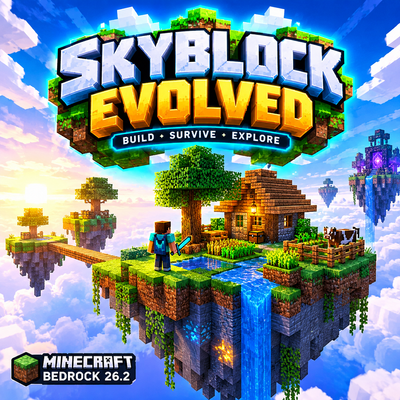
☁️ SkyBlock Evolved | Minecraft Bedrock 26.2
Build Small. Dream Big. Rule the Sky.
Welcome to SkyBlock Evolved, an exciting skyblock adventure where your survival journey begins on a tiny floating island above the clouds!
🌌 EXPLORE FLOATING ISLANDS
Discover beautiful islands, hidden resources, magical portals, and new places to build your dream skybase.
💎 COLLECT RARE RESOURCES
Gather Sky Crystals, discover special items, and unlock new crafting possibilities as you progress.
⚔️ NEW ADVENTURE GEAR
Prepare for your journey with sky-themed equipment such as the Sky Sword and Gravity Boots.
🏝️ BUILD YOUR DREAM BASE
Expand your island, create farms, build bridges, and turn a small piece of land into a massive floating kingdom.
✨ SKY BLUE ADVENTURE
Enjoy a vibrant blue-themed world filled with clouds, glowing items, magical islands, and exciting survival challenges.
🎮 FEATURES
• Floating island survival
• Sky-themed items
• Island exploration
• Resource collection
• Skybase building
• Multiplayer-friendly concept
• Minecraft Bedrock 26.2 target
Your Sky. Your Rules. Your Adventure!
⚠️ Feature availability depends on the actual add-on implementation and supported Bedrock settings.
- Edition: Minecraft Bedrock
- File type: .mcpack or .mcaddon
- Minecraft version listed: 26.20
- How to install: Download the .mcpack or .mcaddon file. → Open it — Minecraft imports it. → In your world: Behavior Packs → Available → Activate, then the same under Resource Packs.
- Where to get it: Opens on CurseForge — not every file is mirrored on our own servers.
Install steps are the general flow for this file type — How to install Minecraft Bedrock addons & mods walks through it step by step.
- Pack type: .mcaddon — behaviour and resource pack in one file
- Manifest requires Minecraft 1.21.0 or newer
- Complete pack — everything it depends on is inside the file
- Download size: 14.2 MB
- Download link checked 17 Sept 2026 — working
These come from our own check of the pack file, not from the source page.