Item Finder Addon Achivement friendly
Item Finder is a lightweight, achievement-friendly addon that instantly locates items and containers - no cheats needed. Double-sneak to open the menu…
⬇ Download on CurseForgeThe author built this one for Minecraft 26.40. On other versions it may install and then do nothing.
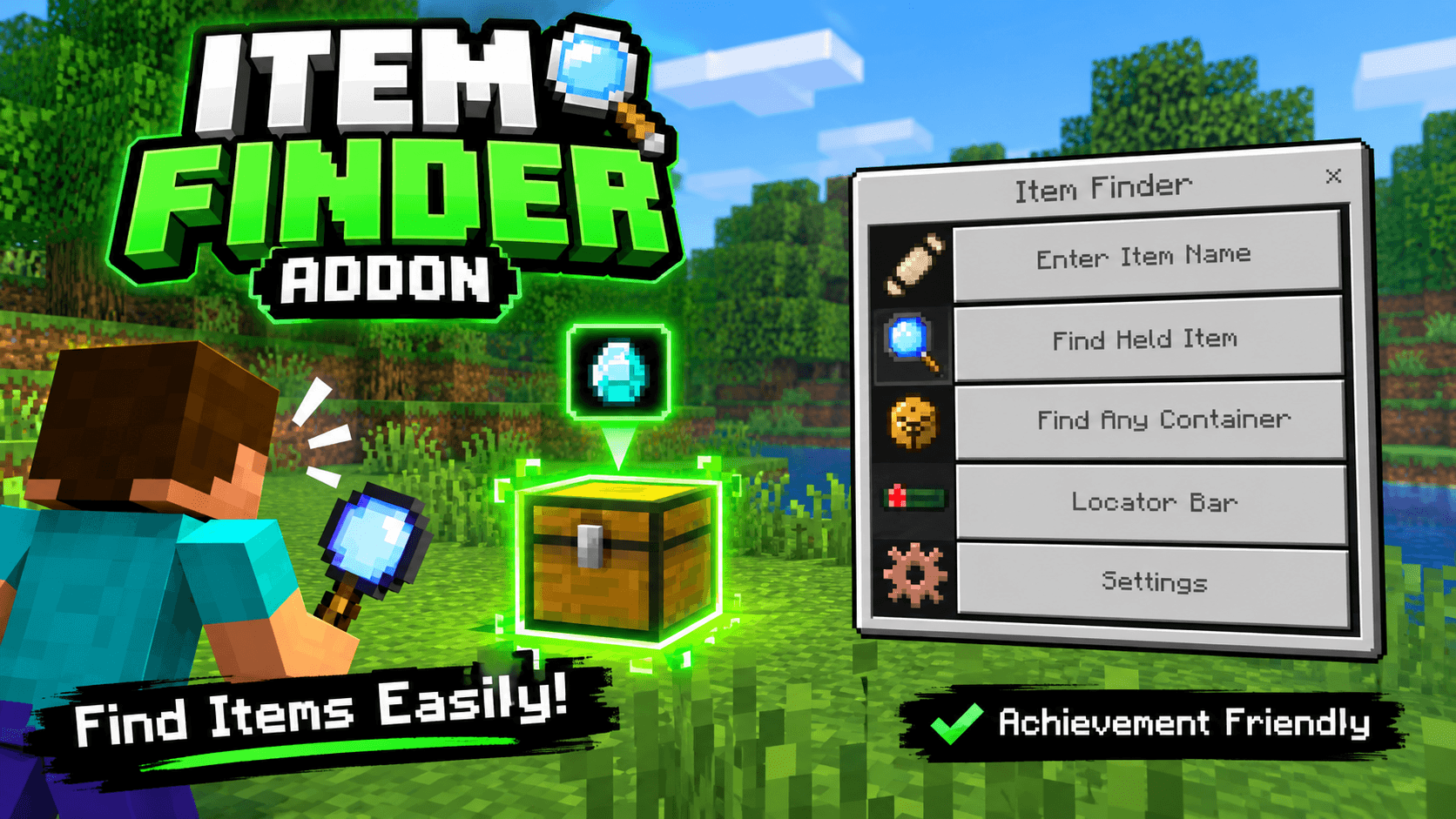
Item Finder/Chest Addon [ Achivement Friendly ]
Never dig through chests again — find any item, instantly.
Item Finder is a lightweight utility addon that helps you locate items and containers scattered across your world, without any cheats, commands, or achievement-blocking hacks.
✨ Features
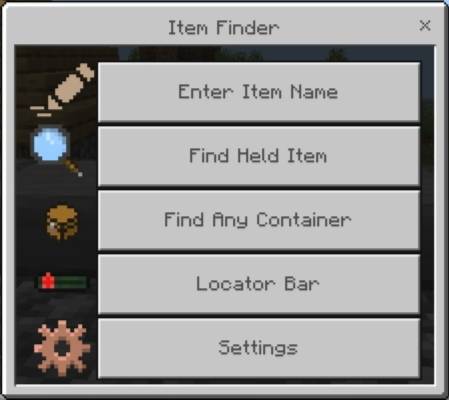
🔍 Search by Item Name — Type any item name and instantly highlight the nearest containers holding it.
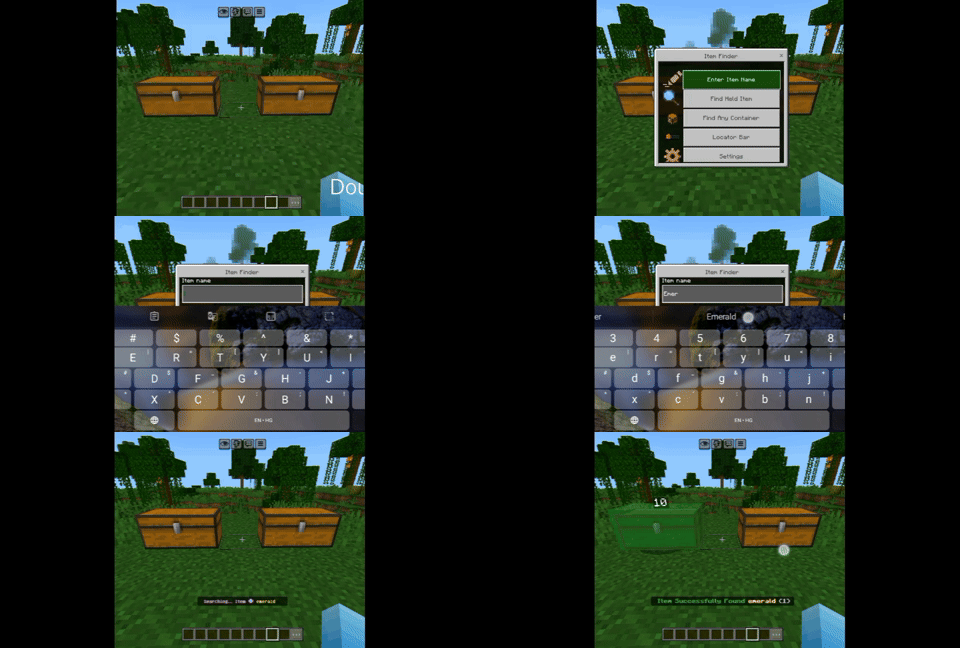
✋ Find Held Item — Hold an item in your hand and find matching containers with a single tap.
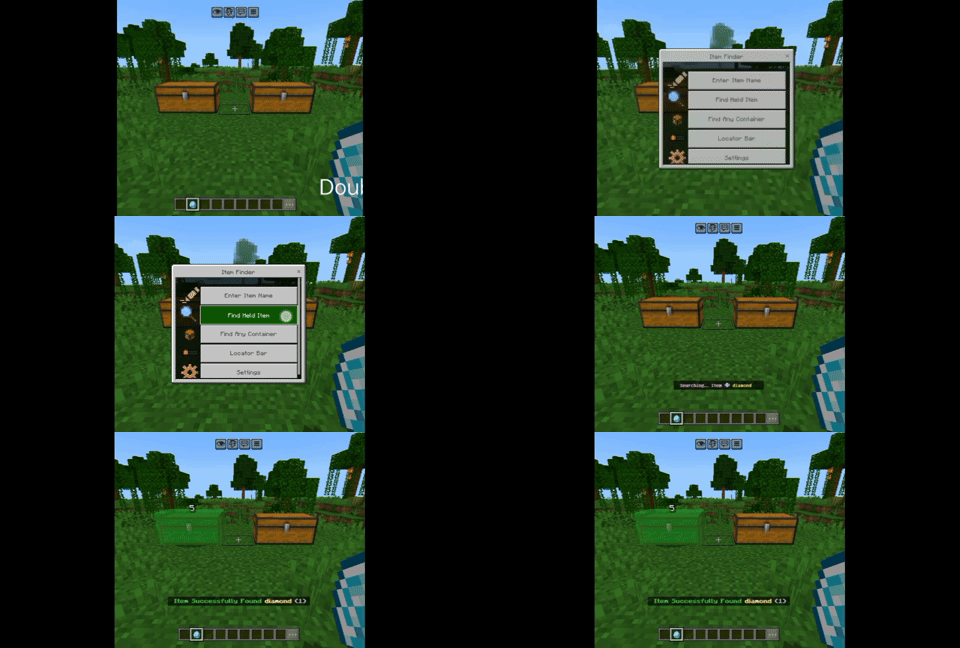
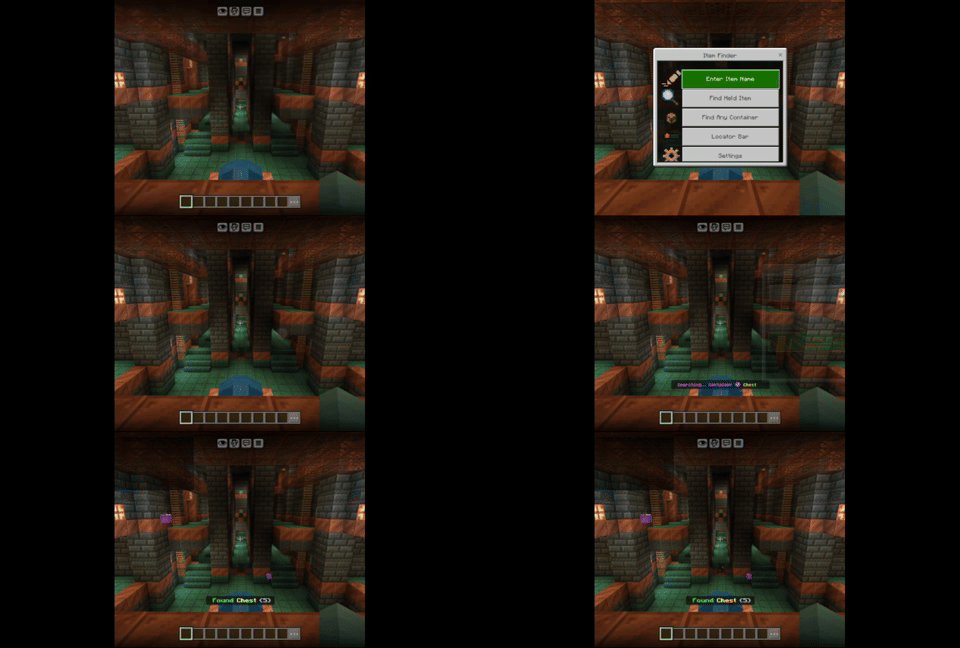
📦 Find Any Container — Search for a specific container type (chest, barrel, furnace, hopper, dispenser, shulker box, and more) nearby — see which ones are empty and which have loot, at a glance.
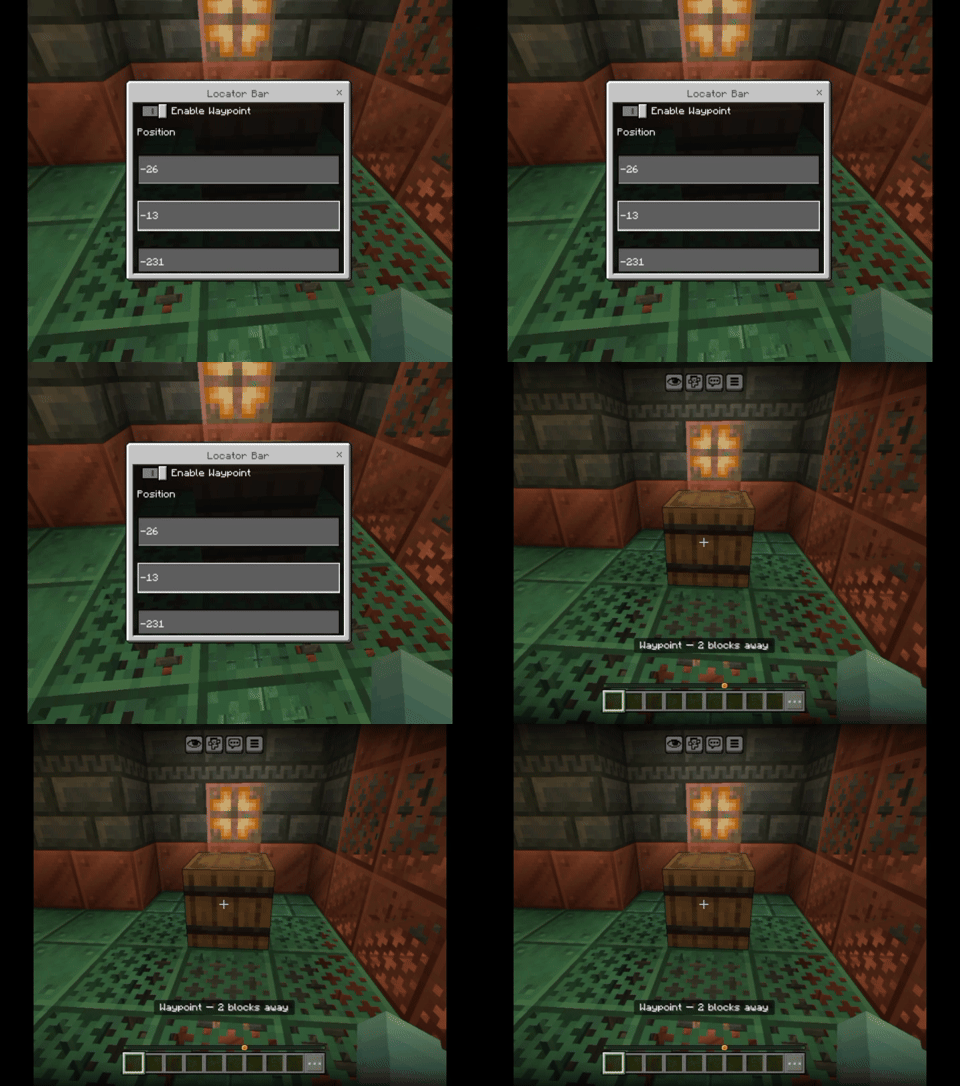
🧭 Locator Bar / Waypoints — Set a custom X, Y, Z waypoint and track live distance to it on your locator bar.
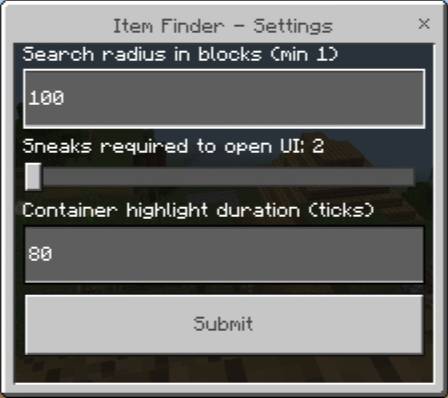
⚙️ Full Settings Control — Customize search radius, how many sneaks are needed to open the menu, and how long highlights stay visible.
💡 Glowing Highlights — Matching containers glow so you can spot them through walls, from anywhere nearby.
🎯 Smart Detection — Correctly detects merged double chests, and even reveals hidden/un-rolled loot in naturally generated containers.
🏆 100% Achievement Friendly — No cheats, no commands, no world edits — safe to use on any survival world, including Realms.
🎮 How to Use
Install the Behavior Pack and Resource Pack in your world.
In-game, double-sneak (crouch twice quickly) to open the Item Finder menu.
Choose an option — search by name, held item, container type, or set a locator waypoint!
👤 Author
Item Finder Addon by RJ Studio
Discord: https://discord.gg/yzHGpdKCAD
Found a bug or have a suggestion? Drop a comment below!
- Edition: Minecraft Bedrock
- File type: .mcpack or .mcaddon
- Minecraft version listed: 26.40
- How to install: Download the .mcpack or .mcaddon file. → Open it — Minecraft imports it. → In your world: Behavior Packs → Available → Activate, then the same under Resource Packs.
- Where to get it: Opens on CurseForge — not every file is mirrored on our own servers.
Install steps are the general flow for this file type — How to install Minecraft Bedrock addons & mods walks through it step by step.
- Pack type: .mcaddon — behaviour and resource pack in one file
- Manifest requires Minecraft 1.21.120 or newer
- Complete pack — everything it depends on is inside the file
- Download size: 53 KB
- Download link checked 17 Sept 2026 — working
These come from our own check of the pack file, not from the source page.