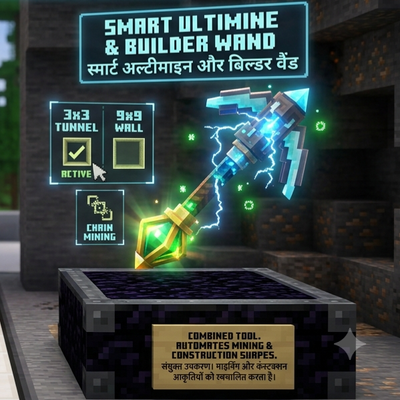
Smart Ultimine & Builder Wand
Sneak-to-activate vein mining, tunnel mining, and mass block placement — built for mobile touchscreens, with fair durability cost.
⬇ Download on CurseForgeSmart Ultimine & Builder WandTurn hours of mining and building into seconds. Sneak and tap to chain-break an entire ore vein or tree, tunnel through a 3x3 area in one hit, or place a whole wall or floor at once — all designed around mobile touch controls, with no extra buttons needed. Features Chain Destruction — break one block of a vein or tree, and every connected block of the same type breaks with it (capped to avoid lag). Shape Mining — mine a full 3x3 tunnel cross-section in the direction you're facing, in a single tap. Mass Placement — place a 3x3 wall or floor of blocks at once instead of one at a time. Row Extend — extend an existing wall or roof by a row in one tap. Durability Sync — your tool loses exactly as much durability as blocks broken — no free mining. Mode menu — pick your mining and building mode from a simple in-game menu. How to Use Normal tap = 1 block, just like vanilla. Sneak + tap while breaking or placing activates your current mode. !wandmenu opens the mode-selection menu. Notes The mode menu is a list-based selector rather than a literal spinning radial wheel — a true radial UI needs custom resource-pack interface work, which this add-on doesn't include. "Row Extend" is a deliberately simple, reliable stand-in for detecting and extending arbitrary
- Edition: Minecraft Bedrock
- File type: .mcpack or .mcaddon
- Minecraft versions listed: 1.21.111, 1.21.114, 1.21.120
- How to install: Download the .mcpack or .mcaddon file. → Open it — Minecraft imports it. → In your world: Behavior Packs → Available → Activate, then the same under Resource Packs.
- Where to get it: Opens on CurseForge — not every file is mirrored on our own servers.
Install steps are the general flow for this file type — How to install Minecraft Bedrock addons & mods walks through it step by step.
- Save it as SmartUltimineBuilderWand.mcaddon before opening — it downloads as .mcpack, but it is a .mcaddon pack
- Manifest requires Minecraft 1.21.0 or newer
- Complete pack — everything it depends on is inside the file
- Download size: 551 KB
- Download link checked 17 Sept 2026 — working
These come from our own check of the pack file, not from the source page.