
Create Microcontrollers
Java mod listed for Minecraft 1.21. Downloads from the MC Java Mods app on Android.
⬇ Download on Modrinth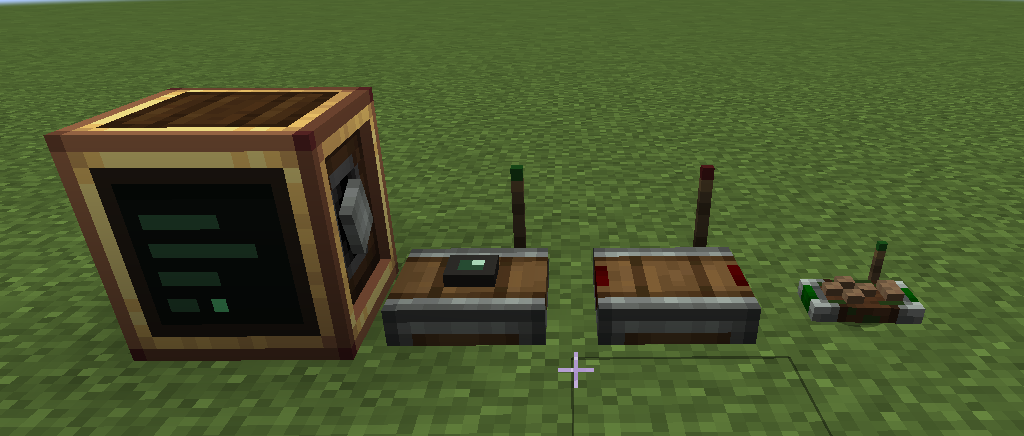
Create Microcontrollers
This mod adds a computer block to Create (NeoForge 1.21.1). You power it with rotation or Forge Energy, open it, write a Lua program, and flash it onto the block. The program runs as long as the computer has power. You can use it to automate contraptions, make your machines really smart, or coordinate things across your base.
Every block and item is craftable in survival, and it is all tuned to sit alongside Create's own progression. See Crafting below for the recipes.
You don't necessarily need to know how to code to use this mod. The entire documentation linked at the bottom can be copied into ChatGPT, Claude, or any other LLM of your choice, giving it full context of the mod.
The computer does not interact with blocks directly. Two helper blocks do that:
- Sensor: mounts on any block and reads it: inventory contents, fluid tanks, energy, blockstate, and the block's full NBT data. Because it reads NBT, it works with blocks from any Create addon and most other mods, without needing special support. It publishes what it sees on a channel.
- Receiver: listens to a channel and outputs a redstone signal from 0 to 15. This is how your program drives machines, lamps, clutches, and anything else redstone can control.
A channel is a named wireless connection. Sensors publish to them, programs read and write them
with channel() and emit(), and receivers turn them back into redstone. They have unlimited range
and can carry numbers, text, booleans, and tables. There is also a handheld Controller item that
binds keys, mouse buttons, and the scroll wheel to channels, so you can control things by hand.
The computer
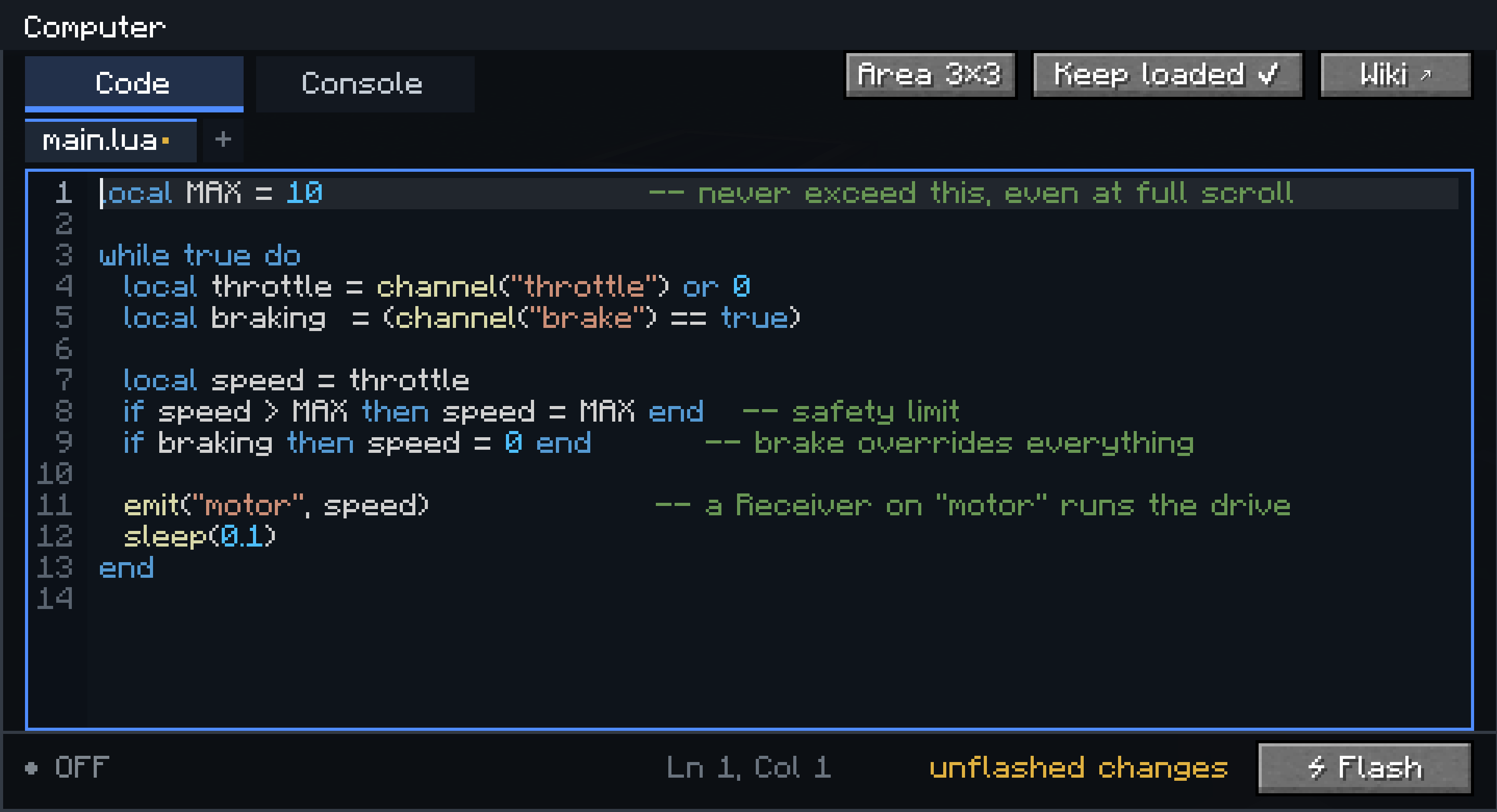
- Programs are written in Lua 5.1, in the block's own editor (file tabs, syntax highlighting, find, undo, a console for print output and errors).
- A program can be split into multiple files:
main.luaruns at boot, other files are loaded withrequire(). - Flashed code is stored in the block and survives power loss and world reloads. Variables do not:
losing power wipes them, like a real microcontroller. The block also has a small persistent disk
(
disk.set/disk.get) for values that should survive a reboot. - Programs run on their own thread with a capped instruction budget, so a busy loop cannot lag the server.
The sensor
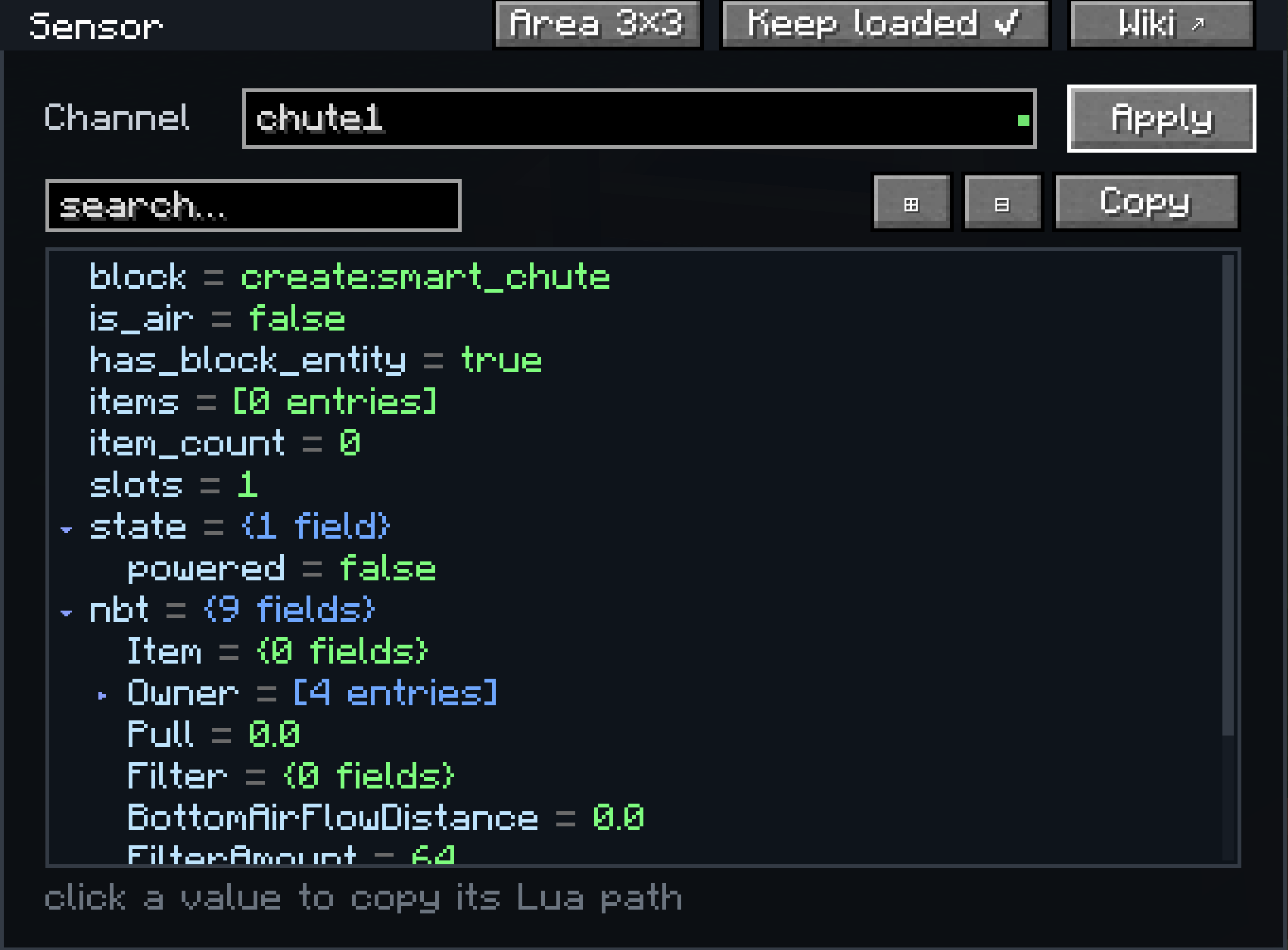
Open a sensor and it shows everything it currently reads from the block it is mounted on, as a live tree you can search and expand. Clicking a value copies the Lua expression that reads it, so you can paste it straight into your program. This is also the easiest way to find out what data a modded block exposes.
The receiver
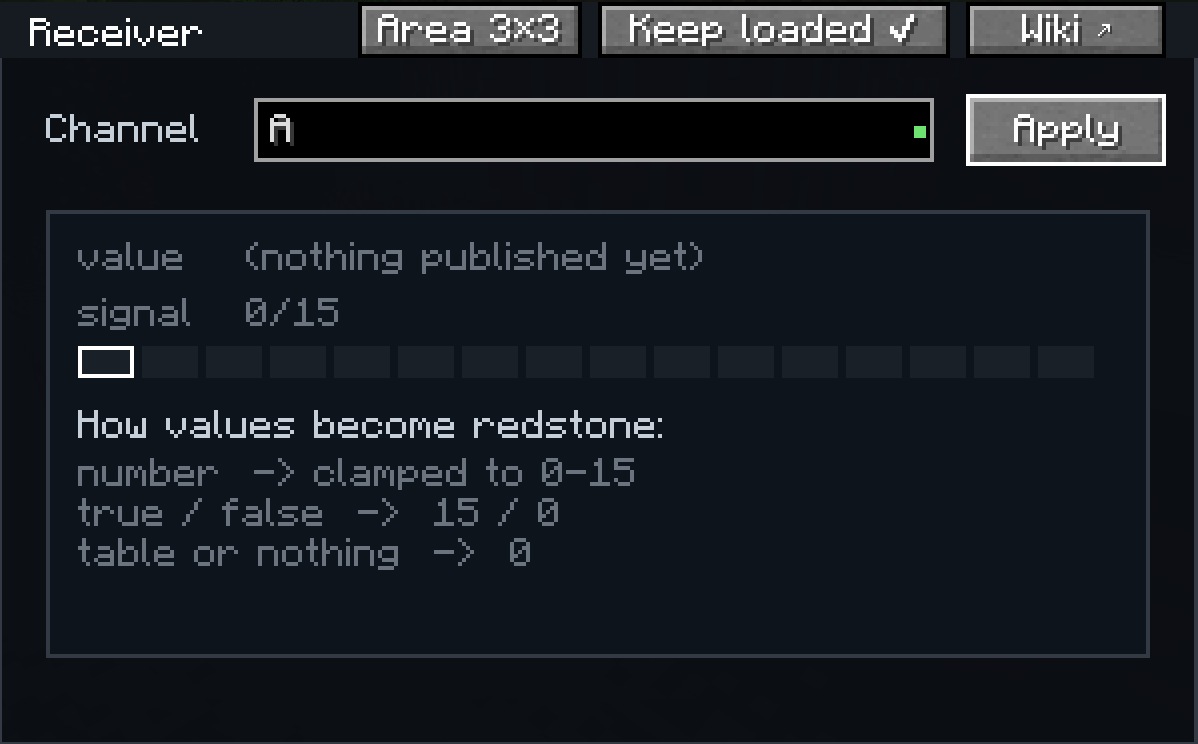
The receiver is the other end of a channel. Open it, type the channel name it should listen to, and it turns that channel's latest value into a redstone signal on every side. Numbers are clamped to the 0 to 15 range, a boolean becomes 15 or 0, and anything else reads as 0. The screen shows a live preview of the value it is currently receiving, so you can confirm a channel is wired up before you build around it. One program can drive as many receivers as you like by emitting on different channels.
Displays

The computer is also a source for Create's Display Links. Right-click a Display Board, sign, or Nixie Tubes with a Display Link, place the link on the computer, and pick "Computer Text" as the information type. Your program can then write to the display.
Crafting
Sensor (Observer, Transmitter, Andesite Casing)

Receiver (Andesite Casing, Transmitter, Redstone Torch)

Computer (Electron Tube, Brass Casing, Precision Mechanism, Transmitter)

Controller (Transmitter, Brass Plates, Redstone, Stick)

Chunk loading
The computer, sensor, and receiver keep their surrounding chunks loaded by default, so whatever you build keeps running when no player is nearby. This can be turned off per block, and the loaded area size is adjustable (1x1, 3x3, or 5x5 chunks).
Recommended setup
Create plus this mod plus Aeronautics is a good combination (autopilots, navigation between beacons, and so on). Any other Create addon works fine with this mod too. It is compatible with ANY create addon.
Documentation
Full documentation is at oliviermor.github.io/computer-mod: a getting started guide, a Lua introduction, the complete API reference, and worked examples. The same site is reachable from the Wiki button in every GUI.
- Edition: Minecraft Java
- File type: .jar
- Minecraft version listed: 1.21.1
- How to install: Install the matching mod loader (Forge, Fabric or NeoForge) for your Minecraft version. → Download the .jar. → Put it in the .minecraft/mods folder and launch that loader profile.
- Where to get it: Opens on Modrinth — not every file is mirrored on our own servers.
Install steps are the general flow for this file type — How to install Minecraft Java mods & modpacks walks through it step by step.
- Ships as computermod-1.0.3.jar — drop this file into the mods folder
- Download size: 527 KB
- Download link checked 8 Oct 2026 — working
These come from our own check of the pack file, not from the source page.