
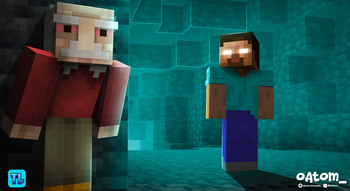
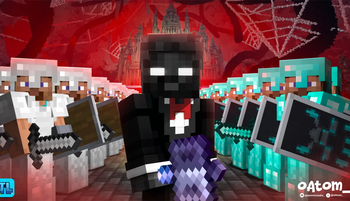
The essential modpack for high-quality Minecraft thumbnails.
Developed specifically for thumbnail artists by an industry peer. This toolkit features the essential utilities for character posing, scene construction, and high-resolution rendering, ensuring a fast and consistent professional workflow.
What's Included
| Tool | Description |
|---|---|
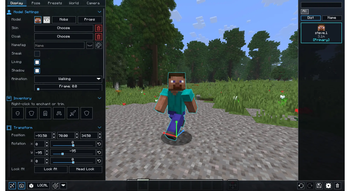
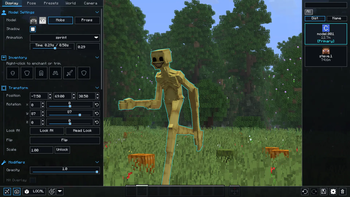
| NPC Studio | Easily spawn, pose, and animate custom NPCs to create dynamic character scenes. |
| Terralith | Includes four distinct terrain presets to help you construct striking environments and compositions. |
| Bobby | Force-load distant chunks to capture expansive, cinematic backgrounds beyond standard render limits. |
| WEM | Generate white-mask entity renders for effortless and precise character cutouts in your editing software. |
| NMS | Export accurate normal maps, allowing you to custom-shade and relight characters during post-production. |
| DMS | Extract high-quality depth maps to seamlessly integrate lens blur, atmospheric fog, and depth-of-field effects. |
| BDS | Isolate shadows and ambient occlusion passes to enhance visual depth while preserving the classic vanilla aesthetic. |
| Optimization Suite | Pre-configured for maximum framerates, stability, and seamless compatibility with complex shader packs. |
How to Use NPC STUDIO
Disclaimer: I do not own the mods in this pack. Full credit and appreciation go to the original developers. This pack is simply a curated collection put together for ease of use.
Take Your Thumbnails to the Next Level!
Hop into the Discord server to discover high-quality asset packs designed to instantly upgrade your creations.
Quick facts
- Edition: Minecraft Java
- File type: .jar
- Minecraft version listed: 1.21.11
- How to install: Install the matching mod loader (Forge, Fabric or NeoForge) for your Minecraft version. → Download the .jar. → Put it in the .minecraft/mods folder and launch that loader profile.
- Where to get it: Opens on Modrinth — not every file is mirrored on our own servers.
Install steps are the general flow for this file type — How to install Minecraft Java mods & modpacks walks through it step by step.
Verified by MCModsHub
- Downloads as Simply Thumbnailing 1.0.1.mrpack
- Download size: 43 KB
- Download link checked 18 Sept 2026 — working
These come from our own check of the pack file, not from the source page.