
ModsJava
EnorialsHUD
Java mod listed for Minecraft 1.17–26.x. Downloads from the MC Java Mods app on Android.
⬇ Download on Hangar# Your server. Their adventure.
**Give your Minecraft server an RPG-style interface — for free.**
Six themes. A live minimap. Parties, GPS and player trading, brought together in one Paper plugin. Players join with Minecraft Java and accept your server's resource pack. **No client mods required.**
[**Installation guide**](https://enorial.com/hud/setup/) · [**YouTube**](https://www.youtube.com/@enorials) · [**Explore every feature**](https://enorial.com/hud/features/) · [**All nine server builds**](https://enorial.com/hud/downloads/) · [**Get support**](https://enorial.com/hud/issues/)

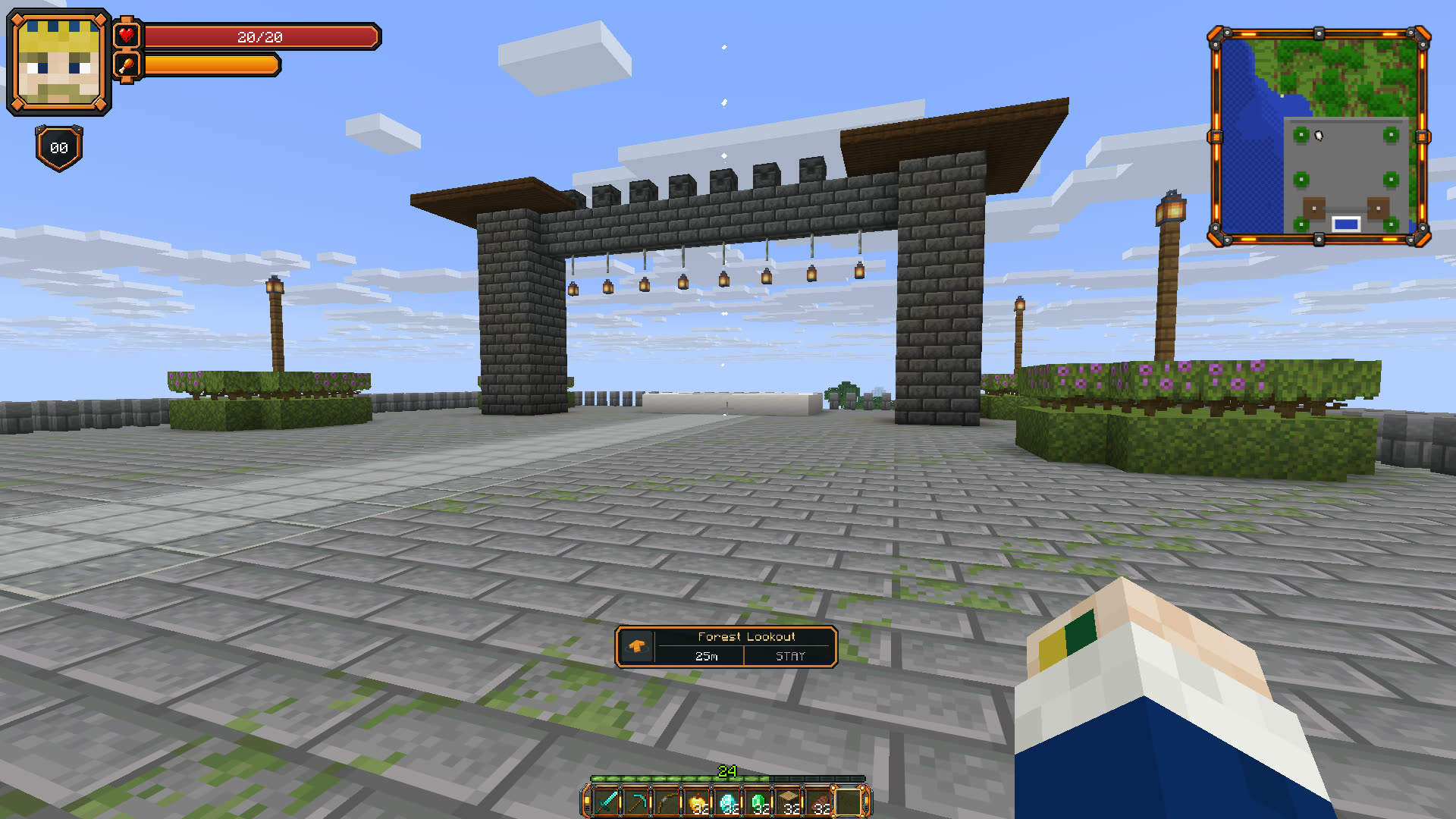
*Actual Enorials HUD 1.1.16 gameplay, captured at 1920 x 1080 with Iris + Complementary Unbound. The shader is optional.*
## Six themes. One coherent interface.
Let each player pick their style: **Original, Frostbound, Wildwood, Inferno, Astral or Corsair**. Player panels, parties, menus and navigation follow their chosen theme. Normal theme changes apply in game without downloading a new pack.
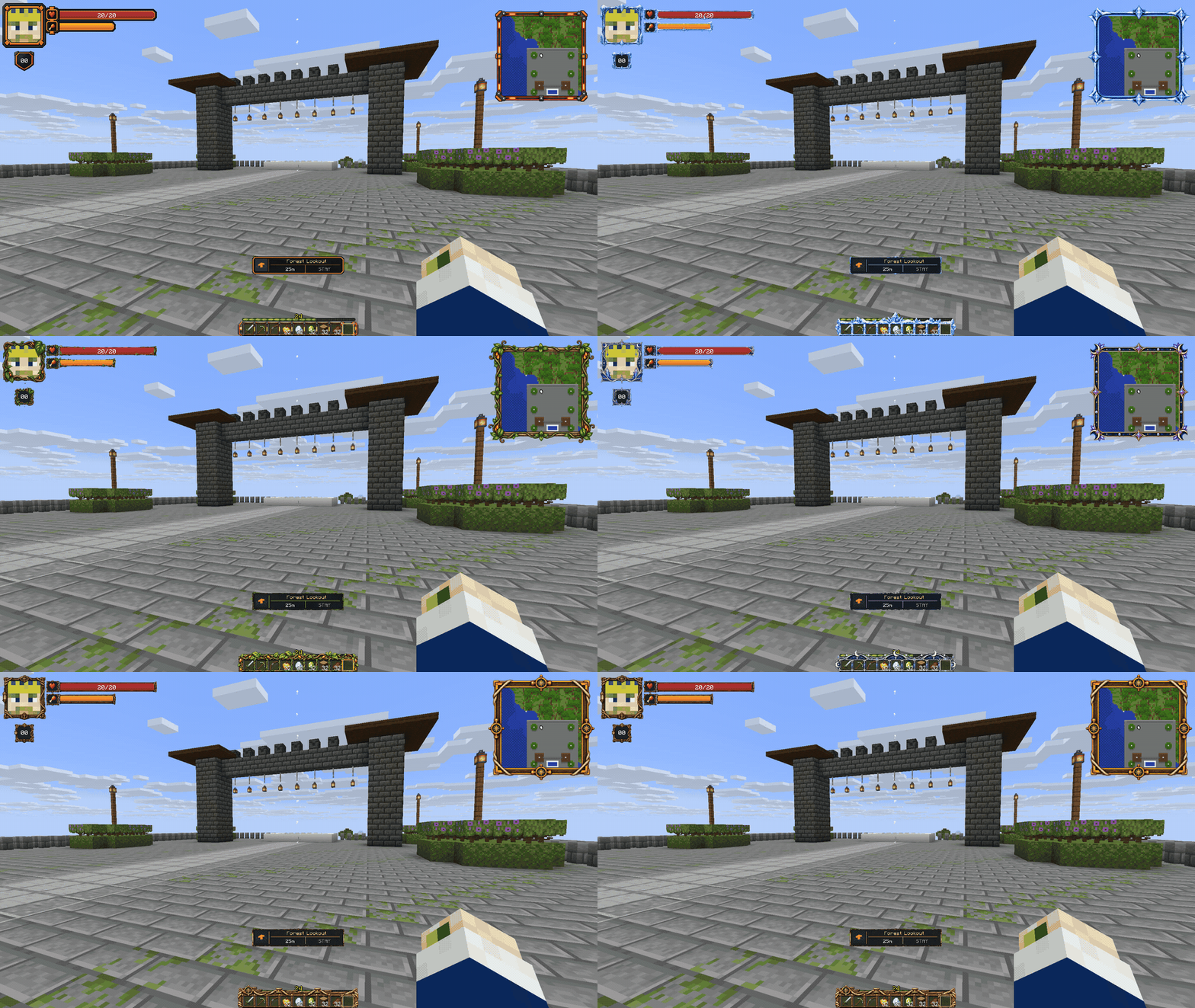
**Complete in-game screenshots. Every theme includes the player HUD, minimap and hotbar.**
View all six themes - complete screenshots
**Original**
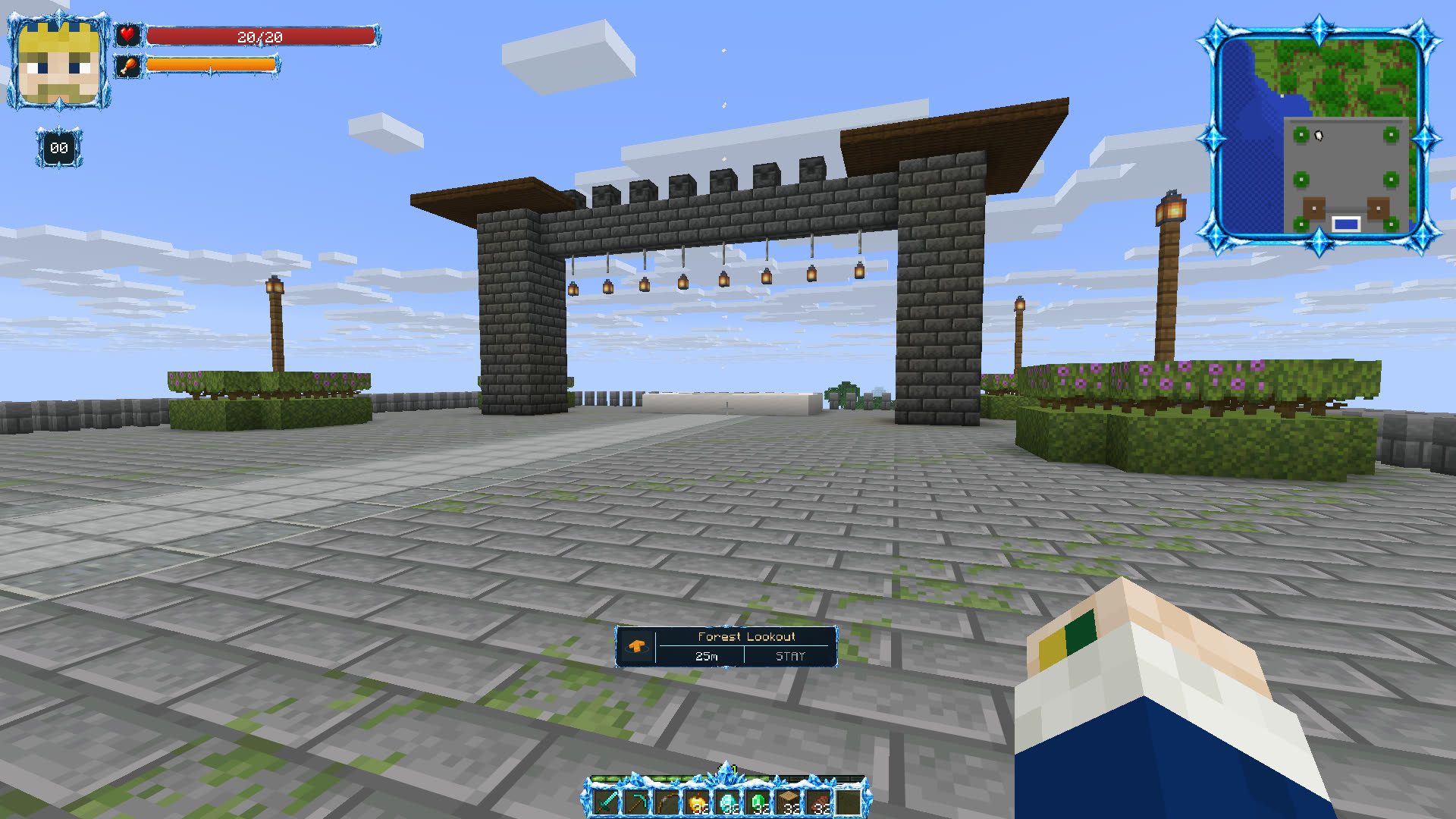
**Frostbound**
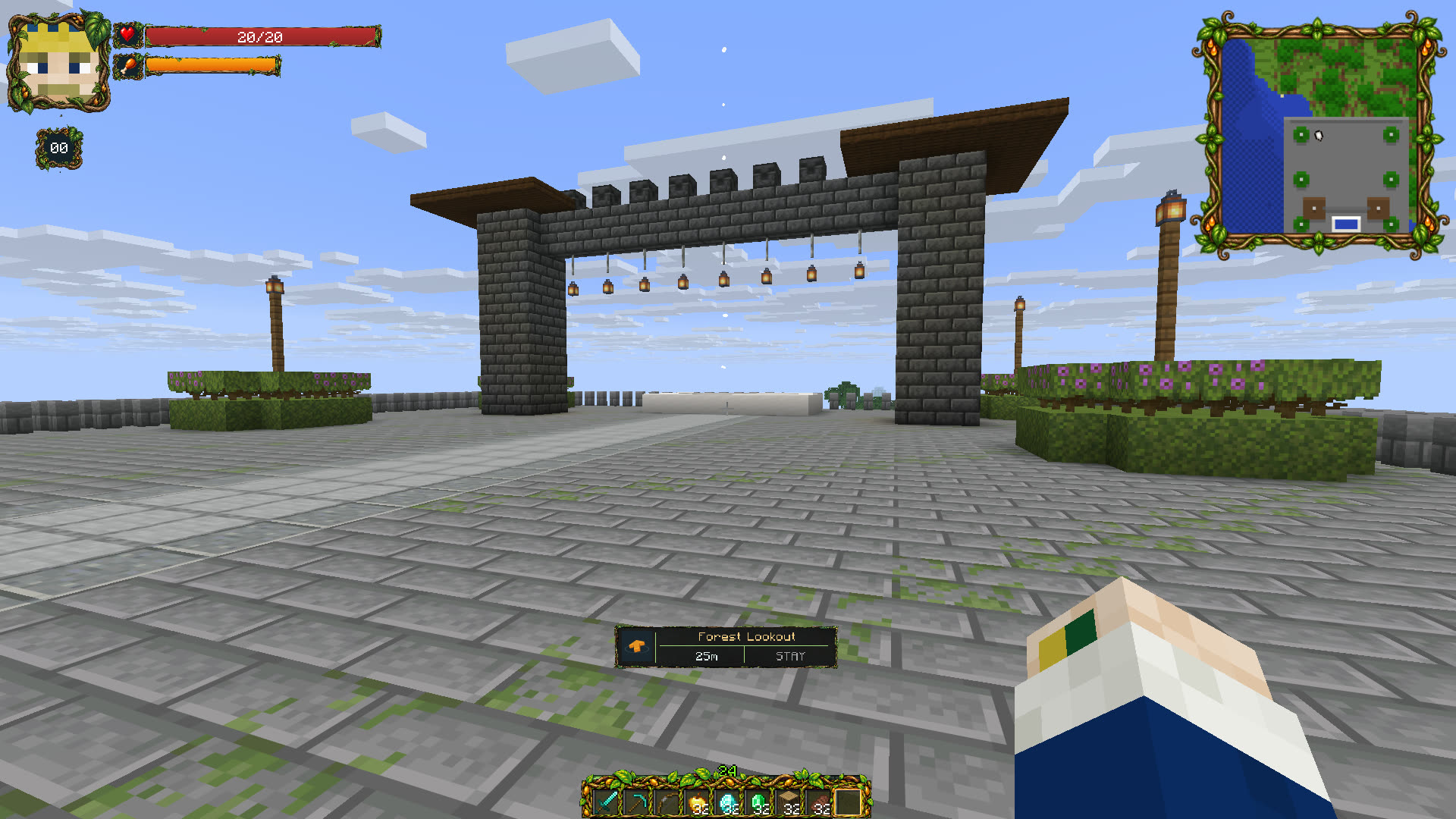
**Wildwood**
**Inferno**
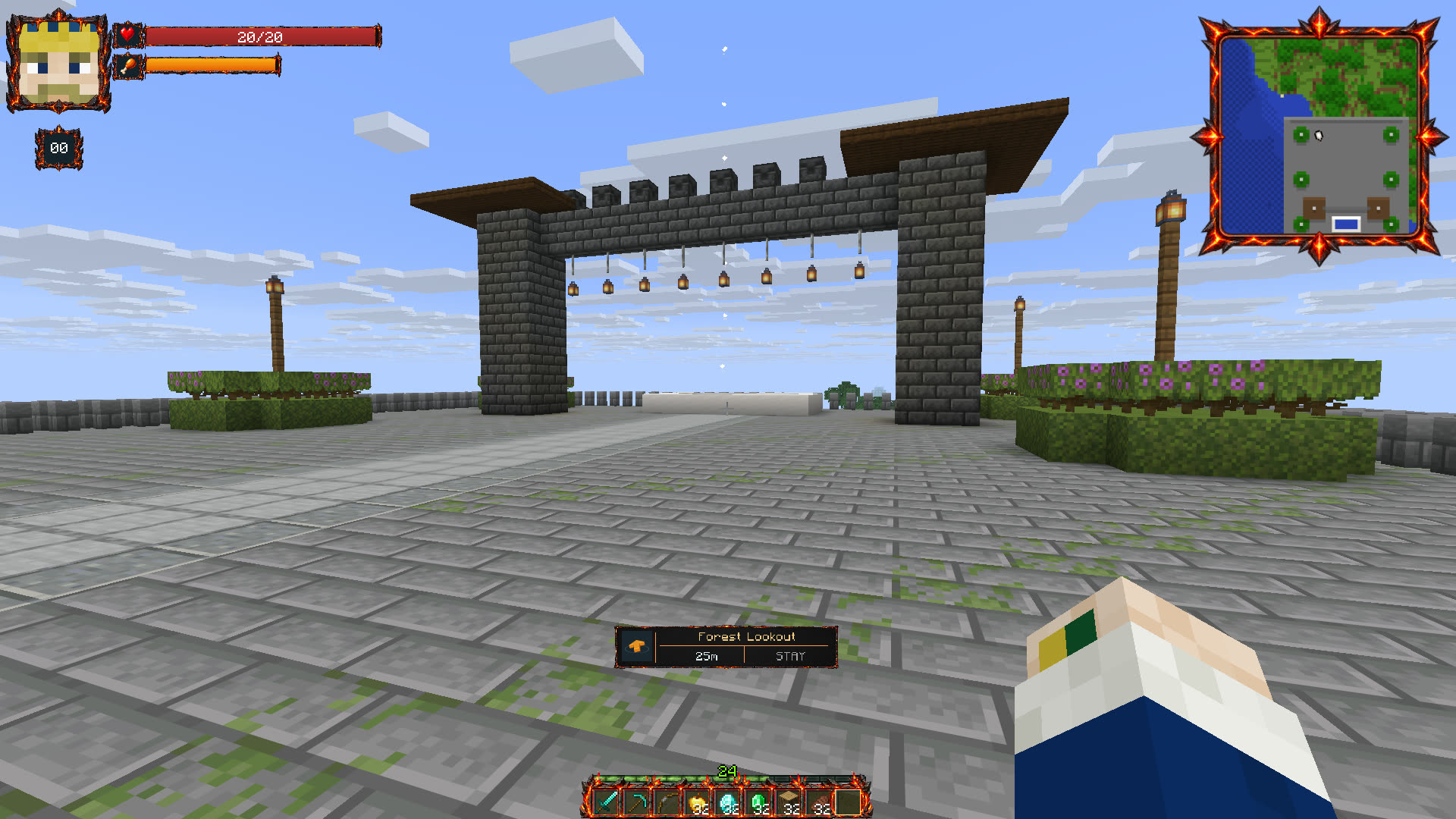
**Astral**
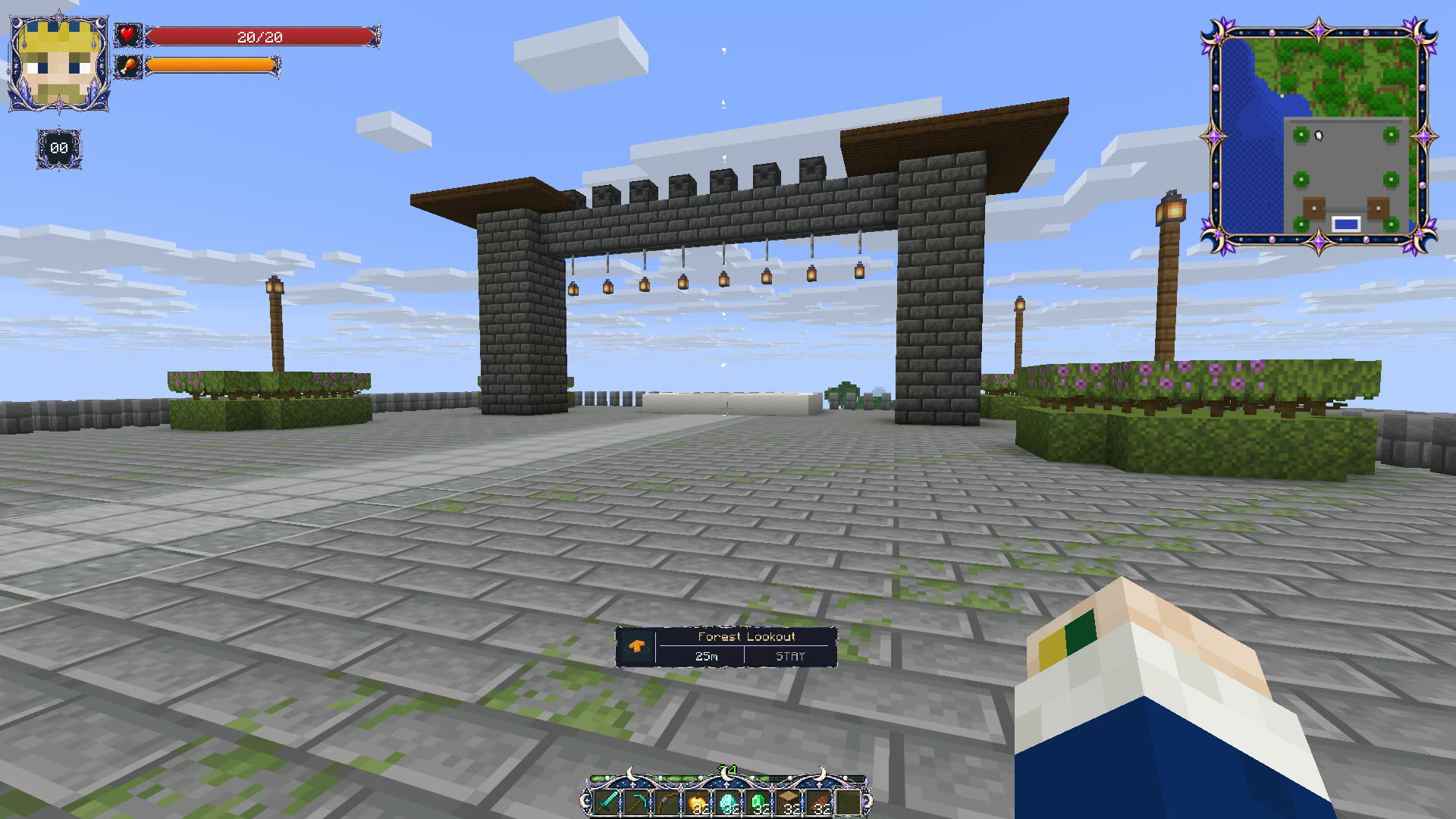
**Corsair**
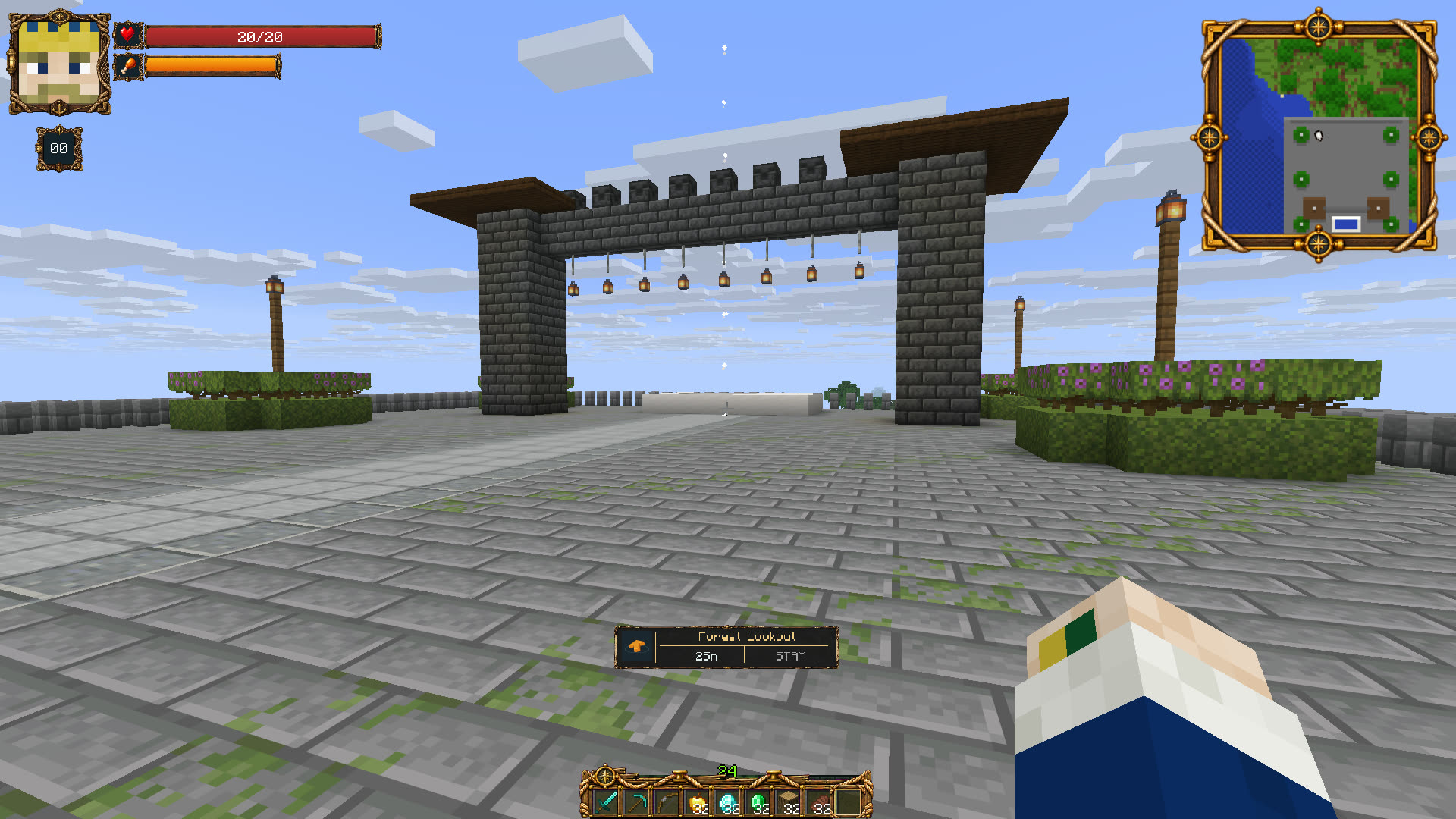
## With or without shaders
**Frostbound - vanilla lighting**

**Frostbound - Iris + Complementary Unbound**

Both show the current minimap frame and themed hotbar. Shaders are optional and are not bundled.
## More than a health bar
- **Player and target HUD:** health, hunger, effects and your own skin portrait; optional mana through integrations.
- **Live minimap:** terrain, destinations, permitted entities and player heads. Choose map shape, size and zoom, or open the larger map view.
- **Parties and friends:** member portraits, live status and themed invitations with accept/decline controls.
- **GPS and markers:** a destination name, direction arrow, distance and height indication help players find their way.
- **Player trading:** choose nearby online players or party members, offer items and lock your offer. Money trading is available with Vault and a compatible economy. The default maximum trading distance is 10 blocks.
- **Personal customization:** change themes, panel sizes, visibility and the themed hotbar from the in-game menu.
- **Optional quest interface:** connect BetonQuest to show a quest log, dialogue choices, destinations and GPS guidance.
- **Developer API 2.0:** connect your own HUD data, minimap markers, GPS destinations and party integrations.
## See it in game
[**Watch the feature walkthrough**](https://enorial.com/hud/media/32-player-guide.mp4) · [**Watch the Shorts**](https://www.youtube.com/@enorials)
Try the guided **Test Craft** demo: **`87.197.97.178:25566`** (Minecraft Java 1.17–26.2). Accept the resource pack and open **`/enohud`**. Test Craft is a demonstration server; its world, NPC tour and quest content are a separate setup.
## Get started
1. **Choose the JAR for your Paper server version** from the downloads. Put that one JAR in `plugins/` and start the server to generate the configuration.
2. **Set up resource-pack delivery** using the [illustrated setup guide](https://enorial.com/hud/setup/). Use the built-in host with a reachable address/port, or host the generated pack files on the web. Use one pack sender.
3. **Join, accept the pack and run `/enohud`.** Players can choose their theme and adjust the interface. Skin portraits are composed dynamically; a new skin does not require a new personal pack upload.
The resource pack is required for the interface. Installing only the JAR is not the complete hosting setup.
## Pick the right server build
| Paper server target | Server Java |
| --- | --- |
| 1.17 · 1.18 · 1.19 · 1.20 | 17 |
| 1.20.6 · 1.21 | 21 |
| 26.1.2 · 26.2 · 26.3 | 25 |
These are **separate server-specific JARs**, not one universal JAR. Native 1.17 and 1.18 builds target those exact releases; native 1.17.1, 1.18.1 and 1.18.2 are not certified. See the setup guide for the Paper 1.17 Java launch flag.
**Different client versions on one server:** install ViaVersion and ViaBackwards separately on the Paper backend and configure per-client resource-pack hosting. Paper 26.2 is the recommended host for the widest implemented client range. A fixed `server.properties` pack URL cannot select a different pack for each player. Native 26.3 support is separate: the validated Via 5.11.0 pair does not translate 26.3. See [compatibility and hosting details](https://enorial.com/hud/manuals/#multiversion).
Minecraft Java only. Bedrock/Geyser and Folia are outside the supported matrix. Shader compatibility depends on the shader/client combination; the illustrated shader setup uses Iris, Sodium and Complementary Unbound.
## Integrations and useful links
**Optional:** Vault plus an economy provider for money trading; BetonQuest for quest/dialogue integration; ViaVersion and ViaBackwards for compatible mixed-version connections. These plugins are not bundled. The core HUD does not require them.
[Manuals](https://enorial.com/hud/manuals/) · [Developer API](https://enorial.com/hud/developers/) · [Report a problem](https://enorial.com/hud/issues/) · [Website](https://enorial.com/hud/)
**Free to use on your servers.** Proprietary license; all rights reserved. Redistribution needs the author's permission. See the [license](https://enorial.com/hud/#license). Public releases are signed by Enorial; SHA-256 checksums are provided on the official downloads page.
Development and artwork include AI-assisted work, reviewed and tested in Minecraft. Screenshots and gameplay clips on this page show the actual interface.
Quick facts
- Edition: Minecraft Java
- File type: .jar
- Minecraft versions listed: 1.17, 1.18, 1.19
- How to install: Install the matching mod loader (Forge, Fabric or NeoForge) for your Minecraft version. → Download the .jar. → Put it in the .minecraft/mods folder and launch that loader profile.
- Where to get it: Opens on Hangar — not every file is mirrored on our own servers.
Install steps are the general flow for this file type — How to install Minecraft Java mods & modpacks walks through it step by step.
EnorialsHUD is a free Minecraft Java mod. Compatible with Minecraft 1.17, 1.18, 1.19, 1.20 and newer. Downloaded 73 times (via Hangar). Download it and open it directly in the game.