
Controller Sun And Moon
Java mod listed for Minecraft 1.20. Downloads from the MC Java Mods app on Android.
⬇ Download on Modrinth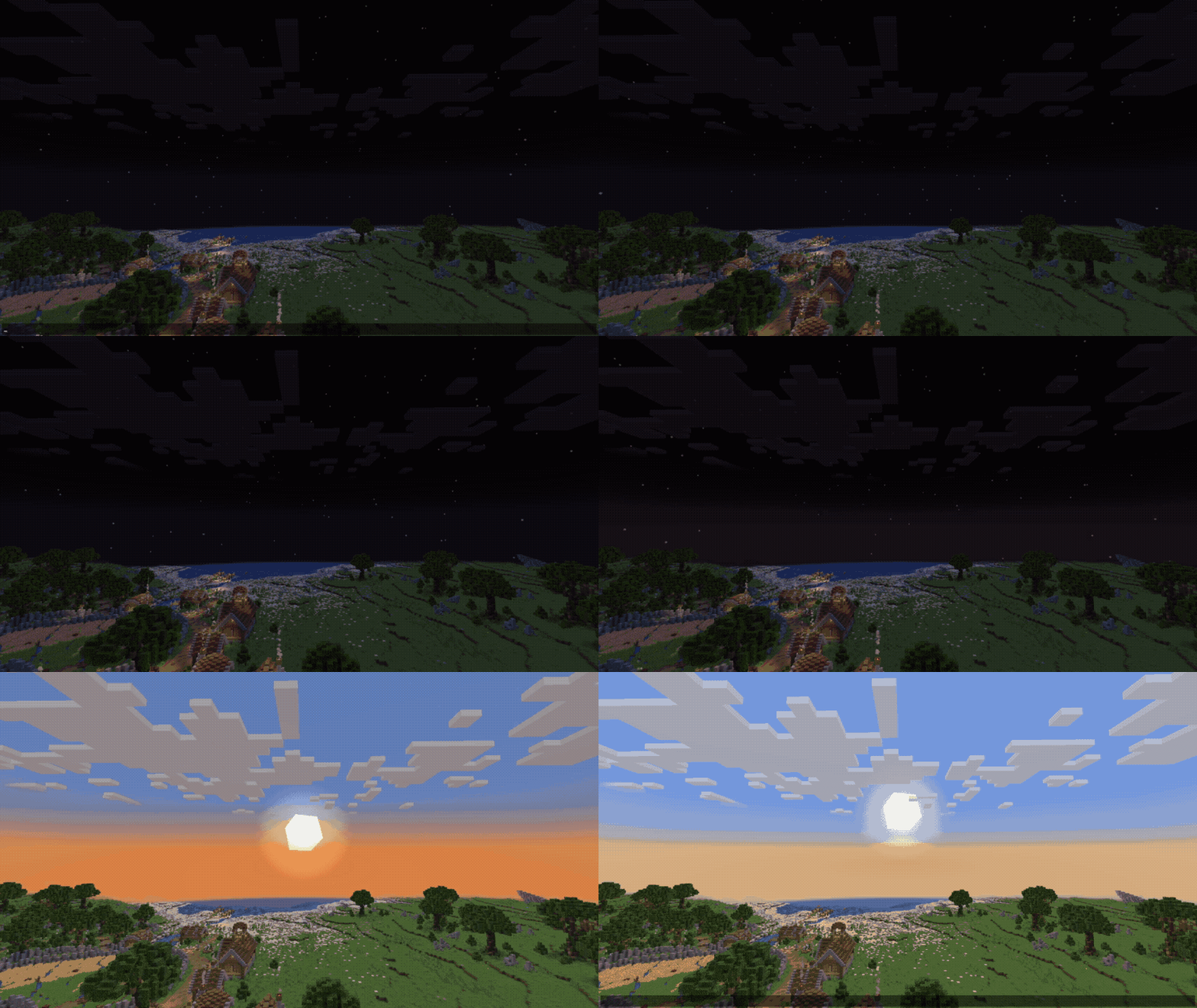
📖 What This Mod Does?
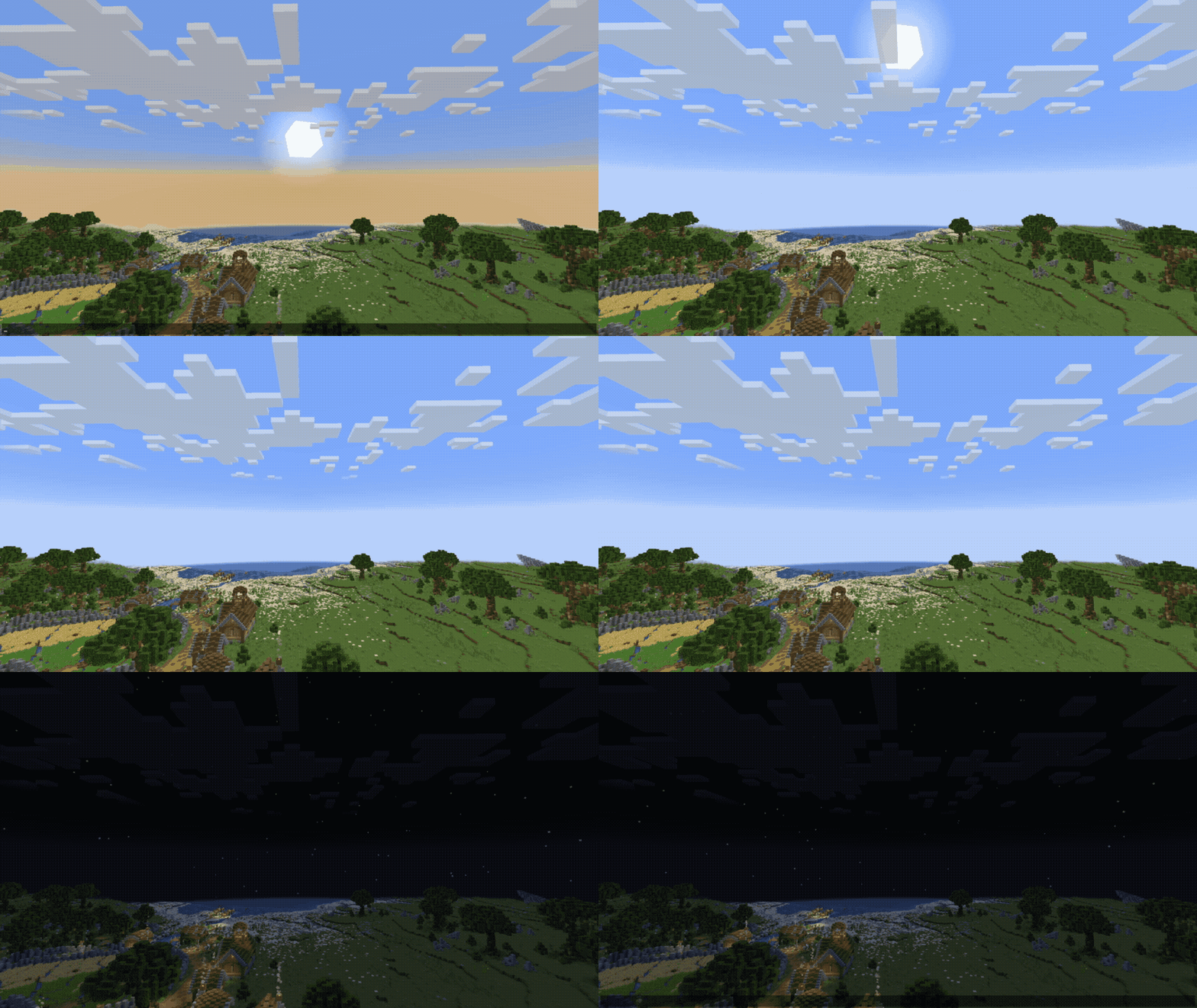
Controller Sun And Moon gives you simple control over the Sun, Moon, and world time in Minecraft.
You can set the sky to day, noon, night, or midnight. You can also create smooth time transitions, change the length of the day and night, freeze the current time, reverse time movement, or make the world follow the server clock.
✨ Features
- Control the Sun, Moon, and world time
- Set the time to day, noon, night, or midnight
- Create smooth time transitions
- Change day and night lengths separately
- Freeze or unfreeze the current time
- Use normal forward time movement
- Use reverse time movement
- Follow the server clock with real-time mode
💬 Commands
/time status
Shows the current time, time mode, freeze state, and day/night lengths.
/time set <day|noon|night|midnight>
Moves the world time smoothly to the selected time.
Available time values:
/time transition <duration> <day|noon|night|midnight>
Creates a smooth transition to the selected time.
The duration can use seconds, minutes, or hours.
Examples of accepted duration formats:
• 10s • 5m • 1h • 1h30m
/time set_length <day_length> <night_length>
Changes the length of the day and night.
The first value is the day length. The second value is the night length.
Available duration units:
• s — seconds • m — minutes • h — hours
Use this command to restore the default lengths:
/time set_length default default
Default values:
- Day length: 30 minutes
- Night length: 25 minutes
/time mode <default|reverse|real-time>
Changes how world time moves.
Available modes:
- default — time moves forward normally
- reverse — time moves backward
/time freeze <true|false>
Freezes or unfreezes the current time.
• true — freezes the current time • false — allows time to move again
📌 Example
/time transition 10s night
This starts a smooth transition to night that takes 10 seconds.
⏱️ Time Behavior
The set command starts immediately and moves to the selected time over 10 seconds.
The transition command also starts immediately and uses the duration entered by the player.
🔐 Permissions
The status command can be used to view the current settings.
Changing the time, mode, freeze state, or day/night lengths requires permission level 2.
📥 Installation
Minecraft Version: Fabric and Forge 1.20.1
Install the same mod loader and mod version on the server and on the clients that should see the controlled sky
- Edition: Minecraft Java
- File type: .jar
- Minecraft version listed: 1.20.1
- How to install: Install the matching mod loader (Forge, Fabric or NeoForge) for your Minecraft version. → Download the .jar. → Put it in the .minecraft/mods folder and launch that loader profile.
- Where to get it: Opens on Modrinth — not every file is mirrored on our own servers.
Install steps are the general flow for this file type — How to install Minecraft Java mods & modpacks walks through it step by step.
- Ships as controller-sm-forge-1.20.1-1.0.0.jar — drop this file into the mods folder
- Download size: 75 KB
- Download link checked 19 Sept 2026 — working
These come from our own check of the pack file, not from the source page.