
HalcyonDrift
Java shader pack listed for Minecraft 1.16–26.x. Downloads from the MC Java Mods app on Android.
A cinematic, performance-focused Minecraft shaderpack that transforms the world with atmospheric lighting, stunning water, dynamic weather, volumetric…
⬇ Download on Modrinth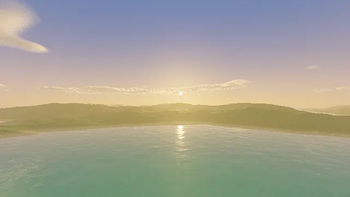
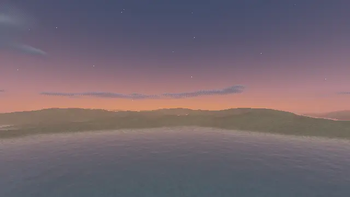
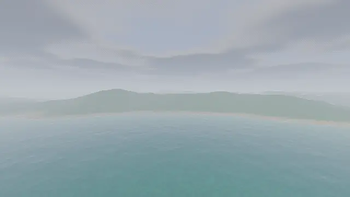
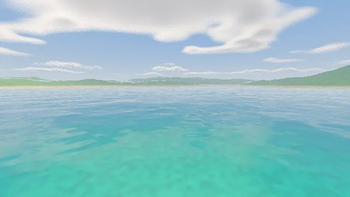
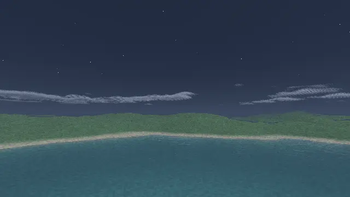
A New Look for Minecraft
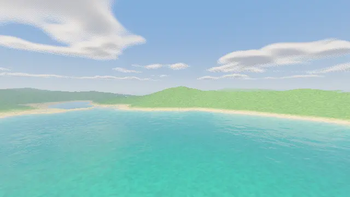
A cinematic, performance-focused Minecraft Java shaderpack designed to make the world feel more atmospheric, alive, and immersive without sacrificing the look and readability that makes Minecraft Minecraft.
Built for both everyday survival and cinematic screenshots/videos, the shader combines realistic lighting with a polished Vanilla+ style. From warm sunsets and reflective oceans to dark caves, violent storms, glowing Nether landscapes, and the alien atmosphere of the End, every environment has its own visual character.
✦ Features
- ☀️ Dynamic sunlight, moonlight, and atmospheric lighting
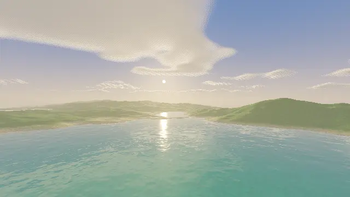
- 🌅 Cinematic sunrises and sunsets
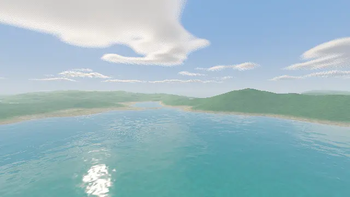
- 🌊 Redesigned water with waves, reflections, refraction, depth coloring, and underwater effects
- ☁️ Custom atmospheric and volumetric clouds
- 🌫️ Volumetric lighting, fog, and light shafts
- 🌧️ Enhanced rain, storms, wet surfaces, and weather atmosphere
- 🌿 Animated foliage and configurable wind
- 🪞 Screen-space and water reflections
- 🌑 Soft configurable shadows
- ✨ Bloom and emissive lighting
- 🪨 Ambient occlusion
- 💎 PBR, normal, specular, and emissive texture support
- 🔥 Unique Nether atmosphere
- 🌌 Unique End atmosphere
- 🎨 Multiple color-grading and visual profiles
- 🎥 Optional cinematic effects for screenshots and videos
- ⚙️ Extensive shader configuration
- 🚀 Multiple performance presets
Performance
Good visuals shouldn't automatically mean terrible performance.
The shader was designed with scalability in mind and provides multiple quality levels ranging from Potato to Cinematic. Expensive effects can be individually adjusted or disabled, allowing the shader to work across a much wider range of hardware.
Available presets include:
Potato → Low → Medium → High → Ultra → Cinematic
Medium and High are intended for normal gameplay, while Ultra and Cinematic prioritize visual quality for powerful systems, photography, and video creation.
Actual FPS depends on your GPU, CPU, resolution, render distance, Minecraft version, mods, and selected shader settings.
Designed for Cinematics
This shader isn't only intended for survival.
It was designed with Minecraft photography, Replay Mod footage, landscapes, builds, boss fights, atmospheric scenes, and cinematic videos in mind.
Higher settings can dramatically increase visual quality when performance isn't the priority, while lighter profiles make it possible to switch back to normal gameplay without changing shaderpacks.
Three Worlds, Three Atmospheres
Overworld
Natural and cinematic, with atmospheric landscapes, beautiful weather, improved water, warm sunsets, dynamic shadows, and clear but immersive nights.
Nether
Darker and more dramatic, with intense lava lighting, atmospheric fog, glowing environments, and a heavier dark-fantasy feeling.
End
Cold, alien, mysterious, and otherworldly, with a stronger focus on the shader's purple and atmospheric visual identity.
Customization
Almost every major visual system can be configured.
Adjust lighting, shadows, clouds, water, reflections, volumetrics, ambient occlusion, bloom, wind, fog, color grading, atmospheric effects, post-processing, and performance settings to create your own look.
You can keep things close to a clean Vanilla+ experience or push the shader toward a much more cinematic presentation.
Resource Pack Support
The shader supports advanced material effects including normal maps, specular materials, emissives, and PBR-style textures where supported.
A companion resource pack designed specifically around the shader's visual style is also planned/developed as part of the same visual ecosystem.
Compatibility
Designed primarily for Iris Shaders on Minecraft Java Edition, with compatibility across supported modern Minecraft versions being an important goal.
Compatibility may vary between Minecraft, Iris, OptiFine, mod, and shader versions. Check the version information for each release before installing.
Explore during the day. Survive the night. Capture the world in between.
- Edition: Minecraft Java
- File type: .zip (resource pack)
- Minecraft versions listed: 1.16.5, 1.17, 1.17.1
- How to install: Download the .zip resource pack — do not unzip it. → Put it in .minecraft/resourcepacks. → Enable it in Options → Resource Packs.
- Where to get it: Opens on Modrinth — not every file is mirrored on our own servers.
Install steps are the general flow for this file type — see the MC Java Mods guides for the full walkthrough.
- Downloads as HalcyonDrift-v1.0.0.zip
- Download size: 373 KB
- Download link checked 30 Oct 2026 — working
These come from our own check of the pack file, not from the source page.