
Grox Wilds is a Minecraft Bedrock addon that makes tigers hunt bison in a more realistic way.
The original Grox tiger model, textures, and animations are kept. This pack changes the hunt AI.
Hunt
1. The tiger finds nearby bison.
2. It watches, then stalks with a slow straight walk (one paw at a time).
3. It locks onto one bison and does not keep swapping targets.
4. After the stalk it sprints.
5. When it is close it pounces and finishes the hunt.
6. The rest of the herd flees in the same direction.
7. If there are no bison, the tiger wanders normally.
Bison graze when they are safe, then stampede when the hunt starts.
Install
1. Download the .mcaddon.
2. Open it so Minecraft imports the resource pack and the behavior pack.
3. Create a new world (or spawn fresh animals).
4. Turn on both packs.
5. Enable Beta APIs if Minecraft asks. Scripts must be allowed.
Remove older Grox Wilds versions first. Old tigers and bison keep the old AI until you spawn new ones.
Info
- Minecraft Bedrock 1.21+
- Scripts required
- Version 1.36 — straight stalk, pounce then hunt (no latch)
Credits
Tiger and bison models / textures: original Grox / Spotshade pack.
Hunt AI: Grox Wilds.
- Edition: Minecraft Bedrock
- File type: .mcpack or .mcaddon
- Minecraft versions listed: 1.21.132, 26.0.02, 26.0
- How to install: Download the .mcpack or .mcaddon file. → Open it — Minecraft imports it. → In your world: Behavior Packs → Available → Activate, then the same under Resource Packs.
- Where to get it: Opens on CurseForge — not every file is mirrored on our own servers.
Install steps are the general flow for this file type — How to install Minecraft Bedrock addons & mods walks through it step by step.
- Pack type: .mcaddon — behaviour and resource pack in one file
- Manifest requires Minecraft 1.21.0 or newer
- Complete pack — everything it depends on is inside the file
- Download size: 880 KB
- Download link checked 19 Sept 2026 — working
These come from our own check of the pack file, not from the source page.
Related Bedrock mods
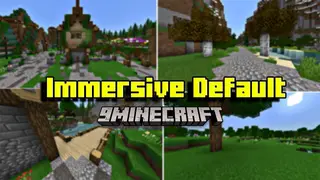
Immersive Default Texture Pack (1.20, 1.19) – MCPE/Bedrock
![Basic Jetpack [Achievement Friendly]](https://files.mcmodshub.com/thumb/curseforge/65906.webp)
Basic Jetpack [Achievement Friendly]
Pet Furniture V12 Geometry Fix Update 1.19.30 | Minecraft Furniture Mod

Random Loot Ore Addon (1.21) – MCPE/Bedrock
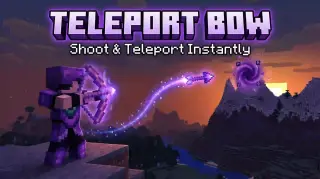
Teleport Bow Addon (26.x, 1.21) – MCPE/Bedrock Mod