
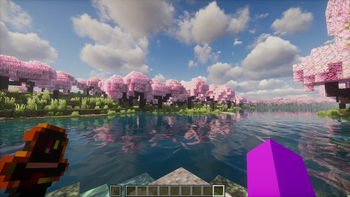
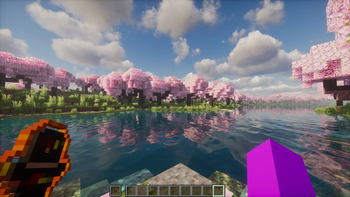
🔥 FlameFrags Totem (Animated)
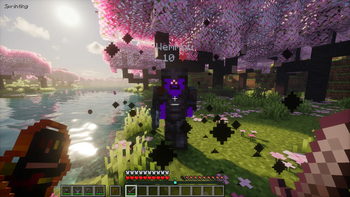
Upgrade your inventory and clutching capabilities with the FlameFrags Totem (Animated) resource pack! This standalone PvP utility overlay replaces the bulky vanilla totem of undying with a small, beautifully animated version of the iconic FlameFrags character design.
⚔️ Key Features
- Custom Character Animation: Features a smooth, looping idle animation with glowing eyes and flickering flames.
- Small Totem Variant: Resized to a "mini-totem" scale to clear screen clutter and maximize your field of view during intensive PvP situations.
- Vibrant Totem Pop Particles: Includes matching custom particles that erupt with fiery orange graphics when a totem pops.
- Pure Overlay Format: Designed to sit perfectly at the top of your resource pack list, overlaying seamlessly onto any 16x, 32x, or default vanilla texture pack.
🛠️ Requirements & Installation
To view the frame-by-frame custom animations properly, OptiFine or an equivalent fabric alternative like ETF (Entity Texture Features) / Animatica is recommended depending on your Minecraft version.
- Download the latest version
.zipfile from the Versions tab. - Open Minecraft Java Edition and go to Options > Resource Packs.
- Click Open Pack Folder and drop the downloaded
.zipfile inside. - Move FlameFrags Totem (Animated) to the very top of your selected packs list.
- Hit Done and watch your new totem come to life!
Quick facts
- Edition: Minecraft Java
- File type: .zip (resource pack)
- Minecraft version listed: 26.2
- How to install: Download the .zip resource pack — do not unzip it. → Put it in .minecraft/resourcepacks. → Enable it in Options → Resource Packs.
- Where to get it: Opens on Modrinth — not every file is mirrored on our own servers.
Install steps are the general flow for this file type — How to install Minecraft Java resource packs walks through it step by step.
Verified by MCModsHub
- Downloads as FlameFrags_Totem_Animated 26.2.zip
- Download size: 19 KB
- Download link checked 20 Sept 2026 — working
These come from our own check of the pack file, not from the source page.