
Advanced Bedrock Compass
You were sure there was a Cherry Grove this way. There wasn't. One compass finds every biome and structure from a menu of pictures, marks it on your…
⬇ Download on CurseForge
About Advanced Bedrock Compass
You've been walking for twenty minutes. You were sure there was a Cherry Grove this way. There is not a Cherry Grove this way. There's a swamp, three drowned, and a growing sense that you should have written the coordinates down. Meanwhile your friend on Java Edition typed one command, got an answer, and is already home building a treehouse.
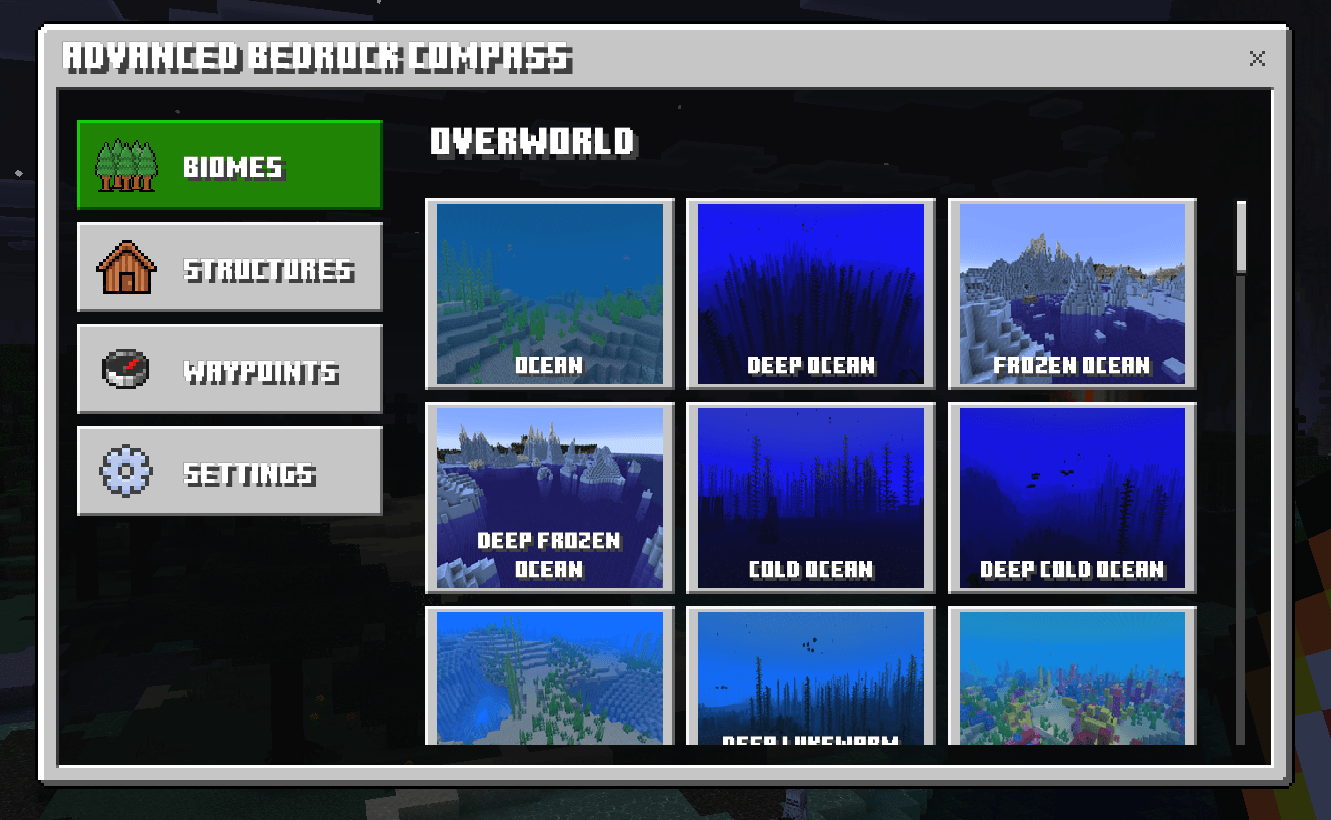
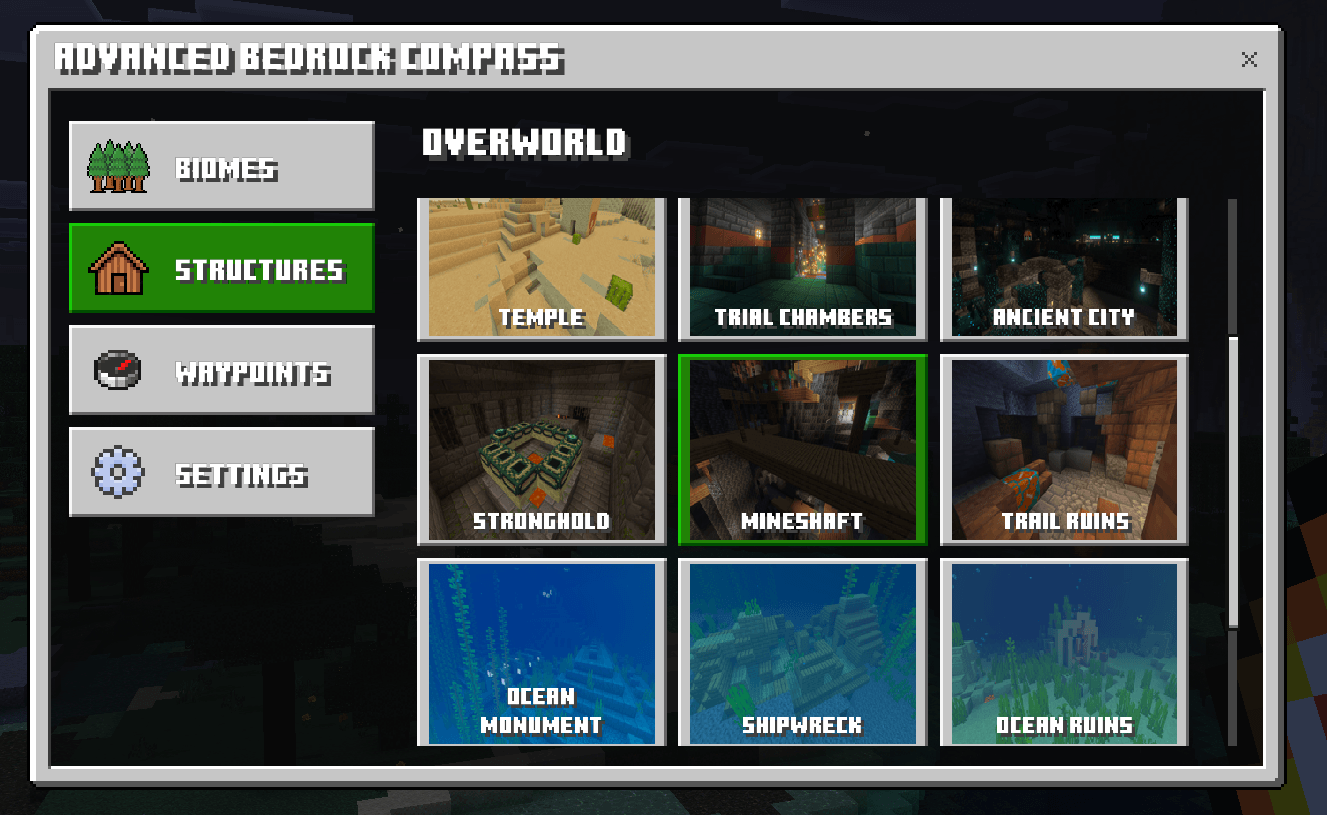
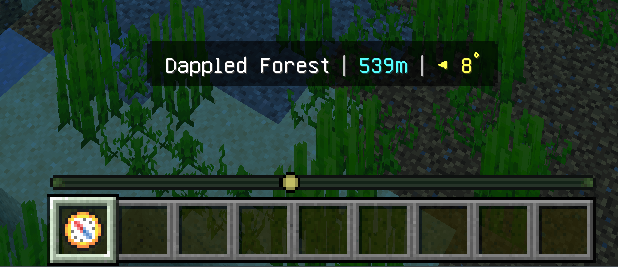
Advanced Bedrock Compass fixes that. Properly. Craft one compass, use it, and you get a native, picture-driven menu of every biome and structure in the game - 61 biomes and 17 structures, each with its own screenshot card so you're tapping on a picture of a Cherry Grove instead of squinting at minecraft:cherry_grove in a chat box. Tap it, and a colour-coded marker lands on your locator bar with a live distance and turn arrow in your action bar. Walk towards the pretty dot. That's it. That's the whole tutorial.
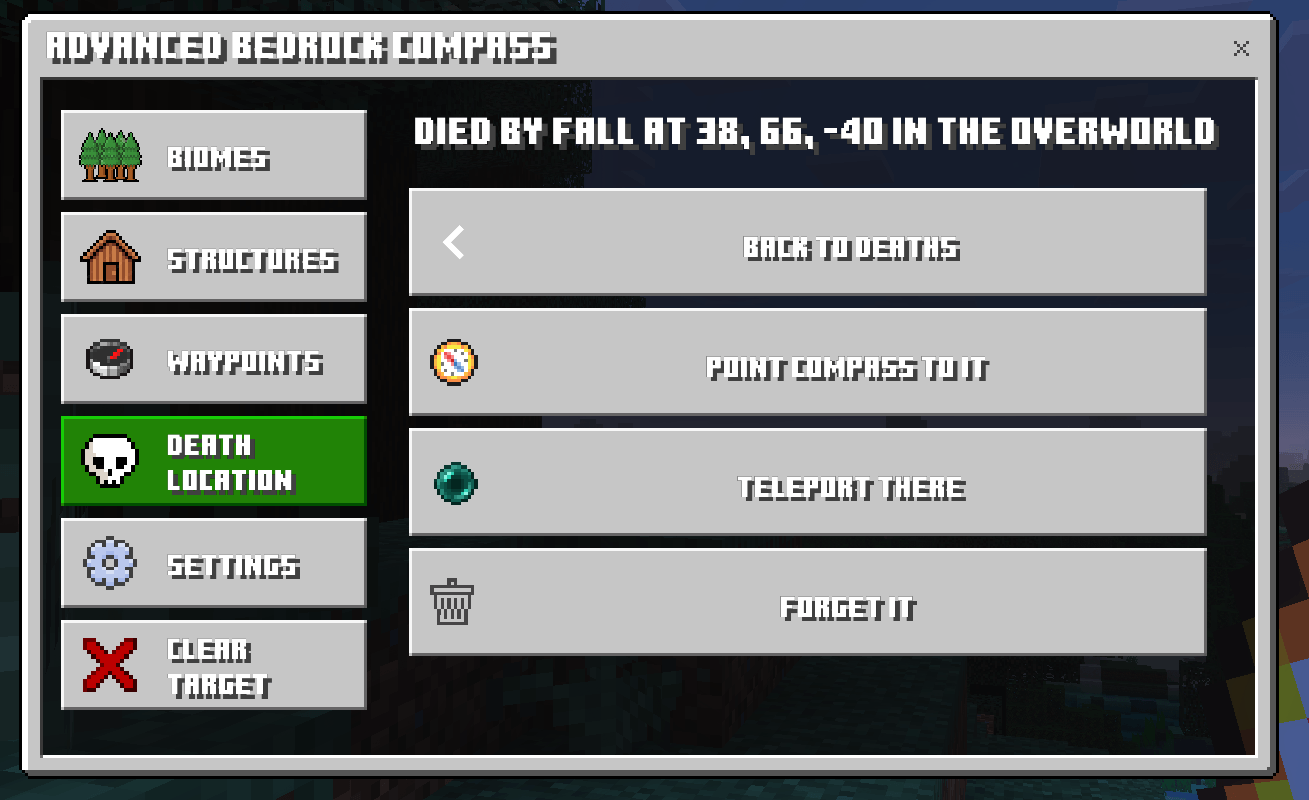
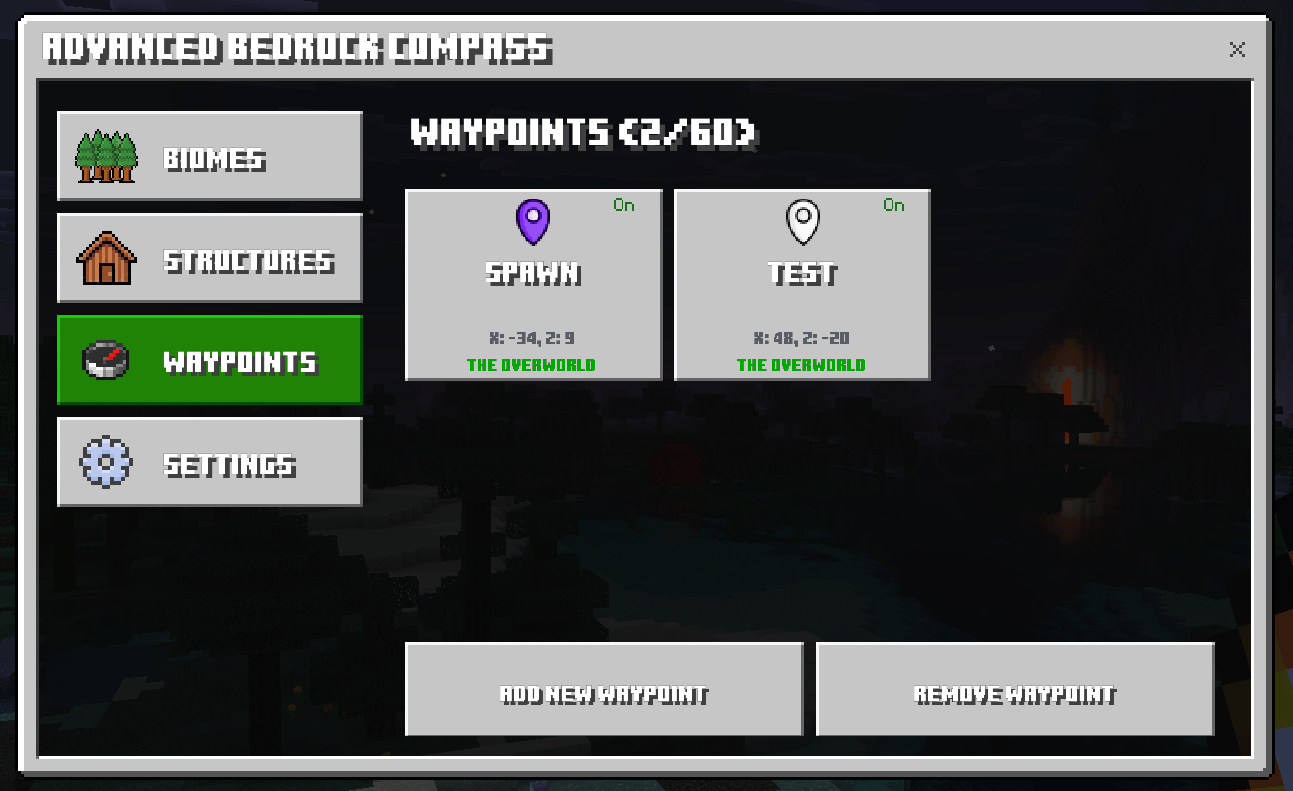
Then it keeps going, because a compass that only finds biomes is frankly a bit lazy. The Waypoints tab gives every player sixty private, named locations in ten marker colours - your base, your villager hall, that one cave with the diamonds you swore you'd come back for - each toggled onto the locator bar with a single tap, and all of them still there when you rejoin. The Death location tab remembers your last ten deaths, complete with what got you and where, and one tap sends a skull marker to walk you straight back to your stuff before it despawns. Creative players and operators get safe, ground-finding teleports on top, so nobody ends up inside a mountain.
It's also smart about where you are. Stand in the Nether and the menu only offers Nether biomes and structures. Stand in the End and it's End Cities all the way down. A Clear target button appears in the sidebar whenever you're tracking something, and per-player settings let you turn off the action bar, the locator marker, or both, if you're the kind of person who likes to suffer a little. Everyone gets a compass on their first join - one that stays in your inventory when you die, because losing the thing that finds your death location would be a bit much - or you can craft one from a Compass, four Ender Pearls and four Amethyst Shards.
All of it runs on stable Bedrock APIs with no experimental toggles, in a native two-column UI that looks like Mojang put it there. Because finding your way around should be the easy part.
Key Highlights:
- 🧭 One compass finds any biome, any structure, any waypoint and any death location
- 🖼️ 61 biome and 17 structure picture cards - tap the picture, not the ID
- 📍 Colour-coded locator bar markers plus live distance and direction in the action bar
- ⚡ Instant biome searches through the Script API - no command blocks, no world edits
- 💾 60 private waypoints per player in 10 colours, saved across sessions
- 💀 Remembers your last 10 deaths and walks you straight back to your loot
- 🌍 Dimension aware - only shows what can actually be found from where you stand
- 🔒 Anything you can't use right now is greyed out with a reason, not quietly hidden (structure search is operators-only in multiplayer)
- 🚀 Safe ground-finding teleports for Creative players and operators
- ✅ Stable APIs only - no experimental toggles required
Author: Rob 'myGen' Hall | License: CC BY-NC-SA 4.0 | Website: https://mygen.co.uk
- Edition: Minecraft Bedrock
- File type: .mcpack or .mcaddon
- Minecraft versions listed: 26.10, 26.11, 26.12
- How to install: Download the .mcpack or .mcaddon file. → Open it — Minecraft imports it. → In your world: Behavior Packs → Available → Activate, then the same under Resource Packs.
- Where to get it: Opens on CurseForge — not every file is mirrored on our own servers.
Install steps are the general flow for this file type — How to install Minecraft Bedrock addons & mods walks through it step by step.
- Pack type: .mcaddon — behaviour and resource pack in one file
- Manifest requires Minecraft 1.26.40 or newer
- Complete pack — everything it depends on is inside the file
- Download size: 5.9 MB
- Download link checked 20 Sept 2026 — working
These come from our own check of the pack file, not from the source page.