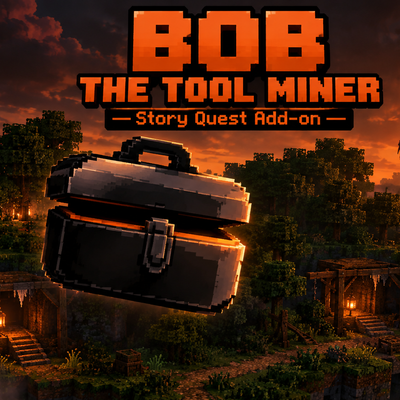
Short summary (1-2 lines):
Meet Bob, a floating 2D mining assistant who guides you through a story-driven mining tutorial: ores, diamonds, the Nether, terrifying Visitors, and a final showdown on a giant forest island of ruined mines.
Description:
Open the mysterious delivery box and Bob The Tool Miner appears, a floating companion who always faces your camera and talks to you in chat. Follow his quests from your very first ore to the end of the story:
Quest 1: Mine any 10 ores (live counter on screen)
Quest 2: Find a diamond
Quest 3: Survive The Visitor, a tall, pale, faceless creature with torn-off arms
Quest 4-5: Build a Nether portal, find Netherite, then survive 5 rounds of Visitors
Quest 6: Warp to a huge forest island and destroy 30 ruined mines by breaking the cone above each entrance (explosives included!)
Quest 7: Choose your home and spawn point, and get a starter building kit
Quest 8: Run through a long room, smashing barricades while a Visitor chases you
Quest 9: Find emeralds and trade with a villager. Then Bob rests in your house as a decoration, ready to give advice and chat
Features
Cinematic warps with particles, camera shake and screen flash
Pick Bob up and place him anywhere, or summon him with a command
Custom entities with animations: Bob, The Visitor, the delivery box
Translate Bob's dialogue with /bob:l <language> (or type !L en in chat): Thai, English, Japanese, Chinese, Korean, Spanish, Indonesian, Vietnamese
Enchanted diamond pickaxe reward (Efficiency and Unbreaking)
Installation
Download the .mcaddon file and open it with Minecraft.
Create a new world and activate both the Behavior Pack and the Resource Pack.
Spawn into the world and tap the delivery box in front of you.
Requirements
Minecraft Bedrock Edition (Script API 2.0.0 support, roughly 1.21.90 or newer)
Best played in a new survival world, single player
Useful commands
/scriptevent bob:skip skips the current step
/scriptevent bob:reset restarts the story
/bob:l en changes Bob's language
Credits: gravity and claude Bob's textures by Gravity
Tags : Add-on, Behavior Pack, Resource Pack, Adventure, Quest, Mobs, Scripting
- Edition: Minecraft Bedrock
- File type: .mcpack or .mcaddon
- Minecraft versions listed: 26.20, 26.13, 26.30
- How to install: Download the .mcpack or .mcaddon file. → Open it — Minecraft imports it. → In your world: Behavior Packs → Available → Activate, then the same under Resource Packs.
- Where to get it: Opens on CurseForge — not every file is mirrored on our own servers.
Install steps are the general flow for this file type — How to install Minecraft Bedrock addons & mods walks through it step by step.
- Pack type: .mcaddon — behaviour and resource pack in one file
- Manifest requires Minecraft 1.21.90 or newer
- Complete pack — everything it depends on is inside the file
- Download size: 97 KB
- Download link checked 21 Sept 2026 — working
These come from our own check of the pack file, not from the source page.