
auto Feed (by iPao)
Java data pack listed for Minecraft 26.x. Downloads from the MC Java Mods app on Android.
⬇ Download on Modrinth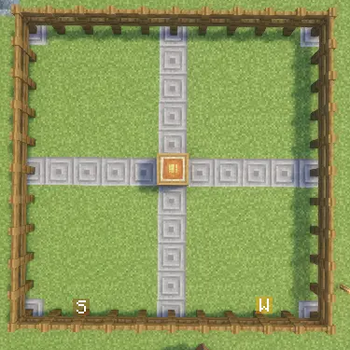
นี่คือ Description ภาษาอังกฤษแบบฉบับปรับปรุงเพิ่มเติม (มีทั้งระยะ 10x10, วิธีสร้าง และหมายเหตุเรื่องกบ) พร้อมนำไปลง Modrinth ได้เลยครับ
🌾 AutoFeed - Automatic Animal Feeding System
AutoFeed is a Minecraft Data Pack designed to streamline your farming and animal husbandry. Say goodbye to manually right-clicking every single animal—just build a feeding station and let the pack handle feeding and breeding automatically!
✨ Key Features
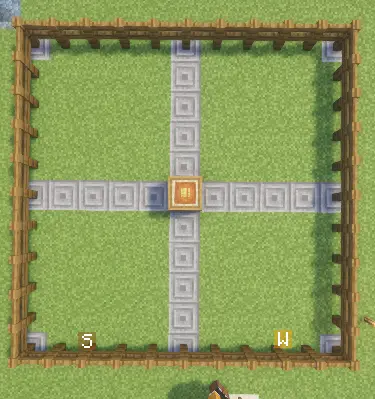
📡 10x10 Radius Coverage: Automatically scans and feeds animals within a 10x10 block area around the feeding station.
📦 Barrel Container Support: Directly pulls compatible food items stored inside the feeding station's barrel.
🐾 Broad Animal Support: Works with cows, sheep, pigs, chickens, horses, donkeys, camels, llamas, wolves, cats, rabbits, turtles, axolotls, pandas, bees, sniffers, and more.
⚙️ Customizable Food Tags: Uses modular JSON item tags for each animal species, allowing you to easily add or modify compatible food items.
🛠️ How to Build & Use the Feeding Station
Setting up an automated feeding area is quick and easy:
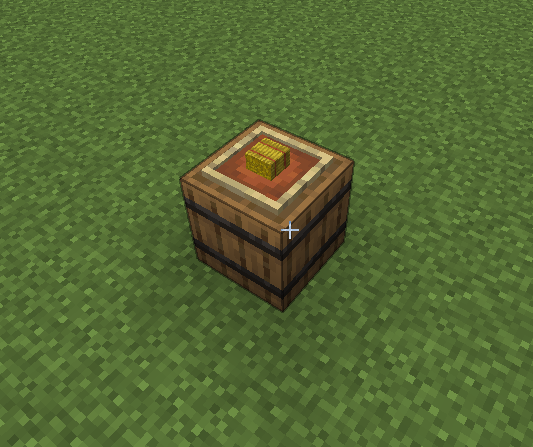
Place a Barrel: Place a
Barrelon the ground where you want your feeding center to be.Attach an Item Frame: Place an
Item Frameon the top surface of the barrel.Insert a Hay Bale: Put a
Hay Baleinside the Item Frame to activate the station.Stock Supplies: Open the barrel and fill it with various animal foods (e.g., Wheat, Carrots, Seeds).
Automated Feeding: The system will continuously scan a 10x10 block radius around the barrel and automatically feed matching animals using the stock inside.
⚠️ Important Note
- 🐸 Frog Feeding Disabled: Feeding functionality for Frogs is currently under development and does not work in the current version.
🧹 Uninstallation
To safely remove the Data Pack scoreboards and tags from your world, run:
- Edition: Minecraft Java
- File type: .jar
- Minecraft versions listed: 26.1, 26.1.1, 26.1.2
- How to install: Install the matching mod loader (Forge, Fabric or NeoForge) for your Minecraft version. → Download the .jar. → Put it in the .minecraft/mods folder and launch that loader profile.
- Where to get it: Opens on Modrinth — not every file is mirrored on our own servers.
Install steps are the general flow for this file type — see the MC Java Mods guides for the full walkthrough.
- Downloads as AutoFeed_26.2_v2.3.0 (1).zip
- Download size: 34 KB
- Download link checked 11 Oct 2026 — working
These come from our own check of the pack file, not from the source page.