Whack Me
Whack Me is a fast-paced Minecraft reflex minigame where players race against the clock to hit green blocks, avoid red ones, build streaks, and set high…
⬇ Download on ModrinthWhack Me
Whack Me is a fast-paced, single-player whack-a-block minigame for Minecraft servers.
The player enters a configured arena and tries to hit as many green point blocks as possible before the timer expires while avoiding red blocks. Correct hits increase the score and streak; incorrect hits reduce the score and reset the current streak. At the end of a run, Whack Me reports the final score, personal best, longest streak, success rate, and correct and incorrect hits.




Gameplay Showcase
Watch Whack Me in action, from joining an arena and hitting rising point blocks to streak building, result summaries, personal bests, and arena records.
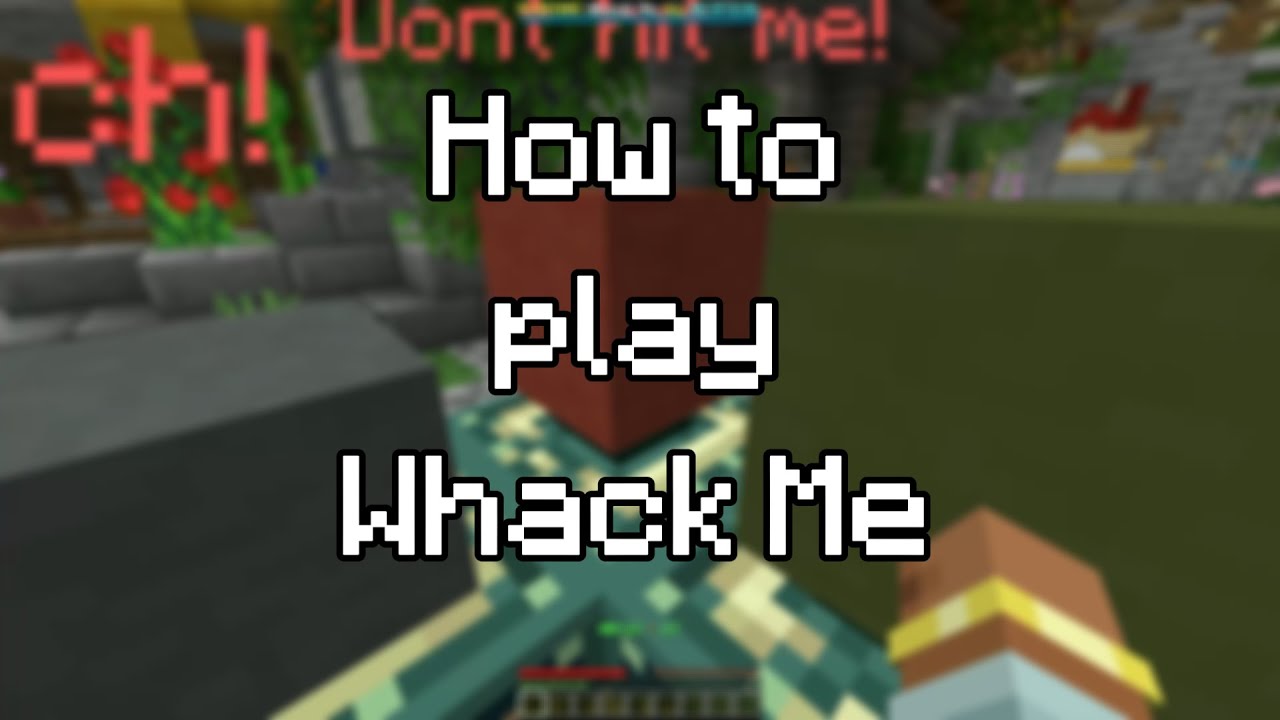
✨ Features ✨
- Fast Single-Player Gameplay: Give players a focused, replayable timed score challenge where every decision matters.
- Dynamic Point Blocks: Green and red blocks rise, wait, and fall from configured portal locations throughout every run.
- Balanced Block Selection: Whack Me keeps visible reward and penalty blocks close to an even distribution for fair, unpredictable gameplay.
- Arena-Specific Tuning: Configure minimum and maximum active blocks, movement speed, peak wait time, spawn checks, and asynchronous movement per arena.
- Custom Block Appearances: Use blocks, player heads, or custom items for the green, red, and gray hit states.
- Interactive GUI Setup: Create and manage arenas through visual in-game menus instead of manually editing data files.
- Custom Portal Layouts: Build automatic eight-frame layouts or design fully custom point-block positions with the portal editor.
- Arena Signs: Create clickable, auto-updating join signs that let players enter available arenas instantly.
- Scoreboards, Boss Bars & Action Bars: Display live timers, scores, streaks, success rates, and arena records during gameplay.
- Detailed Result Summaries: Report final score, personal best, longest streak, correct and incorrect hits, and success rate after every completed run.
- Configurable Rewards: Run console or player commands when players join, quit, finish a game, or hit green, red, and gray blocks, with built-in player, arena, score, streak, and block placeholders.
- Personal & Arena Records: Track each player's highest score and every arena's global record holder.
- Perfect Runs & Statistics: Record games played, perfect runs, lifetime hits, personal records, and longest streaks.
- Built-In Leaderboards: Rank the server's top players by scores, perfect runs, streaks, and lifetime block hits.
- Safe Player State Handling: Inventories, armor, potion effects, food, and player state are restored automatically after a run.
- Arena Protection & Isolation: Prevent block changes, item abuse, damage, and unwanted command or chat interference while players compete.
- Music Support via NoteBlockAPI: Assign custom .nbs songs per arena, preview tracks in-game, or use the bundled music library.
- Highly Configurable: Customize messages, sounds, menus, scoreboards, boss bars, signs, gameplay behavior, and presentation.
- PlaceholderAPI Support: Display live game data, persistent statistics, arena records, and leaderboards in other plugins.
- Flat File & MySQL Storage: Start with simple local storage or persist player statistics through MySQL.
- Developer API: Hook into game lifecycle, player flow, and statistic changes through public Bukkit events.
- Debug & Profiling Tools: Preview MiniMessage components and inspect event timing reports for troubleshooting.
Arena Setup Guide
Whack Me arenas are configured through the interactive menu opened with /wm edit <arena>. This guide follows the entire workflow from creation to a playable, registered arena.
Step 1: Create the Arena
Create a new arena with a unique, stable ID:
/wm create <arena_id>

Use IDs such as arcade_1 or castle_whack. The ID is reused by join commands, placeholders, setup output, and saved data.
Step 2: Open the Setup Menu
/wm edit <arena_id>

The home page provides access to locations, portal layout editing, point-block settings, music, display toggles, arena records, signs, and final registration.
Step 3: Set Start and End Locations

Open Manage Arena Locations (FILLED_MAP). Both locations are required.
Start Location
- Click: Saves your exact position. In the normal layout mode, you must already be surrounded by end portal frames.
- Shift-click: Centers the saved position on the current block and automatically places end portal frames in the eight surrounding positions.
When the plugin detects the surrounding frame ring, those eight blocks become the arena's portal locations automatically.
End Location
- Click: Saves your exact position.
- Shift-click: Centers the position on the current block.
The end location is used after normal finishes, leaves, kicks, cancellations, and reconnect recovery.
Step 4: Define the Portal Layout

Portal locations are the positions from which point blocks rise. Use the automatic eight-frame ring from the start-location action, or click Manage Portal Layout (ENDER_PEARL) to build a custom layout.
In Portal Editing Mode:
- Your inventory is saved and replaced with end portal frames plus a barrier.
- Place frames to add point-block positions.
- Break frames to remove positions.
- Use the barrier to leave editing mode, save the new list, and restore your inventory.
Note: Registration requires at least one portal location. In practice, use several well-spaced frames so multiple blocks can be visible and reachable at once.
Step 5: Open Point-Block Settings

The Point Block Settings entry unlocks after portal locations exist. It opens a dialog with arena-specific spawning, movement, and appearance controls.
- Minimum active blocks: Default 4, allowed from 1 to the portal count. Lowest target number of simultaneously visible blocks.
- Maximum active blocks: Default 8, allowed from 1 to the portal count. Hard cap on simultaneously visible blocks.
- Vertical movement step: Default 0.05, allowed from 0.01 to 0.20. Distance moved per tick; higher is faster.
- Maximum vertical step: Default 0.64, allowed from 0.01 to 1.00. Safety cap applied to the movement step.
- Peak wait: Default 12 ticks, allowed from 0 to 40. Time the block waits at its highest point.
- Spawn check period: Default 8 ticks, allowed from 1 to 20. Delay between checks that replace missing point blocks.
- Asynchronous movement: Disabled by default. Moves point-block animation outside the main thread; cleanup remains synchronous.
Step 6: Set Active Block Amounts
Choose Active Block Limits to edit the minimum and maximum together. Both are capped by the number of portal locations. If the maximum is set below the minimum, Whack Me raises it to match; changing either value individually also keeps the pair valid.
Tip: More simultaneous blocks increase visual load and decision pressure. Start with 4-8, then test the layout from a player's viewing angle.
Customize Block Appearance (Optional)
Use Customize Point Block Looks to assign the green, red, and gray hit-state items. Put an item on your cursor and click the corresponding preview slot. Blocks, player heads, and custom item metadata are supported, and the saved stack amount is normalized to one.
Step 7: Select Arena Music (Optional)

If NoteBlockAPI is installed, Select Arena Music lists every valid .nbs file in /plugins/WhackMe/musics/.
- Left-click: Select the song for this arena.
- Right-click: Preview the song for yourself.
- No Song: Clear the arena's selection.
Whack Me includes five starter songs and repeats the selected song while a player occupies the arena.
Step 8: Configure Other Settings (Optional)

The Other Arena Settings page controls two independent per-arena options:
- Arena Scoreboard: Enables the live scoreboard for this arena. The global
scoreboard-enabledoption must also be enabled. - Arena Boss Bar: Enables the configured timer-progress boss bar for this arena.
bossbar.ymlmust also haveenabled: true.
Changes apply immediately if that arena currently has a running game.
Step 9: Reset an Arena Record (Optional)

After an arena has a record, Reset Arena Record shows its holder and score. The confirmation page prevents accidental deletion. Confirming resets only that arena's global holder to None and score to 0; it does not erase player statistics or personal records.
Step 10: Create a Join Sign (Optional)

Place a sign, look directly at it, and click Create Arena Sign (OAK_SIGN). Whack Me registers, formats, and waxes the sign. Its state updates automatically, and players can right-click it to join.
Breaking a registered sign requires whackme.sign.break.
Step 11: Register the Arena
Click Register the Arena (FIREWORK) when setup is complete. Whack Me verifies these required values in order:
- Start location
- End location
- At least one portal location
If a value is missing, registration stops and names the missing option. On success, the arena becomes ready, starts its waiting runtime, and the success message includes a clickable /wm join <arena> action.
Note: Arena data is saved automatically and during shutdown. If critical saved locations are missing on a later startup, Whack Me automatically marks the arena as not ready instead of starting a broken game.
How to Join:
- Command:
/wm join <arena_id> - Sign: Right-click the registered arena sign.
An arena accepts one player at a time. If occupied, other players must use another arena or wait until the run finishes.
Gameplay Flow
- Join an Arena: The player enters a registered, unoccupied arena with
/wm join <arena>or by right-clicking its join sign. - Prepare the Run: Whack Me saves the player's inventory and state, clears temporary statistics, and teleports them to the arena start.
- Follow the Live Displays: The scoreboard, boss bar, action bar, and optional arena music begin as the configured timer starts counting down.
- Whack the Right Blocks: Hit rising green blocks to gain score and build a streak while avoiding red blocks that remove a point and reset the streak.
- Chase a Better Result: Keep accuracy high to improve the success rate, extend the longest streak, complete a perfect run, and beat the personal best.
- Finish the Run: When time expires, Whack Me calculates the final score, hits, success rate, personal record, perfect-run status, and arena record.
- Return Safely: The player's saved state is restored, they are teleported to the end location, and the arena immediately becomes available again.
- Compete Long-Term: Completed results update persistent statistics, the stats menu, PlaceholderAPI values, and global leaderboards.


Commands & Permissions
All commands can be used via /whackme or /wm.
Gameplay Commands
No permissions required by default.
/wm join <arena>— Join a registered, currently unoccupied arena and immediately start a timed run./wm leave— Leave the current game, restore the saved player state, and return to the arena's end location./wm stats [player]— Open the statistics menu for yourself or another online/cached offline player.

Arena Setup & Management
Requires whackme.arena.* for full access.
/wm create <arena_id>—whackme.arena.create— Create a new, unconfigured arena with the specified unique ID./wm delete <arena_id> [--confirm] [--cancel]—whackme.arena.delete— Permanently unregister an arena through an explicit confirmation flow./wm list—whackme.arena.list— List every arena and show clickable join actions for ready arenas or setup actions for incomplete arenas./wm edit <arena_id>—whackme.arena.edit— Open the interactive setup menu for an existing arena.
Main Administration Commands
Requires whackme.admin or the listed node.
/wm—whackme.command.help— Display the installed Whack Me version and author./wm help—whackme.command.help— Display player commands and any administrative commands available to the sender./wm reload—whackme.admin.reload— Reload messages, configuration options, menus, command policy, event profiling, signs, boss bars, sounds, and live game presentation./wm stop [arena]—whackme.admin.stop— Force-stop the current or specified game without applying its run statistics. The console must provide an arena ID./wm kick <player>—whackme.admin.kick— Remove an online player from their current game and follow the normal result and cleanup path.- Break registered arena signs —
whackme.sign.break— Allow staff to break signs registered to Whack Me arenas. - Bypass the replay cooldown —
whackme.cooldown.bypass— Allow a player to join another game without waiting for the configured cooldown. - Bypass in-game command blocking —
whackme.commandblock.bypass— Allow staff to use unrestricted commands while inside a Whack Me arena.

Advanced Troubleshooting
*Requires whackme.debug or the listed node and debug: true in config.yml.*
Note: Debug commands are intended for testing and troubleshooting.
/wm debug component <message>—whackme.debug.component— Preview MiniMessage formatting, gradients, hex colors, and components directly in-game./wm debug dump—whackme.debug.dump— Generate an event timing report for troubleshooting performance issues. Enable event profiling inconfig.ymlfor meaningful data.

Stats & Leaderboards
Whack Me rewards players who keep coming back. Track completed games, perfect runs, personal record scores, longest hit streaks, lifetime green and red hits, success rate, and per-arena records—then display the server's top performers through the built-in stats menu and live leaderboards.


Placeholders
To use these placeholders, you must have PlaceholderAPI installed on your server.
Global Plugin Data
%wm_arenas_total%                 - Total number of registered arenas
%wm_arenas_ready%                 - Number of arenas that are ready to play
%wm_online_players%               - Total players currently inside Whack Me arenas
Live Player Session
Outside an active run, these temporary values normally return 0.
%wm_local_score%                  - Current score earned during the active run
%wm_local_point_streak%           - Current consecutive correct-hit streak
%wm_local_longest_point_streak%   - Highest streak reached during the current run
Persistent Player Statistics
%wm_whacked_point_blocks%         - Total number of green point blocks hit
%wm_whacked_minus_point_blocks%   - Total number of red penalty blocks hit
%wm_whacked_block_rate%           - Positive-hit rate as a percentage value
%wm_record_score%                 - Highest personal score ever reached
%wm_perfect_runs%                 - Total number of perfect runs completed
%wm_games_played%                 - Total number of completed games
%wm_tours_played%                 - Alias for total completed games
%wm_longest_point_streak%         - Highest consecutive correct-hit streak
Generic Statistic Lookup
%wm_stat:<statistic_key>%
Examples
%wm_stat:games_played%
%wm_stat:longest_hit_streak%
%wm_stat:local_correct_blocks%
%wm_stat:local_wrong_blocks%
Arena-Specific Syntax
%wm_arena:<arena_id>:<stat>%
Replace <id> with the exact, case-correct arena identifier.
Arena Settings & Records
%wm_arena:<id>:ready%            - Whether the arena is registered and ready
%wm_arena:<id>:record_holder%    - Arena record holder
%wm_arena:<id>:record_score%     - Highest score recorded in the arena
Live Game Data
%wm_arena:<id>:player_name%      - Player currently using the arena
%wm_arena:<id>:point_blocks%     - Number of active point blocks
%wm_arena:<id>:state%            - Current arena state
%wm_arena:<id>:timer%            - Remaining game time in seconds
%wm_arena:<id>:score%            - Current score of the active player
Leaderboard System
Display your server's top-performing players on scoreboards or holograms.
Syntax
%wm_leaderboard:<statistic>:<position>:<name|uuid|value>%
1. Parameters
<statistic>: The persistent statistic to rank.<position>: The rank position from 1 through 10.<type>:name(username),uuid(unique ID), orvalue(raw score).
2. Available Statistics
games_played
perfect_runs
record_score
longest_hit_streak
whacked_plus_blocks
whacked_minus_blocks
3. Usage Examples
# Name of the highest-scoring player
%wm_leaderboard:record_score:1:name%

# Score of the highest-scoring player
%wm_leaderboard:record_score:1:value%

# UUID of the player in 3rd place
%wm_leaderboard:record_score:3:uuid%

# Name of the player with the most perfect runs
%wm_leaderboard:perfect_runs:1:name%

# Value of the 5th longest lifetime streak
%wm_leaderboard:longest_hit_streak:5:value%
Leaderboard entries with a value of 0 are excluded. Empty valid positions return No Player for names and 0 for values.
bStats Metrics
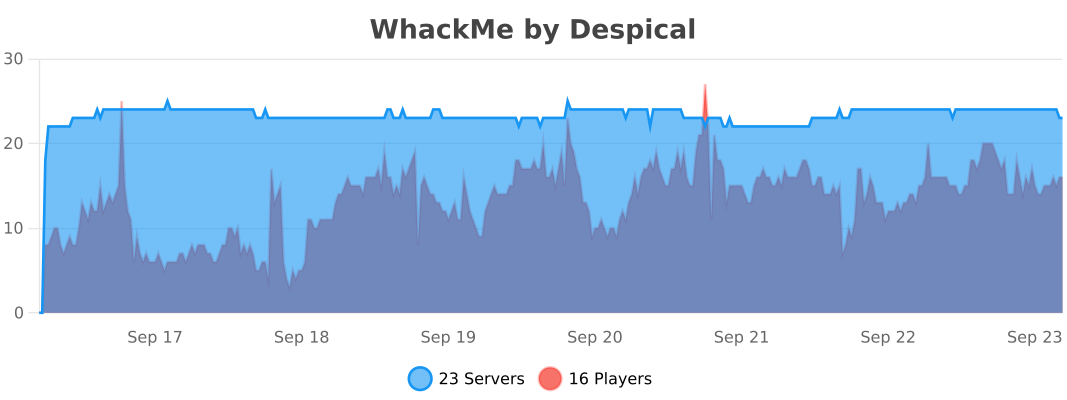
This plugin collects anonymous usage statistics through bStats.
This data helps us understand how Whack Me is being used in the wild and helps guide future development. No private information is collected.
Enjoying the plugin?
We spend hundreds of hours making Whack Me the best minigame experience for your server. If you like the plugin, please consider leaving a 5-star review!
A huge thank you to everyone who has supported the project so far! ❤️
Copyright 2026 © Berke Akçen
- Edition: Minecraft Java
- File type: .jar
- Minecraft versions listed: 1.21.11, 26.1, 26.1.1
- How to install: Install the matching mod loader (Forge, Fabric or NeoForge) for your Minecraft version. → Download the .jar. → Put it in the .minecraft/mods folder and launch that loader profile.
- Where to get it: Opens on Modrinth — not every file is mirrored on our own servers.
Install steps are the general flow for this file type — How to install Minecraft Java mods & modpacks walks through it step by step.
- Ships as whack-me-2.0.0.jar — drop this file into the mods folder
- Download size: 1.0 MB
- Download link checked 22 Sept 2026 — working
These come from our own check of the pack file, not from the source page.