
Inventory Layout
Java mod listed for Minecraft 1.21. Downloads from the MC Java Mods app on Android.
⬇ Download on Modrinth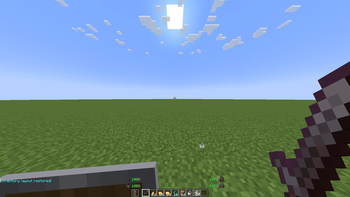
🎒 Inventory Layout
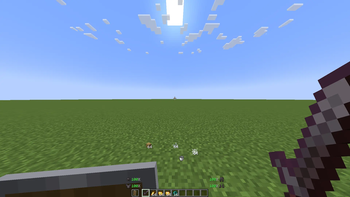
Inventory Layout is a convenient Minecraft mod that lets you save and restore your preferred inventory layout with a keybind. Keep your weapons, tools, blocks, armor, and off-hand items organized without manually rearranging everything after every inventory change.
✨ Features
- ⚡ Saves your preferred inventory and hotbar layout with a simple keybind.
- 🔄 Restores items to their saved slots with one press of a key.
- 🛡️ Supports inventory items, armor, and off-hand equipment.
- 🛠️ Helps keep your gear organized after looting, chest management, or recovering from death.
- ⏱️ Saves time by eliminating repetitive item dragging.
- 🎮 Perfect for survival, PvP, exploration, building, and everyday gameplay.
- ✨ Keeps your inventory clean, consistent, and ready for action.
⚙️ How to Use
Set up your preferred inventory and hotbar layout, then use the assigned keybind to save it. Whenever you need to organize your items again, press the restore keybind to return your gear to its designated slots.
You can configure the keybind through Options → Controls. Make sure that the mod is installed correctly and that its keybinds do not conflict with other controls.
🎮 Recommended For
Inventory Layout is recommended for players who frequently reorganize their gear, manage chests, recover items after death, or switch between different activities. It is especially useful for PvP players, builders, explorers, and anyone who wants a faster and more organized inventory experience.
✨ No more clutter, no more hassle — save your layout, restore it instantly, and stay focused on the game.
- Edition: Minecraft Java
- File type: .jar
- Minecraft version listed: 1.21.4
- How to install: Install the matching mod loader (Forge, Fabric or NeoForge) for your Minecraft version. → Download the .jar. → Put it in the .minecraft/mods folder and launch that loader profile.
- Where to get it: Opens on Modrinth — not every file is mirrored on our own servers.
Install steps are the general flow for this file type — How to install Minecraft Java mods & modpacks walks through it step by step.
- Ships as HaniInventoryLayout-1.21.4.jar — drop this file into the mods folder
- Download size: 468 KB
- Download link checked 23 Sept 2026 — working
These come from our own check of the pack file, not from the source page.