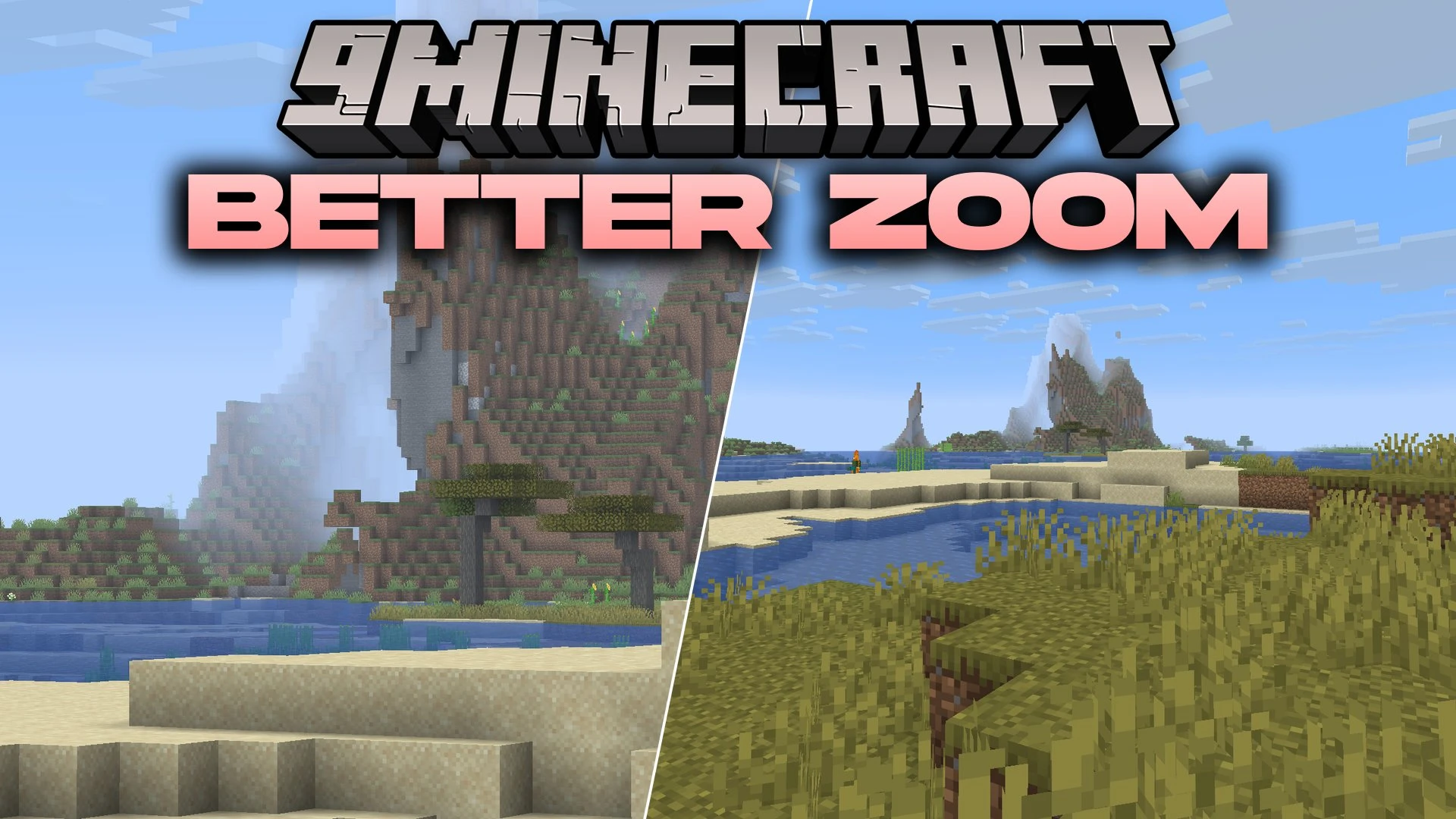
Better Zoom 9minecraft Mod (26.3) – Scout Distant Biomes with Smooth Camera Zoom
Minecraft Java mod. Download on the author's site.
⬇ Download


Better Zoom 9minecraft Mod adds smooth camera magnification to your game. It gives you full control over how you look closer at distant blocks and mobs. You can adjust the zoom speed, change transition styles, and scroll with your mouse wheel. The mod works completely on the client side, meaning you can use it on any multiplayer server without issues.
Features:
- Scroll Zoom: Use your mouse wheel while zooming in to change magnification steps smoothly.
- Spyglass Integration: Connects with the vanilla spyglass to replace the default look, add sound effects, or show the circular overlay.
- Secondary Zoom: Gives you a second separate zoom key for quick toggling or recording videos.
- Includes 14 different transition styles such as linear, sine, quad, cubic, and exponential curves.
- Sets exact zoom in and zoom out speeds using seconds instead of rough sliders.
- Lowers mouse sensitivity while zoomed in so you can aim with high precision.
- Reduces view bobbing during movement so you can walk and look into the distance at the same time.
- Adds a cinematic camera toggle for smooth OptiFine-style panning movements.
- Lets you keep your hand at normal size instead of shrinking or zooming your held items.
- Detects conflicting keybinds on startup and alerts you if another control uses the same button.
- Works purely on the client side, letting you connect to any Minecraft server without extra setup.
Better Zoom 9minecraft Mod – Video Showcase
Your browser does not support the video tag. Download the video.
(function(){
var vid=document.getElementById(“mcap-player-1048777”);
if(!vid) return;
function init(){ if(typeof Plyr===’undefined’){setTimeout(init,80); return;}
var p=new Plyr(vid,{
controls:[‘play-large’,’play’,’progress’,’current-time’,’duration’,’mute’,’volume’,’captions’,’settings’,’pip’,’fullscreen’],
settings:[‘captions’,’quality’,’speed’],
quality:{default:720,options:[720],forced:true,
onChange:function(q){var s=vid.querySelectorAll(‘source’);for(var i=0;i<s.length;i++){}}},
captions:{active:false,language:'en',update:true},
speed:{selected:1,options:[0.5,0.75,1,1.25,1.5,2]},
autoplay:false, tooltips:{controls:true,seek:true}
});
p.source={type:'video',poster:"https:\/\/video1.9minecraft.net\/2026\/09\/1048777\/poster.jpg",sources:[{src:"https:\/\/video1.9minecraft.net\/2026\/09\/1048777\/video-720p.mp4",type:"video/mp4",size:720}],tracks:[]};
}
if(!document.getElementById('plyr-css')){var l=document.createElement('link');l.id='plyr-css';l.rel='stylesheet';l.href='https://cdn.jsdelivr.net/npm/plyr@3.7.8/dist/plyr.css';document.head.appendChild(l);}
if(typeof Plyr==='undefined'){
if(!document.getElementById('plyr-js')){var s=document.createElement('script');s.id='plyr-js';s.src='https://cdn.jsdelivr.net/npm/plyr@3.7.8/dist/plyr.min.js';s.onload=init;document.head.appendChild(s);} else {init();}
} else { init(); }
})();
{“@context”:”https://schema.org”,”@type”:”VideoObject”,”name”:”Better Zoom 9minecraft Mod (26.3, 1.20.1) – Scout Distant Biomes with Smooth Showcase”,”description”:”Better Zoom 9minecraft Mod adds smooth camera magnification to your game.”,”thumbnailUrl”:[“https://video1.9minecraft.net/2026/09/1048777/poster.jpg”,”https://video1.9minecraft.net/2026/09/1048777/poster-sq.jpg”],”uploadDate”:”2026-09-23T12:24:10Z”,”duration”:”PT38S”,”contentUrl”:”https://video1.9minecraft.net/2026/09/1048777/video.mp4″,”embedUrl”:”https://www.9minecraft.net/better-zoom-9minecraft-mod/#video-1048777″,”width”:1280,”height”:720,”encodingFormat”:”video/mp4″,”publisher”:{“@type”:”Organization”,”name”:”9Minecraft”,”url”:”https://www.9minecraft.net”,”logo”:{“@type”:”ImageObject”,”url”:”https://www.9minecraft.net/9MC-Logo.png”}},”isFamilyFriendly”:true,”inLanguage”:”en”}
Commands:
/zoomify: opens the in-game settings menu to adjust zoom behavior, controls, and visual effects.
How to Use:
- Press and hold C (default zoom key) to zoom into the world.
- Use your Scroll Wheel while holding the key to zoom in closer or zoom back out.
- Type
/zoomifyin chat or click the settings button in the Mod Menu screen. - Adjust the transition speed, camera smoothness, and custom keybinds to fit your playstyle.
Screenshots:
Better Zoom 9minecraft Mod Download Links
- Edition: Minecraft Java
- File type: .jar
- How to install: Install the matching mod loader (Forge, Fabric or NeoForge) for your Minecraft version. → Download the .jar. → Put it in the .minecraft/mods folder and launch that loader profile.
- Where to get it: Opens on the file's original source — not every file is mirrored on our own servers.
Install steps are the general flow for this file type — How to install Minecraft Java mods & modpacks walks through it step by step.
Better Zoom 9minecraft Mod (26.3) – Scout Distant Biomes with Smooth Camera Zoom is a free Minecraft Java mod. Download it and open it directly in the game.