
Simple Shelf Alignment Toggle
Java data pack listed for Minecraft 1.21–26.x. Downloads from the MC Java Mods app on Android.
⬇ Download on Modrinth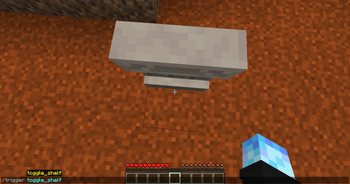
This lightweight datapack simply just adds a /trigger command for enabling the "align_items_to_bottom" property on a shelf block, which allows for more creative building possibilities :)
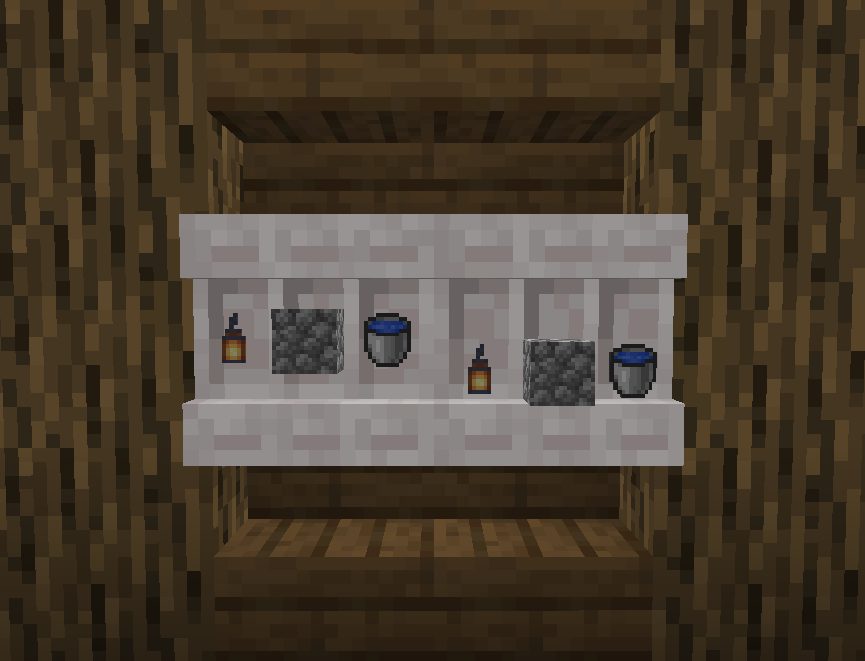
How to use: To install: Just copy the datapack .zip file into your world's datapacks folder. Once in-game, just stand directly in front of a shelf at your feet, and type "/trigger toggle_shelf" You can find an example for this in the Gallery. Breaking and replacing the shelf will set it back to it's default state.
I originally made this datapack just for myself, but I figured others may like it as well :D If you're not a fan of using commands for things like this, then you may want to check out this datapack someone else made which makes use of brushes instead: Fractures - Shelved
This datapack is inspired by the invisible item frames command in Vanilla Tweaks' Armor Statues datapack. And I used some of their datapack's .mcfunction files as reference for my own.
- Edition: Minecraft Java
- File type: .jar
- Minecraft versions listed: 1.21.9, 1.21.10, 1.21.11
- How to install: Install the matching mod loader (Forge, Fabric or NeoForge) for your Minecraft version. → Download the .jar. → Put it in the .minecraft/mods folder and launch that loader profile.
- Where to get it: Opens on Modrinth — not every file is mirrored on our own servers.
Install steps are the general flow for this file type — see the MC Java Mods guides for the full walkthrough.
- Downloads as Simple Shelf Alignment Toggle v1.zip
- Download size: 11 KB
- Download link checked 14 Oct 2026 — working
These come from our own check of the pack file, not from the source page.