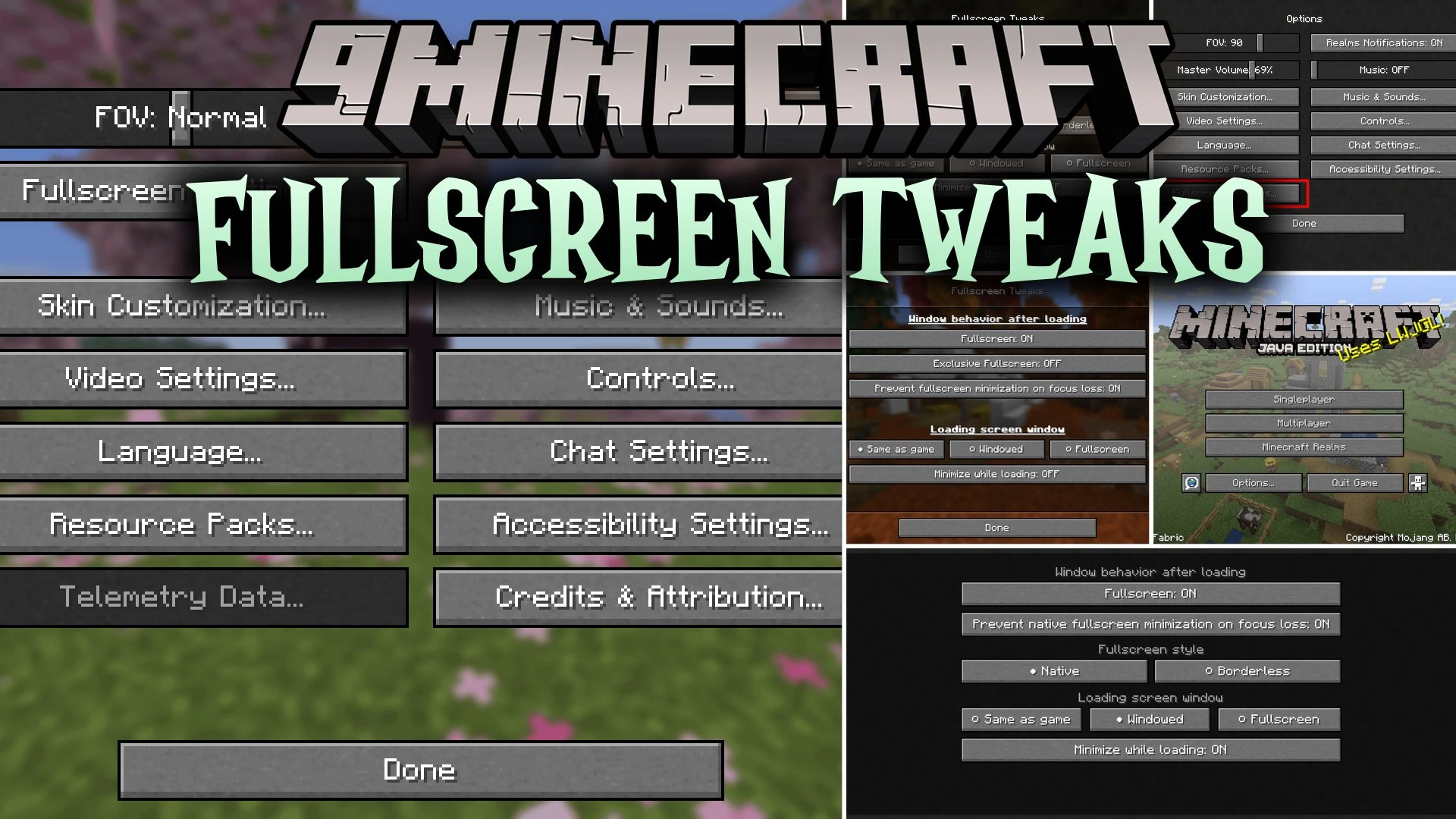
Fullscreen Tweaks Mod (26.3, 1.20.1) – Play Across Multiple Monitors
Java mod listed for Minecraft 1.20. File opened and checked on 7 Oct 2026; downloads from the MC Java Mods app on Android.
⬇ Download


Fullscreen Tweaks Mod expands Minecraft window settings to give you total control over how the game displays on your monitor. It adds choices for native and borderless fullscreen modes so the game stays visible when clicking other apps or second monitors. You can also customize how the loading screen acts, letting it stay minimized until the game finishes starting up. The mod works entirely on the client side without needing any server setup.
Features:
- Prevents the game window from minimizing when you switch tabs, click another monitor, or open other applications.
- Offers a borderless fullscreen mode that fills your active screen area.
- Adds a dedicated Fullscreen Settings button directly inside the standard Minecraft options screen.
- Lets the game stay minimized in your taskbar during startup and only appear when loading is done.
- Allows you to set the startup loading screen to windowed, fullscreen, or follow your default display preferences.
- Works entirely on the client side with no server installation needed.
- Saves your custom window preferences to an external configuration file automatically.
Configuration:
Fullscreen: Controls standard fullscreen switching just like the default F11 key.Prevent native fullscreen minimization: Keeps native fullscreen visible when clicking outside Minecraft.Fullscreen mode: Selects between native display and borderless display styles.Loading screen: Chooses whether the startup screen stays windowed or goes fullscreen.Start loading screen minimized: Keeps Minecraft in your taskbar until the game finishes launching.
How to Use:
- Open Minecraft and go to the Options menu.
- Click on the Fullscreen Settings button.
- Choose your preferred fullscreen style, such as native or borderless mode.
- Adjust the focus loss and loading screen toggles to fit your multi-monitor setup.
Screenshots:
Fullscreen Tweaks Mod Download Links
- Edition: Minecraft Java
- File type: .jar
- Minecraft version listed: 1.20.1
- How to install: Install the matching mod loader (Forge, Fabric or NeoForge) for your Minecraft version. → Download the .jar. → Put it in the .minecraft/mods folder and launch that loader profile.
- Where to get it: In MC Java Mods, or directly above on this page.
Install steps are the general flow for this file type — How to install Minecraft Java mods & modpacks walks through it step by step.
- Downloads as 515400.mcaddon
- Download size: 700 KB
- Download link checked 25 Sept 2026 — working
- Mirrored on our own servers — the download does not depend on the original host
These come from our own check of the pack file, not from the source page.