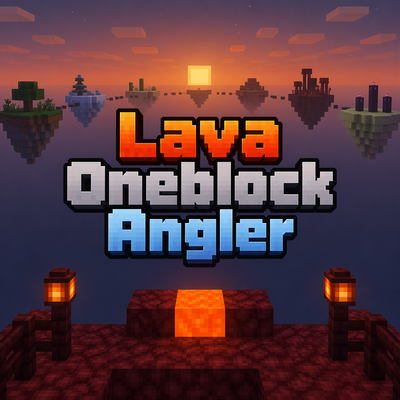
lava Oneblock Angler
Build your way through a void by fishing at a single lava block. Each stage is themed after a biome and has a small platform connected to the next island…
⬇ Download on CurseForgeThe author built this one for Minecraft 26.50. On other versions it may install and then do nothing.
Lava Oneblock Angler
Quickstart
- On your first spawn, you’re taken to a small platform in a void world. You also receive an Unbreakable Nether Angler and a Void Angler Compass.
- Find the lava block in the middle of the platform. Aim directly at it and use the Angler. Each valid use awards a random item; you do not need to wait for a bite or reel in a line.
- Keep angling until the on-screen counter reaches 500. You’ll advance to the next biome-themed island automatically.
- Open the starter chest beside the fishing deck for food, iron armor, tools, and backup Angler and Compass.
- Use the Void Angler Compass to open the travel menu. Choose Return home to leave, or Enter Lava Oneblock Angler to travel in.
Overview
Build your way through a void by fishing at a single lava block. Each stage is themed after a biome and has a small platform connected to the next island by a bridge. Your action bar shows the current stage and catches toward the next one.
Progress is shared by players in the world: every successful catch counts toward the same 500-catch stage goal. Catches give the player who made them a random item, sometimes two.
What It Adds
- Unbreakable Nether Angler: Use it while looking directly at the stage’s lava block to earn a catch.
- Void Angler Compass: Opens a menu for entering the challenge or returning home.
- Biome-themed islands: 87 stages begin in the Plains and continue through Overworld, Nether, and End themes, finishing in The End.
- Catch rewards: Random Overworld supplies, including wood, seeds and crops, ores, mob drops, and aquatic items.
- Stage reward chests: A chest is filled when a stage’s 500 catches are complete. Rewards become more valuable as you progress.
How To Use
Stand on the fishing deck and aim at the lava block in its center. Use the Angler while the block is in view and within reach. The count only advances when you use it on that specific lava block; using it elsewhere does not count.
At 500 catches, the stage chest is filled, the counter resets, and the next island is prepared. Players currently in the challenge are moved to the new stage. If you return home before advancing, use the Compass to re-enter the current stage.
The Compass opens a menu with an entry or return option and Cancel. Choose Cancel to close it without travelling.
Crafting And Obtaining
There are no crafting recipes for the Angler or Compass. Both are provided when you start the challenge; the starter chest also contains a set of each.
The starter chest contains 64 cooked beef, iron armor, an iron sword, pickaxe, axe, and shovel. Look for the separate stage reward chest when you complete each 500-catch goal.
Abilities And Mechanics
- Each successful Angler use awards one random catch item, with a chance to receive two.
- The catch counter is shared across players and shown on the action bar.
- Stage rewards improve along the route. Chests progress from iron and gold rewards through emeralds, diamonds, and Netherite items; later chests can also include golden apples and other valuable loot.
- The final stage’s reward chest includes an Elytra, a Dragon Egg, and Nether Stars. Completing the final stage also grants four Nether Stars and marks the run as victorious.
Progression And Strategy
Keep your inventory clear enough to collect catches, and use the starter food and equipment to prepare for the long route. Check the action bar to track the shared counter. At each new island, look for its reward chest after the stage is complete, then continue angling at the lava block to advance.
- Edition: Minecraft Bedrock
- File type: .mcpack or .mcaddon
- Minecraft version listed: 26.50
- How to install: Download the .mcpack or .mcaddon file. → Open it — Minecraft imports it. → In your world: Behavior Packs → Available → Activate, then the same under Resource Packs.
- Where to get it: Opens on CurseForge — not every file is mirrored on our own servers.
Install steps are the general flow for this file type — How to install Minecraft Bedrock addons & mods walks through it step by step.
- Pack type: .mcaddon — behaviour and resource pack in one file
- Manifest requires Minecraft 1.26.40 or newer
- Complete pack — everything it depends on is inside the file
- Download size: 216 KB
- Download link checked 25 Sept 2026 — working
These come from our own check of the pack file, not from the source page.