
FreecamGuard
Java mod listed for Minecraft 1.21–26.x. Downloads from the MC Java Mods app on Android.
🛡️ FreecamGuard – Advanced Freecam & Cheat Client Detection FreecamGuard is a lightweight, packet-level security plugin that detects and blocks Freecam…
⬇ Download on Modrinth
 🛡️ FreecamGuard – Advanced Freecam & Cheat Client Detection
FreecamGuard is a lightweight, packet-level security plugin that detects and blocks Freecam, Client, and other supported cheat before they can be used on your server.
🛡️ FreecamGuard – Advanced Freecam & Cheat Client Detection
FreecamGuard is a lightweight, packet-level security plugin that detects and blocks Freecam, Client, and other supported cheat before they can be used on your server.
Built exclusively for Paper, Purpur, Folia, and Leaf 1.21+, FreecamGuard performs intelligent verification using PacketEvents—without requiring client mods, resource packs, or external software.
• PacketEvents (Required)
✨ Features ✅ Freecam Mod Detection
✅ Invisible Sign Verification
✅ Anti-Detection (Strict Mode)
✅ Client Brand Detection
✅ Plugin Channel Detection
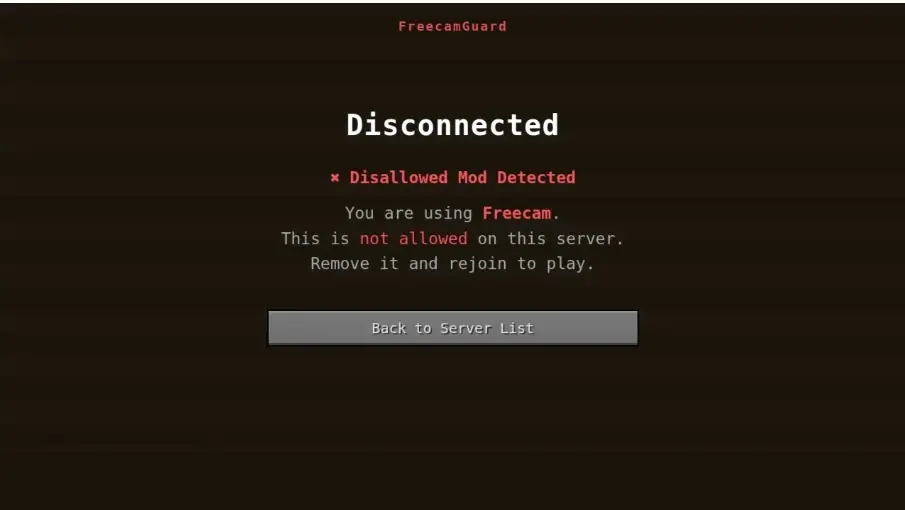
✅ Automatic Player Kick
✅ Staff Detection Alerts
✅ Console Logging
✅ Fully Customizable Messages
✅ Live Configuration Reload
✅ Staff Bypass Permission
✅ Folia Compatible
✅ Lightweight & Optimized
⚙️ How It Works FreecamGuard performs a secure verification shortly after a player joins the server.
A hidden verification sign containing a special translation key is sent only to the joining player.
Depending on the client's response:
✔️ Vanilla Client → Verification passes automatically.
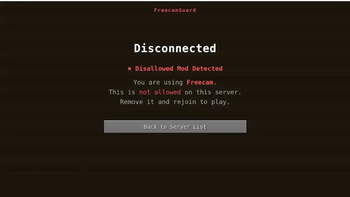
❌ Freecam or Supported Cheat Client → The translated response identifies the installed mod, and the player is removed automatically.
⚠️ No Response (Strict Mode) → Clients attempting to block or ignore the verification are treated as suspicious and removed.
The verification sign is never placed in the world, meaning no fake blocks or visible changes are left behind.
🎨 Customization Everything can be configured inside the configuration file.
Customize:`1
• Join Verification Delay
• Verification Timeout
• Strict Mode
• Auto Kick
• Staff Notifications
• Kick Messages
• Brand Detection
• Cheat Channel Detection
• Supported Mod Toggles
📌 Perfect For • Lifesteal Servers
• Survival Servers
• SMP Servers
• Factions Servers
• Hardcore Servers
• Economy Servers
• PvP Servers
• Community Servers
• Network Servers
⚙️ Installation
Install PacketEvents into your plugins/ folder. Place FreecamGuard.jar into the plugins/ folder. Restart your server. Configure config.yml if desired. Run /freecamguard reload. 💻 Commands /freecamguard reload
Reload the plugin configuration.
/freecamguard status
View detection status and current settings.
Alias: /fcg
🔑 Permissions freecamguard.admin
Allows access to all plugin commands.
freecamguard.notify
Receive staff notifications when a cheat client is detected.
freecamguard.bypass
Exempts trusted players or staff from verification.
❓ Frequently Asked Questions [SPOILER="FAQ"]
Does it require a client mod or resource pack?
No. FreecamGuard is completely server-side and requires nothing from your players.
Will legitimate players be kicked? No. Vanilla players simply close the verification sign and continue playing normally. Only detected cheat clients—or clients intentionally blocking the verification (when Strict Mode is enabled)—are removed.
Does it support Bedrock players? Yes. Players joining through Geyser/Floodgate are automatically skipped.
Can it detect every hacked client? FreecamGuard reliably detects supported clients such as Freecam, detection methods, including sign verification, client brand detection, and plugin channel monitoring.[/SPOILER]
For complete server protection against movement and combat hacks, pairing FreecamGuard with a behavioral anti-cheat is recommended.
🔒 Why Choose FreecamGuard? Unlike traditional anti-cheat plugins, FreecamGuard performs packet-level verification immediately after login.
There are:
• No Client Mods Required
• No Resource Packs Required
• No External Services
• No Performance-Heavy Scanning
• No Per-Tick Checks
Everything happens quickly, securely, and with minimal performance impact.
📷 Resource Images
❤️ Thank You Thank you for checking out FreecamGuard!
If you have any questions, feature requests, or need assistance with installation or configuration, feel free to join our Discord server. We're always happy to help!
- Edition: Minecraft Java
- File type: .jar
- Minecraft versions listed: 1.21, 1.21.1, 1.21.2
- How to install: Install the matching mod loader (Forge, Fabric or NeoForge) for your Minecraft version. → Download the .jar. → Put it in the .minecraft/mods folder and launch that loader profile.
- Where to get it: Opens on Modrinth — not every file is mirrored on our own servers.
Install steps are the general flow for this file type — How to install Minecraft Java mods & modpacks walks through it step by step.
- Ships as FreecamGuard-1.0.4 (1).jar — drop this file into the mods folder
- Download size: 23 KB
- Download link checked 16 Oct 2026 — working
These come from our own check of the pack file, not from the source page.