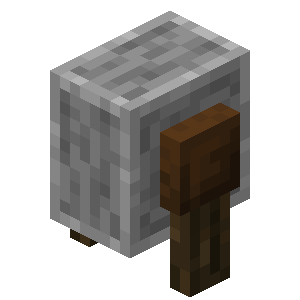
Enchantment Glitch
Java mod listed for Minecraft 1.21–26.x. Downloads from the MC Java Mods app on Android.
So in the snapshot 24w10a for 1.20.5, it was possible to make armor and weapons with Enchantments that can't be together
⬇ Download on Modrinth✨ Enchantment Glitch
Transfer enchantments from one item to another with ease.
💰 Get 30% off with NeyHost using the code shown above!
✨ How It Works
The Enchantment Transfer plugin allows you to transfer enchantments from one item to another.
🛠️ Step 1 — Choose Your Items
Take two items of the same or compatible type.
At least one of the items must have an enchantment.
Example:
- 🛡️ Chestplate #1 — Protection IV
- 🛡️ Chestplate #2 — Fire Protection IV
📦 Step 2 — Place the Items
Place the items into the appropriate slots:
⬆️ Top Slot
Place the item that you want to receive the enchantments here.
⬇️ Bottom Slot
Place the item containing the enchantments you want to transfer here.
Example:
        ┌─────────────────────┐
        │      TOP SLOT       │
        │  🛡️ Chestplate      │
        │  ← Receives Enchants│
        └─────────────────────┘
                  ▲
                  │
           Enchantments
             Transfer
                  │
                  ▼
        ┌─────────────────────┐
        │     BOTTOM SLOT     │
        │  🛡️ Chestplate      │
        │  → Gives Enchants   │
        └─────────────────────┘
✨ Step 3 — Transfer the Enchantments
Once both items are placed correctly, the enchantments will be transferred to the item in the top slot.
🎉 That's it! Enjoy your newly enchanted item!
💬 Support
Having a problem with the plugin?
You can contact me through my Discord server or email.
💬 Discord
Join the Discord Server💖 Support Development
If you enjoy the plugin and would like to support its development, consider donating through PayPal.
Thanks for supporting the project! ❤️
- Edition: Minecraft Java
- File type: .jar
- Minecraft versions listed: 1.21, 1.21.1, 1.21.2
- How to install: Install the matching mod loader (Forge, Fabric or NeoForge) for your Minecraft version. → Download the .jar. → Put it in the .minecraft/mods folder and launch that loader profile.
- Where to get it: Opens on Modrinth — not every file is mirrored on our own servers.
Install steps are the general flow for this file type — How to install Minecraft Java mods & modpacks walks through it step by step.
- Ships as EnchantedGlitch-1.0.0.jar — drop this file into the mods folder
- Download size: 7 KB
- Download link checked 27 Sept 2026 — working
These come from our own check of the pack file, not from the source page.