
ModsJava
Per Player Height
Java mod listed for Minecraft 26.x. Downloads from the MC Java Mods app on Android.
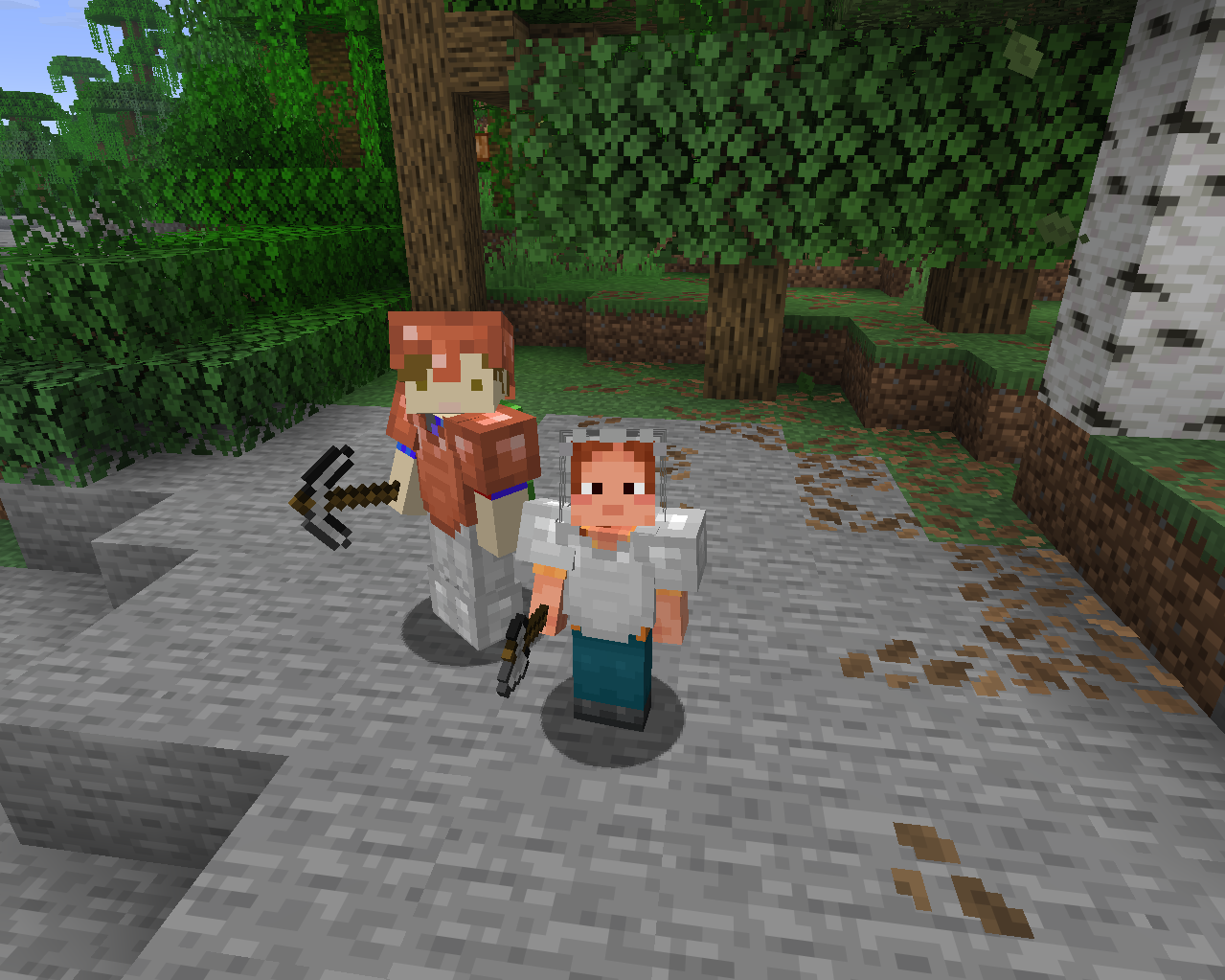
⬇ Download on ModrinthAssigns a random presistant hight to each player in the server.
This height can be configured in the mods list with a minimum and maximum.
Supports a total of 24 languages.
Languages:
- English
- British English
- German
- French
- Spanish
- Italian
- Portuguese (Brazil)
- Russian
- Japanese
- Korean
- Simplified Chinese
- Traditional Chinese
- Dutch
- Polish
- Turkish
- Ukrainian
- Swedish
- Danish
- Norwegian
- Finnish
- Czech
- Hungarian
- Greek
- Indonesian
Commands:
/height set <value>
Sets your own height to any given value without limits.
Requires cheats enabled
/height get
Sends a chat message displaying your height in minecraft blocks (The default Minecraft player is 1.8 blocks tall)
Quick facts
- Edition: Minecraft Java
- File type: .jar
- Minecraft version listed: 26.2
- How to install: Install the matching mod loader (Forge, Fabric or NeoForge) for your Minecraft version. → Download the .jar. → Put it in the .minecraft/mods folder and launch that loader profile.
- Where to get it: Opens on Modrinth — not every file is mirrored on our own servers.
Install steps are the general flow for this file type — How to install Minecraft Java mods & modpacks walks through it step by step.
File checked by MCModsHub
- Ships as perplayerheight-1.0.0.jar — drop this file into the mods folder
- Download size: 20 KB
- Download link checked 27 Sept 2026 — working
These come from our own check of the pack file, not from the source page.