
Biome Rebalance
Java mod listed for Minecraft 26.x. Downloads from the MC Java Mods app on Android.
⬇ Download on Modrinth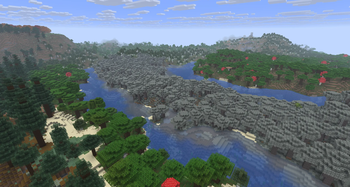
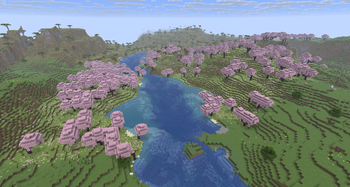
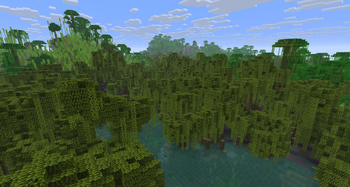
Minecraft has done an amazing job creating beautiful new biomes, but many of them are pretty difficult to find without travelling huge distances or relying on external tools. This datapack rebalances biome placement to favor newer biomes through a few different methods:
Dappled Forests now replace forest biomes at negative weirdness instead of plains at positive weirdness, making them larger and able to border taigas.
Pale Gardens and Cherry Groves are no longer bound to plateaus and can generate in big splotches across multiple elevations. They generally favor areas with low erosion.
Swamps and Mangrove Swamps now exclusively generate on low-lying terrain and are much more likely to generate in regions with high humidity. They now border oceans without a beach between them much more frequently, similar to how they generated in 1.17 and before.
Sulfur Caves now generate at both positive and negative weirdness.
Made with Snowcapped!
- Edition: Minecraft Java
- File type: .jar
- Minecraft version listed: 26.3
- How to install: Install the matching mod loader (Forge, Fabric or NeoForge) for your Minecraft version. → Download the .jar. → Put it in the .minecraft/mods folder and launch that loader profile.
- Where to get it: Opens on Modrinth — not every file is mirrored on our own servers.
Install steps are the general flow for this file type — How to install Minecraft Java mods & modpacks walks through it step by step.
- Ships as biome-rebalance-1.0.jar — drop this file into the mods folder
- Download size: 1.0 MB
- Download link checked 28 Sept 2026 — working
These come from our own check of the pack file, not from the source page.