
Trio Utilities
Trio Utilities adds ore vein mining with live vein highlighting, floating heart health bars on every mob, and a portable Backpack you can craft, carry…
⬇ Download on CurseForge
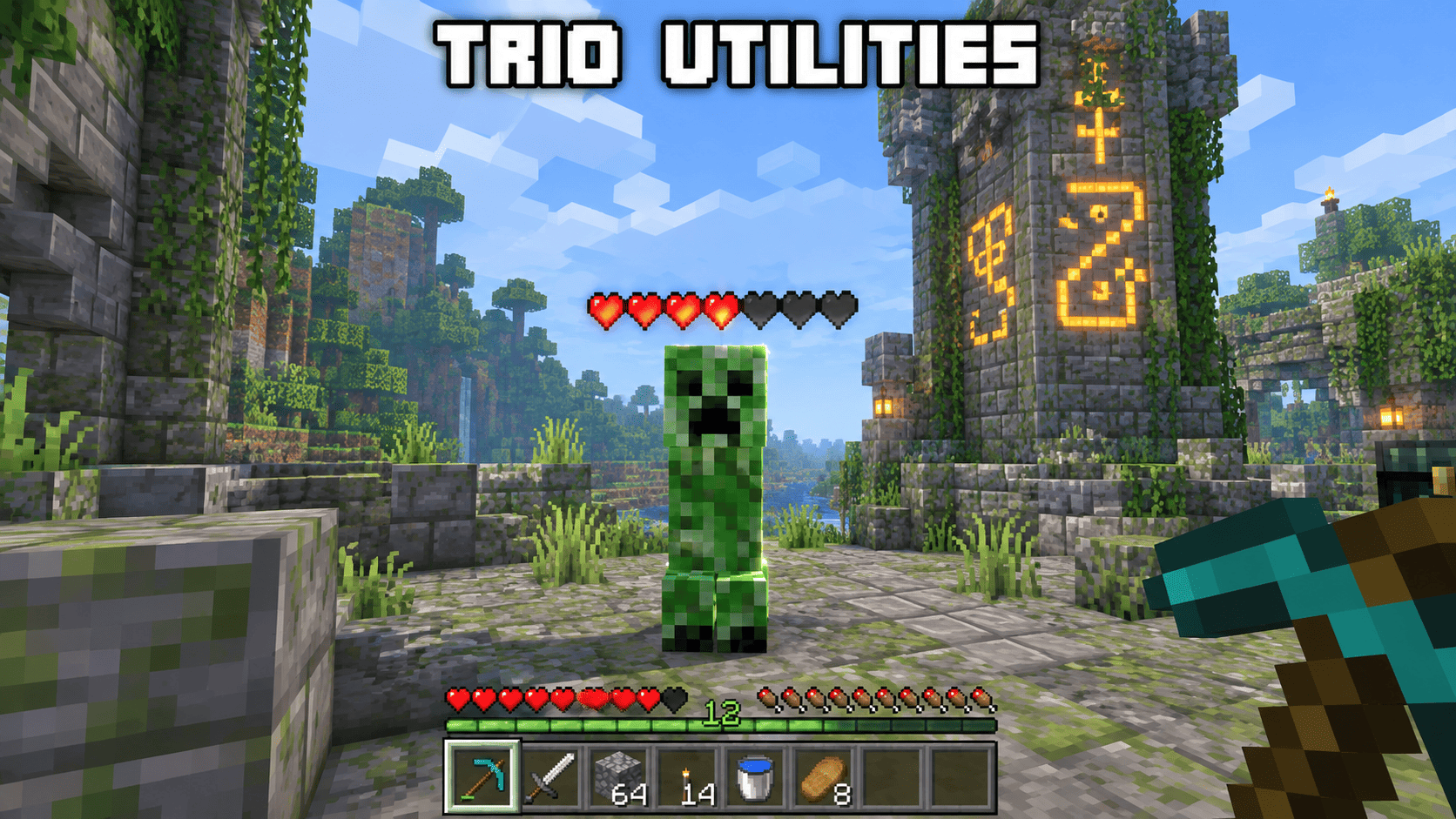
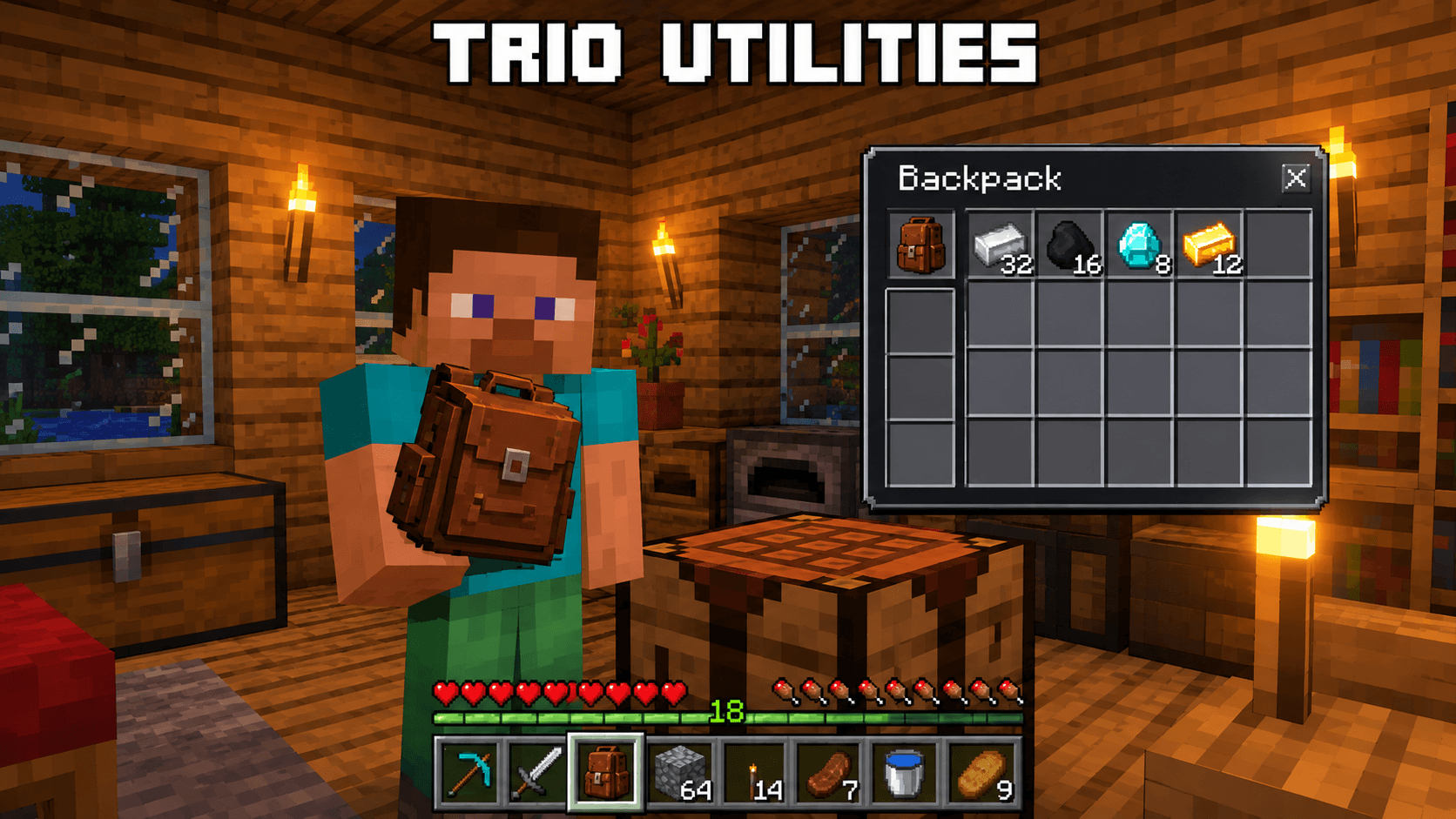
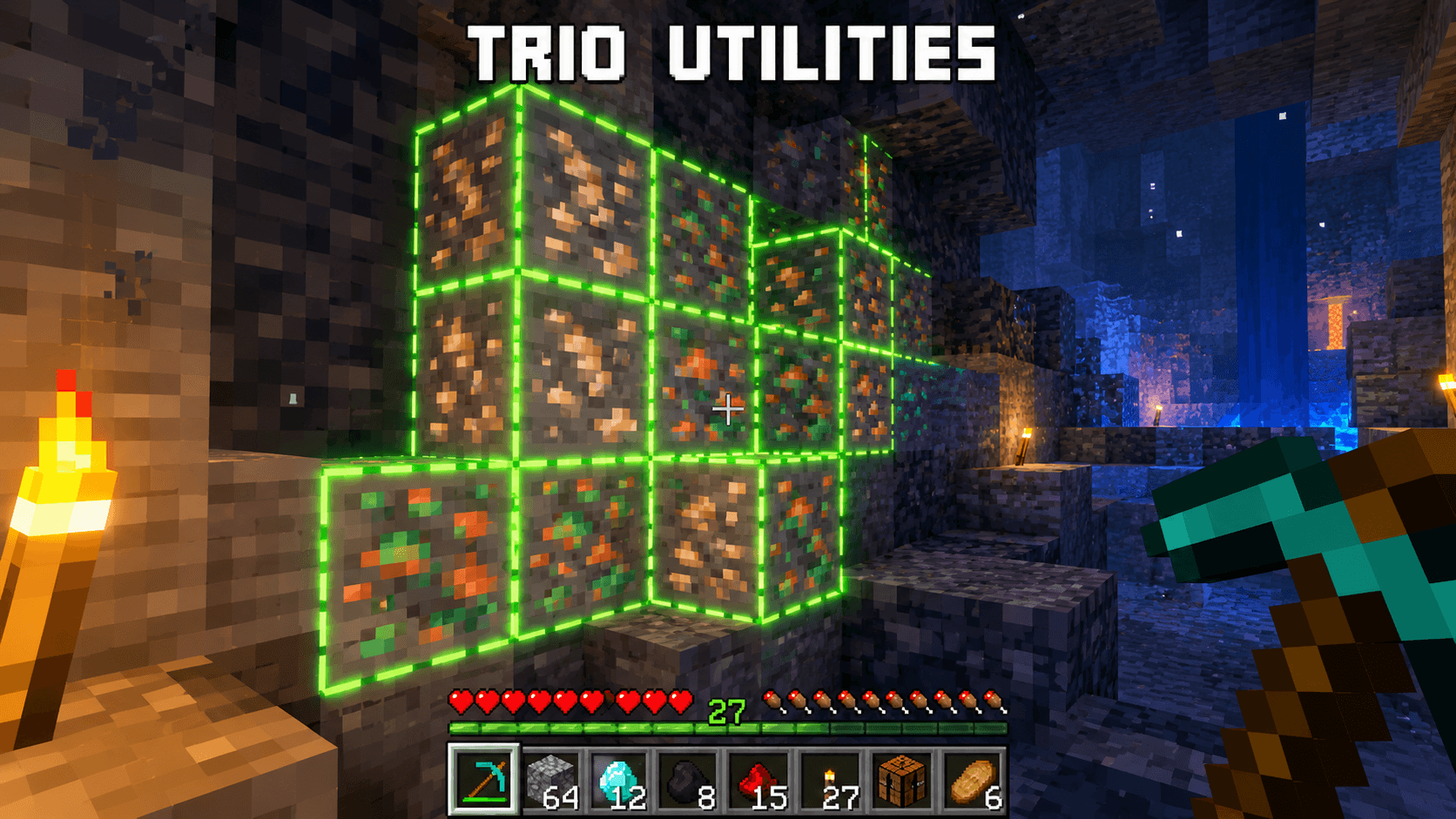
Tired of mining ore one block at a time, guessing how much health a mob has left, or running back to your base every time your inventory fills up? Trio Utilities solves all three problems at once, combining three of the most requested quality-of-life tools into a single, clean add-on built entirely on the official Minecraft Script API.
1. Ore Vein Highlight & Vein Mining
Simply look at any ore block — Coal, Iron, Copper, Gold, Redstone, Lapis Lazuli, Diamond, Emerald, Nether Quartz, or even Ancient Debris — and every connected block of that same ore lights up with a glowing green outline in real time, so you instantly see the full shape of the vein before you swing your pickaxe. Break one block, and the entire connected vein (up to 24 blocks) breaks with it, dropping the correct raw materials automatically. Fortune and Silk Touch enchantments are respected, and your tool takes realistic durability wear for every extra block mined, so there's no free lunch — just faster, smarter mining.
2. Floating Mob Health Bars
Every mob within 24 blocks of you — hostile or passive — now displays a row of hearts floating above its head, updating live as it takes damage. No more guessing whether that creeper is one hit from death or full health; the information is always visible at a glance, refreshed twice a second for smooth, accurate tracking during combat or breeding.
3. Portable Backpack
Craft a Backpack using 8 Leather wrapped around a Chest in a crafting table. Hold it in your hand and use it (right-click / tap) to open an 18-slot personal storage menu you can access from anywhere — no need to place a block or return to base. To store an item, place it in your off-hand slot first, then use the Backpack and pick a slot; to retrieve an item, clear your off-hand and tap a filled slot. Matching item types stack automatically, and everything you store stays saved to that specific Backpack item, so you can carry multiple backpacks with different loadouts.
Installation
Import the .mcaddon file directly into Minecraft (or apply it manually as a Behavior Pack + Resource Pack), then enable both packs when creating or editing your world. If the features don't activate immediately, open World Settings → Experiments and toggle on Beta APIs, since Trio Utilities is powered by scripting.
Compatibility
Built and tested for Minecraft Bedrock 1.26.0 and above, using the @minecraft/server (2.5.0) and @minecraft/server-ui (2.0.0) modules. Works in singleplayer and Realms/servers that support Script API behavior packs.
Good to Know
This is a fully original add-on — every script, texture, and particle effect was custom-built from scratch specifically for this pack, so it's safe to use, modify, or feature in showcases with proper credit.
🏷️ Credits
- Add-on Name: Trio Utilities
- Creator / Author: Mod_Master
- Version: 1.0.0
- Minecraft Version: 1.21.100 TO 1.26.0+
- Modules Used: @minecraft/server 2.5.0, @minecraft/server-ui 2.0.0
- License: Feel free to showcase in videos/reviews with credit to Mod_Master. Please don't re-upload and re-claim authorship elsewhere.
- Edition: Minecraft Bedrock
- File type: .mcpack or .mcaddon
- Minecraft versions listed: 1.21.100, 26.0
- How to install: Download the .mcpack or .mcaddon file. → Open it — Minecraft imports it. → In your world: Behavior Packs → Available → Activate, then the same under Resource Packs.
- Where to get it: Opens on CurseForge — not every file is mirrored on our own servers.
Install steps are the general flow for this file type — How to install Minecraft Bedrock addons & mods walks through it step by step.
- Pack type: .mcaddon — behaviour and resource pack in one file
- Manifest requires Minecraft 1.26.0 or newer
- Complete pack — everything it depends on is inside the file
- Download size: 10 KB
- Download link checked 28 Sept 2026 — working
These come from our own check of the pack file, not from the source page.