
DuskRankColors
Java mod listed for Minecraft 1.20–26.x. Downloads from the MC Java Mods app on Android.
DuskRankColors lets players customize their rank, plus sign, and name with preset, RGB, or gradient colors through an in-game menu. It includes…
⬇ Download on Modrinth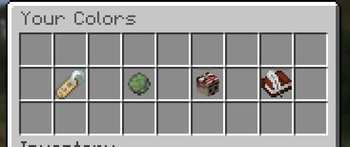
About
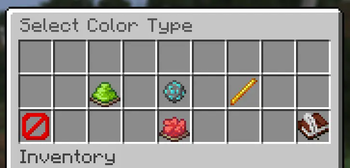
DuskRankColors gives players an in-game menu where they can customize the colors used for their rank, plus sign, and username. Each part can use a server preset, a custom HEX color, or a gradient.
Server owners keep control through permissions. Ranks are defined in config.yml, assigned with duskrankcolors.ranks.<id>, and resolved by priority when a player has access to more than one. Each rank can limit which color modes and presets its players are allowed to use.
Features
- Separate colors for ranks, plus signs, and player names
- Preset, RGB, and gradient color modes
- Permission-based ranks with configurable priorities
- Optional color and mode restrictions for each rank
- Configurable inventory menus with colored previews
- Real RGB colors on firework stars
- Configurable messages, sounds, materials, and menu slots
- Player selections saved through PersistentDataContainer
- Automatic rank updates when permissions change
- Paper and Folia scheduler support
- No required dependencies
HEX input works through chat and supports plugins that cancel or bridge modern and legacy chat events. The message is captured while the player has an active color prompt and is not sent to normal chat.
PlaceholderAPI
PlaceholderAPI is optional. When installed, DuskRankColors provides formatted placeholders for chat, TAB, nametags, and scoreboards:
%duskrankcolors_chat%
%duskrankcolors_tab%
%duskrankcolors_nametag%
%duskrankcolors_scoreboard%
Individual rank, plus, name, HEX, legacy, gradient, mode, and MiniMessage values are also available.
DuskRankColors does not replace your chat, TAB, nametag, or scoreboard plugin. Configure that plugin to use the matching placeholder. Optional settings are available if you only want DuskRankColors to apply the player's display name or player-list name directly.
Getting started
- Place the JAR in your server's
pluginsfolder. - Start the server to generate the configuration files.
- Create your ranks under
ranksinconfig.yml. - Grant each rank with
duskrankcolors.ranks.<id>. - Grant
duskrankcolors.useto players who should have access to the menu. - Open the menu with
/rankcolors.
Administrative tools are available under /drc admin, including configuration reloads, player inspection, color management, resets, and configuration validation.
Requirements
- Paper 1.20.1 or newer
- Java 17 bytecode compatibility
- PlaceholderAPI is optional
There is no default or member rank. Players without a configured rank permission can still use name colors when they have the required permissions, while rank and plus output remains empty.
License
DuskRankColors is licensed under the MIT License.
- Edition: Minecraft Java
- File type: .jar
- Minecraft versions listed: 1.20, 1.20.1, 1.20.2
- How to install: Install the matching mod loader (Forge, Fabric or NeoForge) for your Minecraft version. → Download the .jar. → Put it in the .minecraft/mods folder and launch that loader profile.
- Where to get it: Opens on Modrinth — not every file is mirrored on our own servers.
Install steps are the general flow for this file type — How to install Minecraft Java mods & modpacks walks through it step by step.
- Ships as DuskRankColors-1.0.jar — drop this file into the mods folder
- Download size: 159 KB
- Download link checked 28 Sept 2026 — working
These come from our own check of the pack file, not from the source page.