
Clear Lag Pro
Bedrock add-on listed for Minecraft 1.21–26.x (behavior + resource pack). File opened and checked on 28 Sep 2026; installs from the MC Bedrock Mods app on Android.
A professional lag-cleaning and server administration panel with automated cleanup, entity protection, and stats tracking.
⬇ Download on CurseForgeThe author built this one for Minecraft 26.50. On other versions it may install and then do nothing.

🇪🇸 ESPAÑOL
# Borrar retraso Pro
Clear Lag Pro es un complemento avanzado de administración y limpieza de lag para Minecraft Bedrock, diseñado para mantener mundos y servidores optimizados de forma sensación. Todo se controla mediante un panel dentro del juego, sin necesidad de comandos complicados para las tareas diarias.
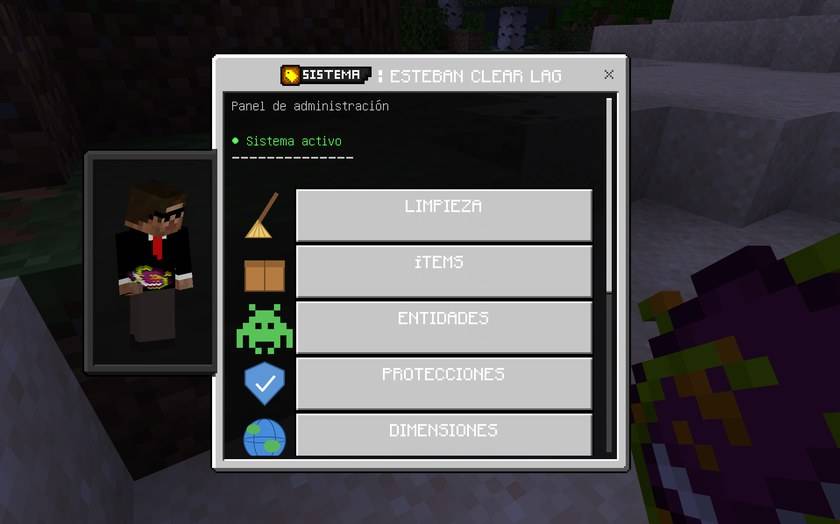
## ⚡ Características principales
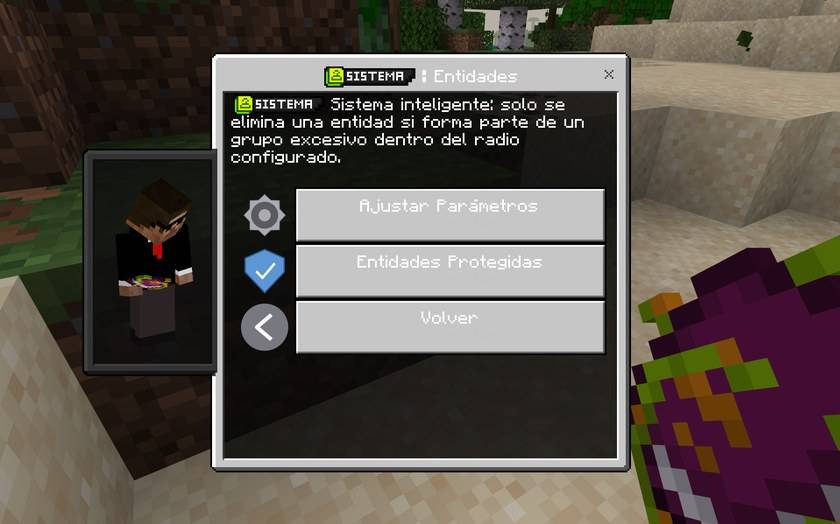
🧹 Limpieza inteligente de entidades
Agrupa entidades ciertas medidas un radio configurable (10 bloques por defecto) y solo elimina grupos que superan la cantidad mínima configurada (8 entidades por defecto). Las entidades individuales o dispersas no se eliminan innecesariamente.
🪙 Limpieza de artículos
Elimina de forma segura los artículos tirados en el suelo, como diamantes, espadas, comida y herramientas. Nunca afecta inventarios, cafés, barriles ni shulker boxes.
🛡️ Sistema de protección
Protege entidades mediante typeId, tags o nombres. Los aldeanos y soportes de armadura están protegidos por defecto. La lista de protección puede restaurarse en cualquier momento.
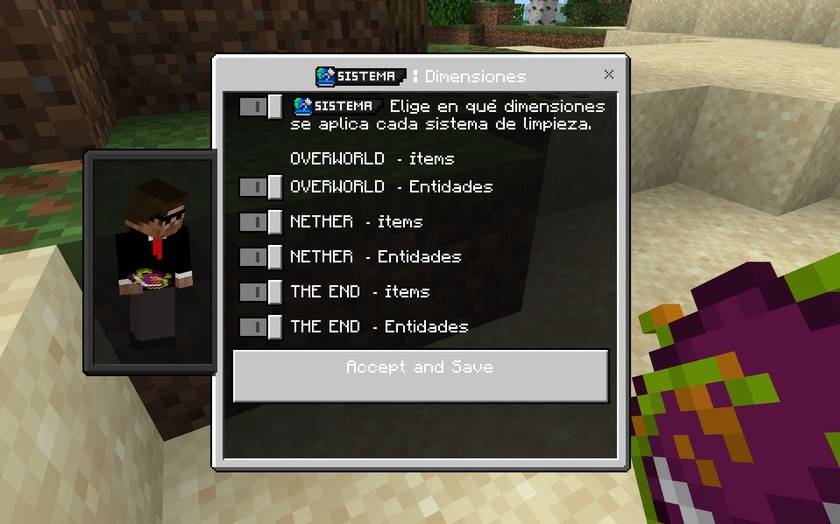
🌎 Control por dimensión
Configura de forma independiente la limpieza de ítems y entidades en Overworld, Nether y End.
⏱️ Limpieza automática
Programa limpiezas automáticas desde 30 segundos hasta 24 horas. Puedes mostrar una cuenta regresiva en el chat antes de cada limpieza.
🚀 Perfiles de rendimiento
Incluye 3 perfiles:
• Equilibrado
• Rendimiento
• Máximo rendimiento
Cada perfil ajusta la cantidad de entidades e ítems procesados por lote para adaptarse a diferentes cargas del servidor.
📊 Estadísticas e historial
Consulta los resultados de la última limpieza:
• Ítems eliminados
• Entidades eliminadas
• Entidades protegidas
• Tiempo de procesamiento
También incluye un historial de las últimas 10 ejecuciones.
💬 Mensajes personalizables
Activa o desactiva los mensajes de cuenta regresiva, inicio, finalización y estadísticas. También puedes activar el modo silencioso.
🌐 Interfaz bilingüe
Detecta automáticamente español o inglés según el idioma del cliente de cada jugador. También puedes cambiar el idioma manualmente desde el panel.
🐛 Modo debug
Muestra información adicional y registros en consola para facilitar la comprobación del funcionamiento del addon.
💾 Configuración persistente
Todos los ajustes se guardan directamente en el mundo y permanecen después de reiniciar el servidor. No requiere archivos de configuración externos.
🔒 Protección anti-manipulación
Si se modifican archivos protegidos del addon, determinadas funciones se desactivan automáticamente para proteger la integridad del complemento.
## 🎮 Cómo empezar
1. Ejecuta:
/tag @s add admin
⚠️ Debe escribirse exactamente así, con "admin" en minúsculas.
2. Abre tu inventario en Creativo.
3. Busca "Clear Lag" y obtén el panel de administración.
4. Haz clic o toca el objeto para abrir el panel principal.
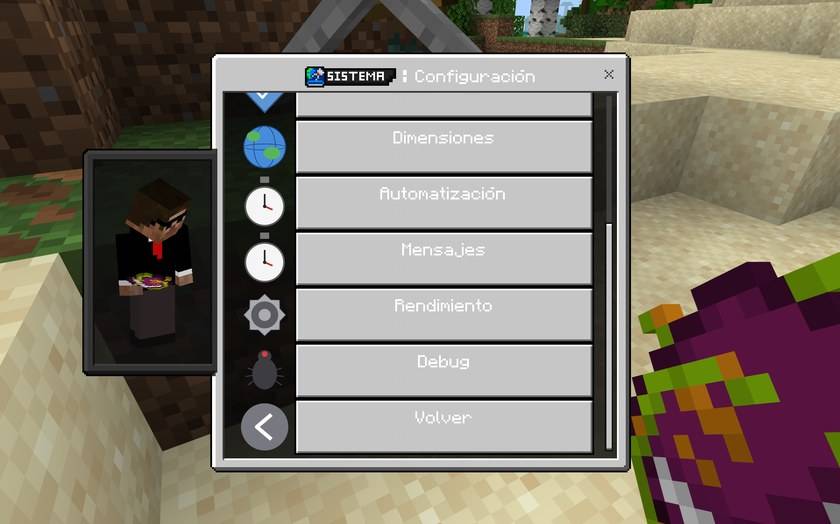
Desde el panel puedes ejecutar limpiezas manuales, configurar ítems y entidades, administrar protecciones, configurar dimensiones y automatización, consultar estadísticas y modificar los ajustes del addon.
Los cambios se aplican inmediatamente y no requieren reiniciar el servidor.
## 📋 Requisitos
Minecraft Bedrock 1.21.31 o superior.
No requiere APIs experimentales ni Beta APIs.
Versión: 2.4.1
Autor: EstebanR123
━━━━━━━━━━━━━━━━━━━━━━━━━━━━━━━━━━
🇺🇸 ENGLISH
# Esteban Clear Lag Pro
Esteban Clear Lag Pro is an advanced lag management and cleanup add-on for Minecraft Bedrock, designed to keep worlds and servers optimized in a simple and efficient way. Everything is controlled through an in-game administration panel, without requiring complicated commands for everyday tasks.
## ⚡ Main Features
🧹 Smart Entity Cleanup
Groups nearby entities using a configurable radius (10 blocks by default) and only removes groups that exceed the configured minimum amount (8 entities by default). Individual or scattered entities are left untouched.
🪙 Item Cleanup
Safely removes dropped items from the ground, such as diamonds, swords, food and tools. It never affects inventories, chests, barrels or shulker boxes.
🛡️ Protection System
Protect entities using their typeId, tags or names. Villagers and armor stands are protected by default. The protection list can be restored at any time.
🌎 Per-Dimension Control
Independently configure item and entity cleanup for the Overworld, Nether and End.
⏱️ Automatic Cleanup
Schedule automatic cleanups from 30 seconds up to 24 hours. A countdown can be displayed in chat before each cleanup.
🚀 Performance Profiles
Includes 3 profiles:
• Balanced
• Performance
• Max Performance
Each profile adjusts the number of entities and items processed per batch to adapt to different server loads.
📊 Statistics & History
View the results of the latest cleanup:
• Removed items
• Removed entities
• Protected entities
• Processing time
Also includes a history of the last 10 executions.
💬 Customizable Messages
Enable or disable countdown, start, completion and statistics messages. You can also enable Silent Mode.
🌐 Bilingual Interface
Automatically detects Spanish or English based on each player's client language. The language can also be changed manually from the panel.
🐛 Debug Mode
Provides additional information and console logs to help server owners verify how the add-on is working.
💾 Persistent Configuration
All settings are stored directly in the world and remain after server restarts. No external configuration files are required.
🔒 Anti-Tamper Protection
If protected add-on files are modified, certain functions are automatically disabled to help preserve the integrity of the original add-on.
## 🎮 How to Get Started
1. Run:
/tag @s add admin
⚠️ The command must be written exactly like this, with "admin" in lowercase.
2. Abre tu inventario creativo.
3. Busque "Borrar retraso" y obtenga el panel de administración.
4. Haga clic o toque el elemento para abrir el panel principal.
Desde el panel, puede realizar limpiezas manuales, configurar elementos y entidades, administrar protecciones, configurar dimensiones y automatización, ver estadísticas y modificar la configuración del complemento.
Los cambios se aplican inmediatamente y no requieren reiniciar el servidor.
## 📋 Requisitos
Minecraft Bedrock 1.21.31 o superior.
No se requieren API experimentales ni API beta.
Versión: 2.4.1
Autor: EstebanR123
- Edition: Minecraft Bedrock
- File type: .mcpack or .mcaddon
- Minecraft version listed: 26.50
- How to install: Download the .mcpack or .mcaddon file. → Open it — Minecraft imports it. → In your world: Behavior Packs → Available → Activate, then the same under Resource Packs.
- Where to get it: Opens on CurseForge — not every file is mirrored on our own servers.
Install steps are the general flow for this file type — How to install Minecraft Bedrock addons & mods walks through it step by step.
- Pack type: .mcaddon — behaviour and resource pack in one file
- Manifest requires Minecraft 1.21.31 or newer
- Complete pack — everything it depends on is inside the file
- Download size: 117 KB
- Download link checked 28 Sept 2026 — working
These come from our own check of the pack file, not from the source page.