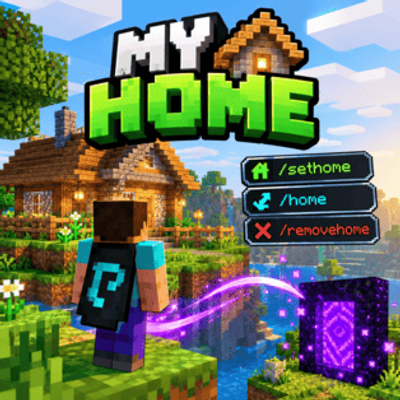
My Home
Bedrock add-on listed for Minecraft 26.x (behavior pack only). File opened and checked on 28 Sep 2026; installs from the MC Bedrock Mods app on Android.
A simple home system for Minecraft Bedrock that lets players set, teleport to, and remove their personal home.
⬇ Download on CurseForgeThe author built this one for Minecraft 26.50. On other versions it may install and then do nothing.
🏠 My Home
My Home is a simple and lightweight Minecraft Bedrock addon that adds a personal home system for players.
Set your own home location and teleport back to it whenever you want. The addon is designed to be simple, useful, and especially suitable for Survival worlds and multiplayer servers.
✨ Features
-
🏠 Set a personal home
-
🚀 Teleport to your home
-
🗑️ Remove your home
-
👤 Each player has their own home
-
🌍 Works in multiplayer worlds
-
⚡ Lightweight and simple
-
🧭 Useful for survival servers
-
🔄 Home data is saved for players
📜 Commands
/sethome
Sets your current location as your personal home.
/sethome
/home
Teleports you to your saved home.
/home
If you don't have a home, the addon will use the server's configured fallback behavior instead of teleporting you to an unexpected location.
/removehome
Removes your saved home.
/removehome
After removing your home, /home will no longer teleport you to the previous location.
🎮 How to Use
1. Set Your Home
Go to the location where you want your home to be and run:
/sethome
Your current location will be saved.
2. Teleport Home
Whenever you want to return, simply use:
/home
3. Remove Your Home
If you want to delete your saved home:
/removehome
🏡 Perfect For
My Home is useful for:
-
🌍 Survival servers
-
👥 Multiplayer worlds
-
🏠 SMP servers
-
⛏️ Survival gameplay
-
🧭 Long-distance exploration
-
🏘️ Player communities
-
🏗️ Building servers
⚡ Lightweight
The addon focuses on one thing: a simple and reliable home system.
It doesn't add unnecessary gameplay mechanics or complicated interfaces, making it suitable for servers where players simply need an easy way to manage their home.
🌐 Multiplayer
Each player can have their own personal home location.
This makes the addon useful for multiplayer survival servers where players have separate bases and need a convenient way to return to them.
📦 Installation
-
Download My Home from CurseForge.
-
Import the addon into Minecraft Bedrock.
-
Activate the addon in your world.
-
Enter the world.
-
Use
/sethometo save your first home.
Note: Make sure your Minecraft version is compatible with the addon version.
⚠️ Notes
-
Commands may require cheats or the appropriate permissions depending on your world/server configuration.
-
Always keep a backup of important worlds before installing or updating addons.
-
Multiplayer behavior may depend on the server's permissions and configuration.
❤️ Support
Found a bug or have a suggestion?
When reporting an issue, include:
-
Minecraft version
-
Addon version
-
Device/platform
-
Steps to reproduce the issue
-
Error messages, if any
📜 Credits
Addon: My Home
Author: alicrafty.
Platform: Minecraft Bedrock Edition
NOTE: alicrafty and SimpleCode are the same person and refer to the same author.
🏠 Set it. Leave it. Come back anytime.
- Edition: Minecraft Bedrock
- File type: .mcpack or .mcaddon
- Minecraft version listed: 26.50
- How to install: Download the .mcpack or .mcaddon file. → Open it — Minecraft imports it. → In your world: Behavior Packs → Available → Activate, then the same under Resource Packs.
- Where to get it: Opens on CurseForge — not every file is mirrored on our own servers.
Install steps are the general flow for this file type — How to install Minecraft Bedrock addons & mods walks through it step by step.
- Pack type: .mcpack — a single pack
- Manifest requires Minecraft 1.26.51 or newer
- Complete pack — everything it depends on is inside the file
- Download size: 49 KB
- Download link checked 29 Sept 2026 — working
These come from our own check of the pack file, not from the source page.