
Panorium
Java mod listed for Minecraft 26.x. Downloads from the MC Java Mods app on Android.
I don't know my version or loader
Panorium
Ever found a spot in your Minecraft world, Thought it would be a great main menu background?
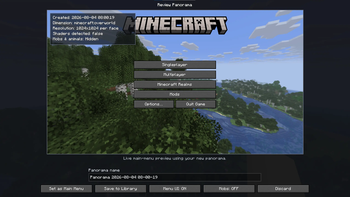
Panorium lets you take your panoramas inside the game save them in a library and use them as the background for Minecrafts title screen.
No need to edit resource packs or manually replace panorama files. Just find a view you like take a picture. Set it.
Capture your world 📷
Panorium can create a Minecraft-style panorama from where you're standing.
Find a mountain your base, a sunset or almost anywhere else you want to see when you open Minecraft.
Take a picture give it a name. It will be saved to your Panorama Library.
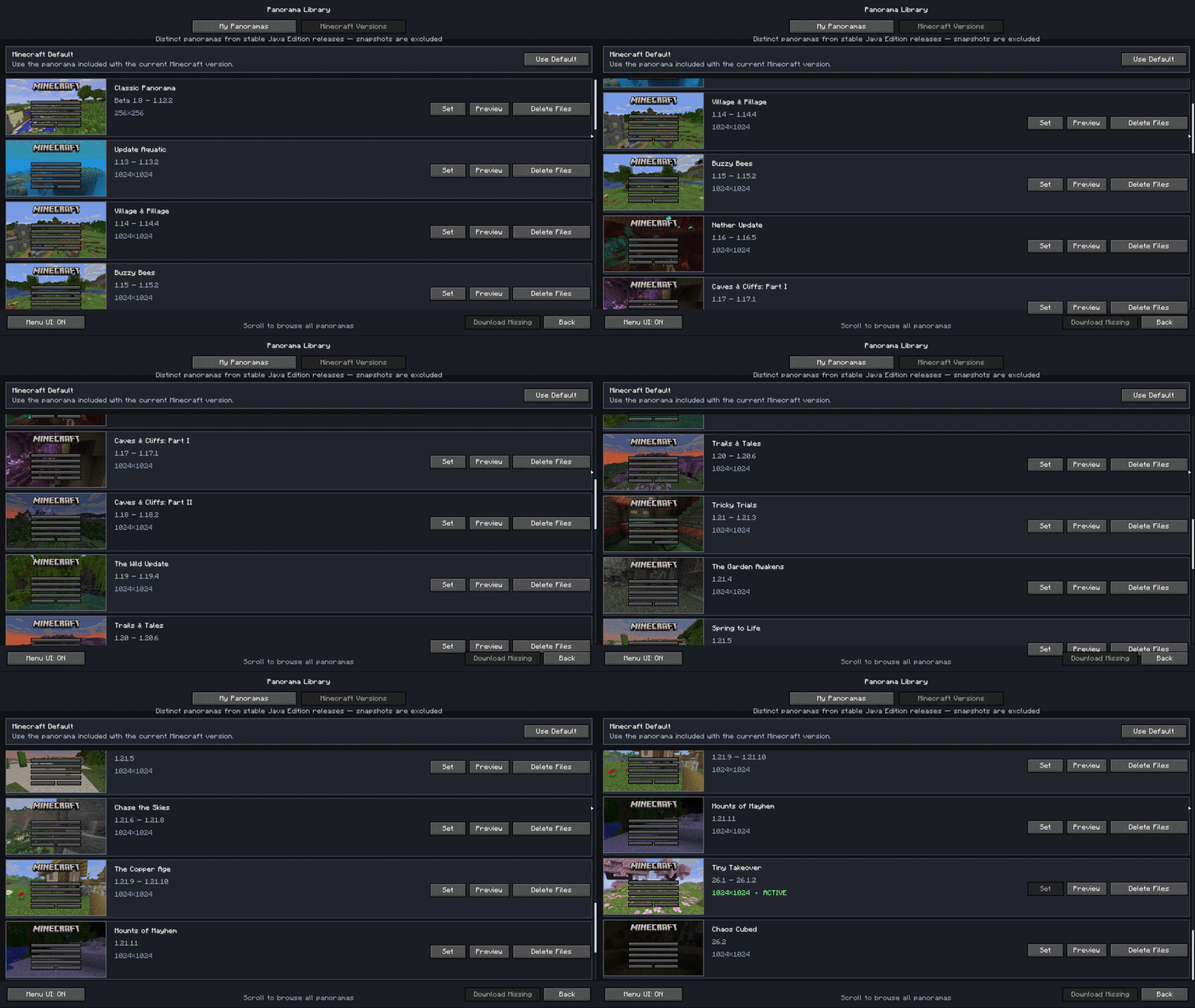
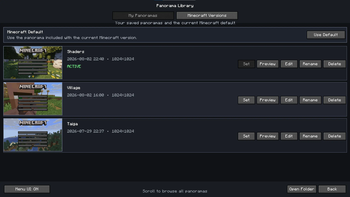
Panorama Library
The panoramas you save can be managed without leaving Minecraft.
From the library you can:
Look through your saved panoramas
Preview them before using them
Rename panoramas
Delete the ones you don't want any more
Make any panorama your title screen background
Go back to Minecrafts panorama whenever you want
The library uses a simple grid so it's easy to look through your captures even once you start collecting quite a few of them.
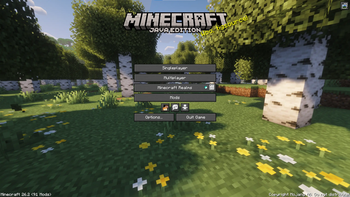
Made for the normal Minecraft menu
Panorium doesn't try to replace the title screen.
Your normal Minecraft buttons, resource packs, shaders, menu mods and other UI changes can still work. Panorium mainly takes care of the background.
The custom panorama is only used where it makes sense such as Minecrafts menus. It won't suddenly appear behind menus while you're actually playing in a world.
A few extra settings ⚙️
Panorium also includes some options for changing how your menu panorama behaves.
Depending on how you want your menu to look you can adjust things such as:
Panorama movement
Menu particles
Mobs in the panorama
Grid behavior in the Panorama Library
Other small visual options
Settings are kept small on purpose. The idea is to customize the panorama not turn the mod into a different main menu.
Works, with your worlds
One of my parts of Panorium is that the background can actually be somewhere you've been.
Your survival base can become your title screen.
A build you're proud of can be every time you start the game.
You can just wander around until you find a cool view and save it.
You can keep panoramas in the library and switch between them whenever you feel like changing things up.
Client-side
Panorium is a client-side Fabric mod.
It doesn't need to be installed on the server you're playing on. You can capture locations while playing normally and manage your panoramas from your client.
Panorium was made to give Minecrafts title screen a little personality without turning it into something that doesn't feel like Minecraft.
Your world. Your menu. 🌄
Made by SleepyDuck 💤🦆
- Edition: Minecraft Java
- File type: .jar
- Minecraft versions listed: 26.1, 26.1.1, 26.1.2
- How to install: Install the matching mod loader (Forge, Fabric or NeoForge) for your Minecraft version. → Download the .jar. → Put it in the .minecraft/mods folder and launch that loader profile.
- Where to get it: Opens on Modrinth — not every file is mirrored on our own servers.
Install steps are the general flow for this file type — How to install Minecraft Java mods & modpacks walks through it step by step.
- Ships as Panorium-1.0.0-mc26.1.x.jar — drop this file into the mods folder
- Download size: 6.9 MB
- Download link checked 19 Oct 2026 — working
These come from our own check of the pack file, not from the source page.