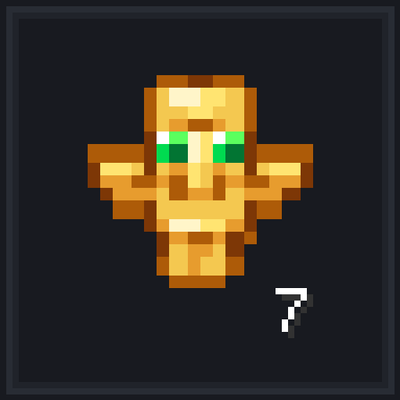
Totem Pop Counter
Accurately tracks all Totems of Undying popped across your worlds with a clean vanilla HUD above offhand. Zero experimental toggles needed and features an…
⬇ Download on CurseForge🟡 Totem Pop Counter for Minecraft Bedrock
A clean, responsive, and permanent totem tracking system designed specifically for Minecraft Bedrock Edition (PC, Consoles & Mobile).
Unlike basic texture packs that only display how many totems you are currently holding in your inventory, Totem Pop Counter accurately records every single Totem of Undying that saves your life in your survival world.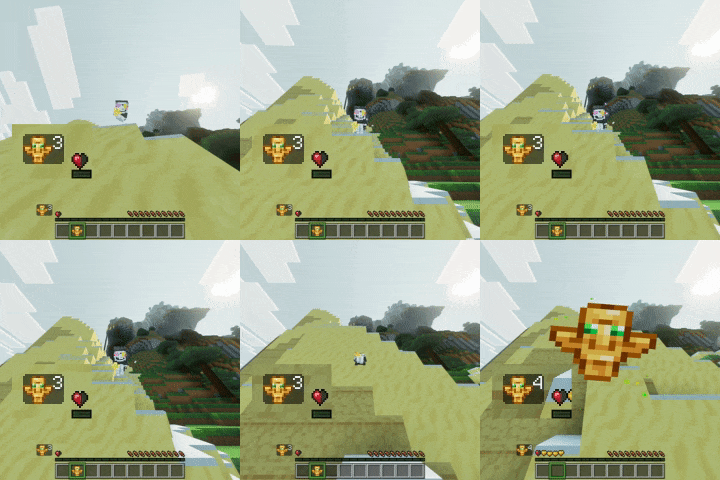
✨ Key Features
- 🛡️ Zero Experimental Toggles (100% Vanilla-Friendly):
- Built using modern stable Bedrock Script APIs (
@minecraft/serverand@minecraft/server-ui). - No "Beta APIs" toggle required. No risk of breaking your worlds during minor game updates!
- Built using modern stable Bedrock Script APIs (
- ⚡ 100% Accurate & Silent Pop Detection:
- Detects totem activations tick-by-tick with zero delay and zero false positives.
- Completely silent: no unwanted spam messages in your chat or center screen.
- 🎨 Authentic Vanilla HUD:
- Clean 16x16 pixel art totem icon paired with an authentic white shadow counter number.
- Fixed right above your hotbar by the offhand slot (
[-106, -34]), keeping your screen clutter-free. - Permanent display animation: never flickers, stutters, or fades out when opening the pause menu.
- 💾 Permanent Lifetime Persistence:
- Saved permanently in player Dynamic Properties and backed by vanilla Scoreboard data (
totems_spent). - Your counter stays safe and persistent across sessions, dimension travels, server restarts, and normal survival deaths/respawns.
- Saved permanently in player Dynamic Properties and backed by vanilla Scoreboard data (
- ⚙️ Native In-Game Config GUI (
/totem:setting):- Type
/totem:settingin chat (with full native autocomplete) to open an in-game modal window. - Easily adjust or synchronize your previous pop count in 2 seconds if you are adding this to an existing survival world.
- Works with cheats disabled! (
cheatsRequired: false).
- Type
🛠️ In-Game Configuration
Opening the settings window is as simple as typing either of the following in the chat:
/totem:setting(Native Bedrock custom command with autocomplete)
A clean modal dialog will pop up on your screen allowing you to type in your current totem count or reset it to 0.
📦 How to Install
- Download
Totem_Pop_Counter_v1.0.0.mcaddonfrom the Files tab. - Double-click or open the file on your device (Windows, Android, iOS, or Consoles) to automatically import both packs into Minecraft.
- In your World Settings:
- Go to Behavior Packs and activate Totem Pop Counter BP.
- Go to Resource Packs and activate Totem Pop Counter RP.
- Play! No experimental toggles required.
⚠️ HUD Compatibility Notice
Please Note: If you are using another addon that also modifies the Actionbar or continuously sends text to that area, the HUD text may temporarily overlap or flicker visually in that spot.
This is strictly a cosmetic/visual overlap due to how Bedrock handles UI layers and does NOT affect your world, your player data, or your gameplay mechanics in any way.
Developed with care by Ebone16 | Discord: Ebone_16
- Edition: Minecraft Bedrock
- File type: .mcpack or .mcaddon
- Minecraft versions listed: 1.21.30, 26.40, 26.50
- How to install: Download the .mcpack or .mcaddon file. → Open it — Minecraft imports it. → In your world: Behavior Packs → Available → Activate, then the same under Resource Packs.
- Where to get it: Opens on CurseForge — not every file is mirrored on our own servers.
Install steps are the general flow for this file type — How to install Minecraft Bedrock addons & mods walks through it step by step.
Totem Pop Counter is a free Minecraft Bedrock addon. Compatible with Minecraft 1.21.30, 26.40, 26.50. Downloaded 35 times (via CurseForge). Download it and open it directly in the game.